
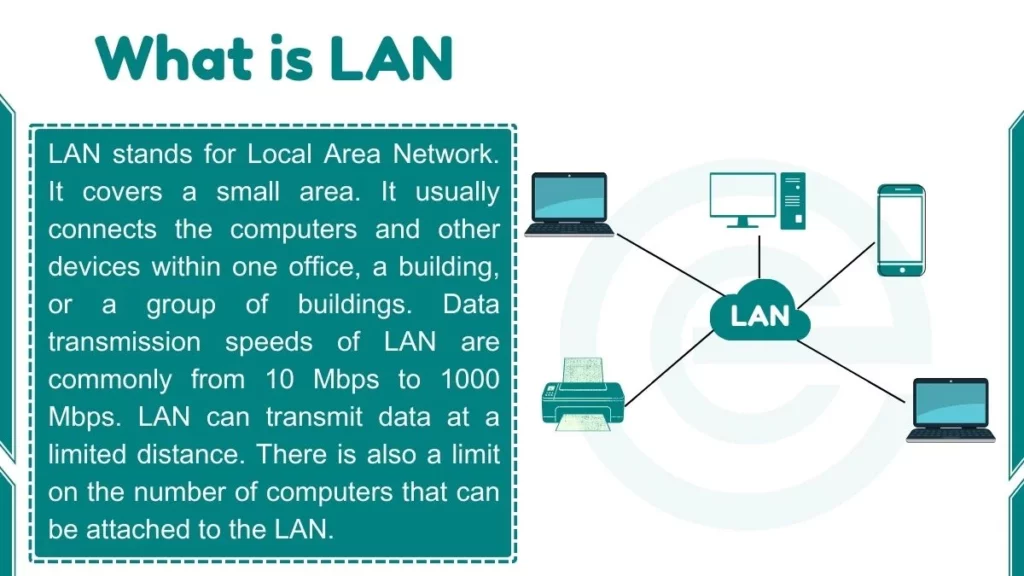
LAN stands for Local Area Network. LAN is the most common type of computer network. LAN is defined as a group of computers and network devices connected together within a limited physical area. This geographical area is usually small. For example, it could be a single office, a home, a school computer lab, or a specific building.
Expert Insight: Based on our hands-on experience deploying enterprise IT frameworks, a standard LAN differs from a WAN (Wide Area Network) because a LAN gives you full ownership over the hardware. You don’t have to rely on third-party telecom carriers for internal data transfer. This keeps your local data completely safe and ultra-fast.
Common Examples of LAN
- Home Networks: Connecting smart TVs, smartphones, gaming consoles, and routers.
- Office Buildings: Linking employees’ PCs, central servers, NAS storage, and office equipment.
- School Labs: Enabling students to access shared educational software and internet tools.
How Does a LAN Work?
A LAN functions by connecting devices using network hardware. In 2026, data transmission speeds on a typical LAN have skyrocketed. While older networks ran at 10 Mbps to 1000 Mbps, modern local area networks easily deliver speeds from 1 Gbps to 10 Gbps (and up to 40 Gbps in data centers).
This speed is much faster than standard telephone lines or traditional wide-area internet connections. However, a LAN can transmit data only at a limited distance. There is also a practical limit on the number of devices you can attach to a single local network.
Advantages of LAN
Here are some benefits of LAN:
1. Resource Sharing: One of the main advantages of a LAN is the ability to share resources between connected devices. Resources like printers, file storage, software, and internet access can be shared by multiple users on the network. This enables efficiency and reduces costs.
2. Data Access: Files and folders stored on file servers and shared drives can be easily accessed from multiple computers and devices connected over the LAN. This improves collaboration and workflow.
3. Peripheral Sharing: Hardware peripherals like scanners, copiers, and printers can be connected directly to the LAN for use by any authorized device or user. This removes the need for separate equipment for each computer.
4. Communication: A LAN allows instant communication through messaging, video conferencing, and shared software tools. Users can collaborate in real-time, removing barriers and delays.
5. Security: Network administrators can implement security policies such as password protection, user permissions, antivirus tools, and firewalls. Data encryption across the LAN to protect sensitive resources and information.
Disadvantages of LAN
Here are some drawbacks of LAN:
1. Single Point of Failure: If LAN hardware like the router, switch, or server fails, connectivity for the entire network could fail. It causes overall disturbance.
2. Expense: The initial cost of cabling, network hardware, configuration, and installation can be high when setting up a LAN. The network needs consistent maintenance as well, which has ongoing costs.
3. Limited Scalability: Due to distance and device limitations, LANs may not scale well beyond a certain office, building, or campus size compared to larger network types like WANs (Wide Area Networks). Expanding may require additional investments.
Connecting devices in a LAN
There are two primary methods used for connecting devices to create a Local Area Network: wired and wireless.
1. Wired: Wired networks use physical Ethernet cables to connect devices directly to network switches, hubs, and routers. Tech setups mostly use Cat6e or Cat8 cables. This method offers the most reliable connection, ultra-low latency, and maximum data security.
2. Wireless: Wireless networks connect devices using modern Wi-Fi technology instead of physical cables. With the rollout of the Wi-Fi 7 standard, wireless LANs now deliver multi-gigabit speeds over radio waves. This setup offers incredible flexibility and mobility for laptops, smartphones, and smart home IoT gear.
Distance and Device Limits
While the fast transmission speeds of Local Area Networks allow efficient communication, you must keep these physical limitations in mind:
- Signal Degradation: Distance is strictly limited based on signal strengths. Whether you use cables or wireless transmission, longer distances weaken signals and slow down speeds.
- Hardware Capacity: The number of devices a LAN can support depends on the standard being used. It also depends on the capability of connected hardware like routers and switches. High-end enterprise equipment can handle thousands of devices, while home routers usually slow down after 30 to 50 active connections.
Also Read:
FAQs
What is the full form of LAN?
The LAN full form is Local Area Network. It connects computer devices within a short physical distance.
Can a LAN work without the internet?
Yes, a LAN can work perfectly fine without an internet connection. Devices connected to a LAN can still share local files, print documents, and communicate with each other locally without internet access.