
The main difference between static and dynamic IP addresses is that a static IP address stays the same permanently. A dynamic IP address changes automatically each time a device connects to the network. That single difference in permanence creates a chain of other differences in cost, security, reliability, and usage.
When I was setting up a home web server during my final year of college, I ran into a problem I could not explain. My server worked perfectly on day one. By day three, nobody could reach it. The IP address had changed overnight. My ISP’s DHCP server had silently assigned a new one. That was my first real lesson in networking, and it taught me exactly why the difference between a static and dynamic IP address actually matters.
What is Difference Between Static and Dynamic IP Address
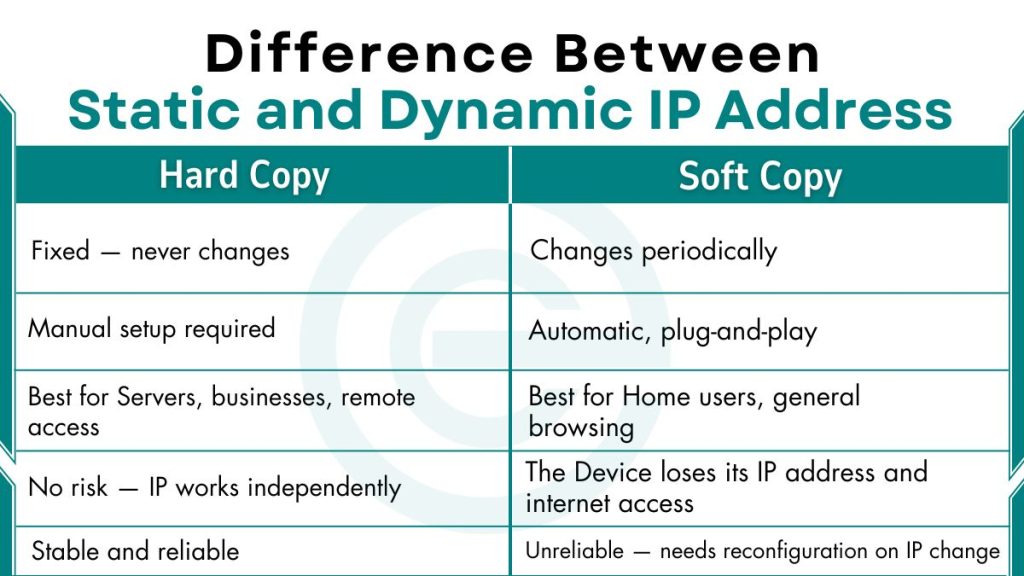
Here is a quick comparison table to understand static vs dynamic IP addresses:
| Feature | Static IP | Dynamic IP |
|---|---|---|
| Assignment Method | Manual (by admin or ISP) | Automatic (via DHCP server) |
| Permanence | Fixed — never changes | Changes periodically |
| Cost | Higher — often an extra monthly fee | Lower — included in most standard plans |
| Configuration | Manual setup required | Automatic, plug-and-play |
| Best For | Servers, businesses, and remote access | Home users, general browsing |
| Security Risk | Higher — predictable, permanent target | Lower — harder to track across sessions |
| DNS Compatibility | Excellent — links directly to a domain | Limited — needs a Dynamic DNS (DDNS) workaround |
| IP Address Pool Usage | Occupies one address permanently | Recycles from a shared pool |
| Setup Difficulty | Requires technical knowledge | No technical knowledge needed |
| IP Conflict Risk | Higher — possible if two devices share same IP | Lower — DHCP prevents duplicates automatically |
| Reliability for Hosting | High — always reachable at same address | Low — changing address breaks server access |
| Privacy Level | Low — acts as a permanent digital fingerprint | Higher — address rotation limits tracking |
| Geolocation Accuracy | More accurate and consistent | Less consistent, may show wrong location |
| Firewall/Whitelist Support | Full support — rules stay valid indefinitely | Limited — rules break when IP changes |
| Port Forwarding | Stable and reliable | Unreliable — needs reconfiguration on IP change |
| Remote Desktop Access | Easy and consistent | Difficult — IP must be looked up each time |
| ISP Plan Type | Usually requires a business or commercial plan | Comes with standard residential plans |
| IPv4 Address Conservation | Poor — one address locked per device | Efficient — same addresses reused across devices |
| VPN Compatibility | Works well — useful for dedicated VPN endpoints | Works well — VPN assigns its own IP regardless |
| Lease Time | No lease — permanent assignment | Has a lease time — address is rented temporarily |
| DHCP Dependency | Not dependent on DHCP | Fully dependent on DHCP server availability |
| Ideal Network Scale | Small, controlled networks with fixed devices | Large networks with many connecting/disconnecting devices |
| Risk if DHCP Server Fails | No risk — IP works independently | The Device loses its IP address and internet access |
| Use in IoT Devices | Common for fixed IoT devices (e.g., smart cameras) | Common for mobile IoT devices (e.g., smart speakers) |
| Gaming Server Hosting | Suitable — players connect to a permanent address | Not suitable — address changes disconnect players |
| Email Server Hosting | Suitable — consistent IP builds sender reputation | Not suitable — changing IP causes email delivery failures |
Frequently Asked Questions (FAQs)
Is a static IP address more secure than a dynamic IP?
Not necessarily. A static IP address has a fixed, predictable address, which makes it easier for hackers and bots to target your device repeatedly. However, static IPs support permanent firewall rules and IP whitelisting, which makes them useful for securing business networks.
Can a dynamic IP address become static?
No. A dynamic IP cannot technically become static unless you change your ISP plan or manually configure the device. However, there is a practical workaround called a DHCP reservation.
Does a static IP make the internet faster?
No. A static IP address does not increase internet speed. Internet speed depends on your bandwidth plan, your ISP’s infrastructure, and your network hardware. The type of IP address, static or dynamic, does not affect how fast data travels to and from your device.
How do I know if my IP address is static or dynamic?
The easiest way is to check your device’s network settings. On Windows, open Network Settings, go to your network adapter properties, and check whether the IP address is entered manually or set to obtain automatically. If it says “Obtain an IP address automatically,” your IP is dynamic. If an address is typed in manually, it is static.