
In the corporate work routine, one of the most hectic tasks is converting physical or non-editable digital documents into a digitally editable version. Some companies have hired data entry operators to do the task, while others have opted for paid software that not every business can afford.
What if we tell you that now there is no need to buy expensive paid software anymore? There is a website, Image to Text Converter, that lets you digitize documents for free.
Image to Text Converter – An Overview
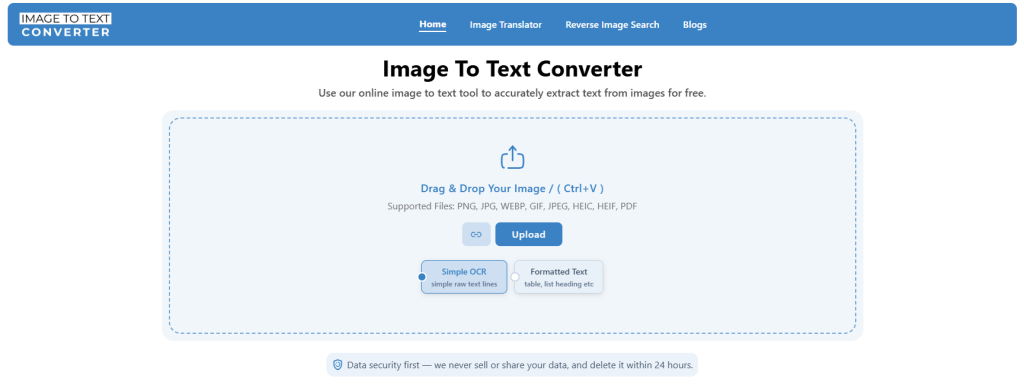
Image to Text Converter is a free OCR (Optical Character Recognition) utility that is well-known for converting images into text. Many people use it to digitize scanned, physical papers and make non-editable files editable.
Popular Use Cases of Image to Text Converter
- Copy text from images and screenshots.
- Digitize handwriting.
- Make a non-editable text file editable.
- Digitize scanned, printed papers.
- Make text searchable and shareable.
Key Features
- Free online OCR converter.
- Use advanced technology backed by AI.
- Provide image editing options before conversion.
- Supports batch conversion.
- Process PDF files as well.
- Provide both raw and formatted results.
- Offer free download, multiple file types.
- Convert extracted text into HTML and Markdown.
- Extracts text from public image URLs.
- Works efficiently across desktop and smartphone devices.
How to Use the Image to Text Converter for Document Digitization?
Using the Image to Text Converter is very simple. Just open a web browser and go to the official website Imagetotextconverter.net. Since it is an online utility, you can use it on both desktop and smartphone devices.
After opening the tool, you will see options to upload or import your files for conversion.

1. Upload Document Images
Now select whether you want simple OCR, which provides raw form output, or if you need formatted text. Next, upload the document images that you want to digitize. The tool usually supports multiple file upload methods.
You can:
- Upload images directly from your device
- Drag and drop files
- Paste copied images
- Import files using image URLs
This OCR tool also supports batch uploads. This means you can upload multiple document images at once and convert them all at once. At the time we are writing, the limit is 5 uploads at once.
2. Adjust Image Before Conversion (Optional)
Once images are uploaded, you will get image editing options before the conversion process starts.
This feature helps improve text extraction accuracy. You can access it by clicking the crop icon next to uploaded images.
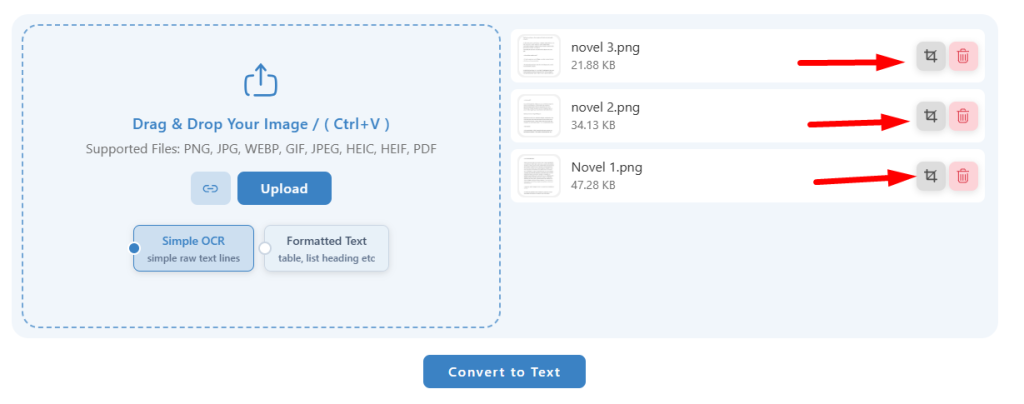
You can:
- Crop unwanted areas
- Rotate or flip images
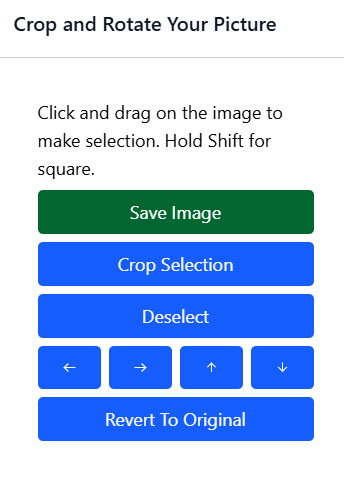
After making any change, don’t forget to click the Save Image button.
3. Start the OCR Conversion Process
After uploading and adjusting the file, click the “Convert to Text” button.
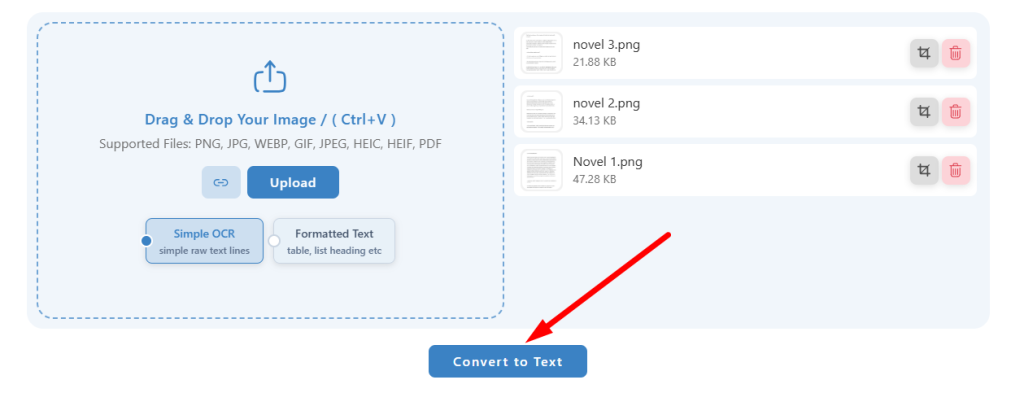
The tool will now scan the image carefully and detect all visible text. This advanced AI-powered OCR tool can recognize the following elements:
- Printed text
- Handwritten content
- Numbers
- Symbols
- Multiple text styles
The processing time usually depends on the file size and the number of uploaded images. However, most conversions are complete within seconds.
4. Copy, Download, or Edit the Text
Once the conversion process is completed, you can use the text however you want.
Image to Text Converter provides you with multiple options, such as:
- Copy text instantly
- Download output as TXT, PDF, or DOCx files
- Export as HTML or Markdown (for formatted text)
Now your previously non-editable document becomes fully editable and searchable. You can easily update the content, share it online, or store it digitally for future use.
That simple it is to make non-editable documents editable without installing any software.
Why Use an Online Image to Text Converter?
- No software installation required
- Free and easy to use
- Save time and manual typing effort
- Quickly make documents editable
- Allow batch conversion for multiple files
- Make documents searchable and shareable
- Support different download formats
- Accessible anytime through a web browser
- AI-powered OCR improves text recognition accuracy
- Convert handwritten and printed text efficiently
Final Talk
Using an Image to Text Converter and similar platforms is the easiest and most efficient way to make documents editable. Whether you have documents in digital form or want to digitize physical or printed documents, it works for everyone.
So, if you need to make a non-editable document editable, opt for the method we shared in this blog post. No software needs to be installed, nor are device specifications required. Just open a browser, go to Imagetotextconverter.net, and make your documents editable. Simple.