TL;DR (Quick Summary)
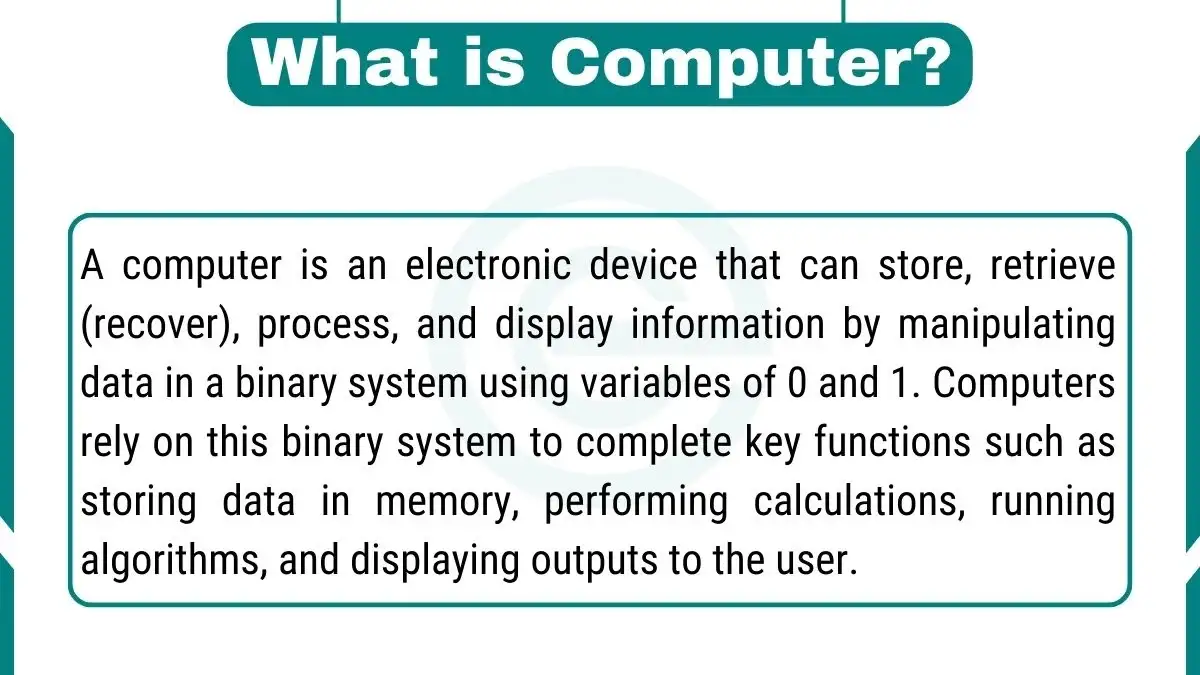
A computer is an electronic device that can store, retrieve, process, and display information. It works by handling data in a binary system of 0 and 1. This simple system helps a computer save data, do calculations, run algorithms, and show results to the user. Its main parts are the CPU, motherboard, memory (RAM), and storage.
What Is a Computer?
A computer is an electronic device that accepts data, processes it using instructions, stores it, and shows the result. It uses the binary system of 0 and 1 to do all this work.
This is a simple computer definition. Dictionaries like Merriam-Webster describe it as a programmable device that can store, retrieve, and process data.
Every computer does four key tasks:
- Input: It receives data from you, such as typing or clicking.
- Processing: It works on the data using the CPU and software.
- Storage: It saves data for short-term or long-term use.
- Output: It shows results on a screen, printer, or speaker.
Computer Meaning and Word Origin
The word “computer” comes from the verb “compute”, which means to calculate. In the 1640s, it meant a person who did calculations by hand. Over time, the word moved from people to machines.
So, when people ask “what do you mean by computer?”, the answer is simple. It is a machine that computes, stores, and shows information.
How Does a Computer Work?
A computer works in a four-step cycle: input, processing, storage, and output. Software gives the instructions, and the CPU runs them at very high speed.
Here is how this cycle looks in real life. You type a word on the keyboard. The CPU reads that key press. The word is saved in RAM. Then the monitor shows it on the screen.
Keyboards, mice, monitors, and printers are called peripherals. When you send data through a peripheral, system software manages it. System software, like the operating system, controls the hardware. Application software, like a web browser, uses it to finish your task.
If you are online, your data leaves the computer as small data packets. They travel through the network and are put back together at the other end.
How Does Binary Code Work in a Computer?
Computers cannot understand English directly. They only understand two states: on (1) and off (0). Each 0 or 1 is called a bit. Eight bits make one byte.
For example, the capital letter “A” is stored as 01000001 in ASCII code. Photos, music, and videos are also stored as long strings of bits.
What Is the Fetch-Decode-Execute Cycle?
The CPU repeats three steps again and again:
- Fetch: It gets an instruction from memory.
- Decode: It understands what the instruction means.
- Execute: It carries out the task.
A modern CPU does this billions of times every second. The speed of this cycle is called clock speed. It is measured in gigahertz (GHz). One GHz means one billion cycles every second.
A multi-core processor has two or more cores inside one chip. Each core can work on its own task. This makes multitasking faster.
What Are the Main Characteristics of a Computer?
The main characteristics of a computer are speed, accuracy, automation, storage, versatility, and diligence. These features make computers more reliable than manual work.
- Speed: A computer solves in seconds what takes a person hours.
- Accuracy: It gives correct results if the data and instructions are correct.
- Automation: It can run tasks on its own once a program starts.
- Storage: It can keep huge amounts of data and find it quickly.
- Versatility: It can write, calculate, design, play media, and much more.
- Diligence: It does not get tired or lose focus.
A computer also has limits. It follows instructions and has no feelings of its own. Even modern AI learns from data and human design.
How Did Computing Devices and Computers Evolve?
Computers evolved from mechanical calculators to vacuum tube machines, then to transistors, microchips, and today’s AI-ready devices. Institutions like Encyclopaedia Britannica have well-documented this history.
Early computing devices were bulky machines that used punch cards and mechanical switches. Then transistors and integrated circuits made computers smaller and faster.
The microprocessor changed everything. It led to personal computers and laptops that could fit on a desk or in a bag. Computers became cheaper and easier for homes, schools, and businesses.
Key Moments in Computer History
- 1837: Charles Babbage designs the Analytical Engine, an early idea of a general-purpose computer.
- 1843: Ada Lovelace publishes an algorithm for the engine. Many call her the first programmer.
- 1936: Alan Turing describes the idea of a universal computing machine.
- 1945: ENIAC, one of the first general-purpose electronic computers, is completed.
- 1947: The transistor is invented at Bell Labs.
- 1971: Intel releases the 4004, an early microprocessor.
- 1981: IBM launches its Personal Computer.
- 2007: The first iPhone makes powerful pocket computers popular.
What Are the Five Generations of Computers?
| Generation | Period | Key Technology |
|---|---|---|
| First | 1940s–1950s | Vacuum tubes |
| Second | 1950s–1960s | Transistors |
| Third | 1960s–1970s | Integrated circuits (ICs) |
| Fourth | 1970s–present | Microprocessors |
| Fifth | Present and future | Artificial intelligence |
What Are the Types of Computers?
The main types of computers are desktops, laptops, mobile devices, servers, mainframes, and supercomputers. Computers are also grouped by size, data type, and purpose.
The table below gives a quick view of the types of computers.
| Basis | Types | Example Use |
|---|---|---|
| By data handled | Analog, Digital, Hybrid | Digital: phones and laptops. Hybrid: medical machines |
| By size and power | Supercomputer, Mainframe, Minicomputer, Microcomputer | Supercomputer: weather forecasts |
| By purpose | General-purpose, Special-purpose | Special-purpose: ATMs, traffic systems |
Desktop computers, laptops, and mobile devices are the most common types in daily life. As these devices grow in use, it is also useful to know the advantages and disadvantages of computers.
1. Desktop Computers
Desktop computers are known for power and versatility. They usually have a tower or box that holds the CPU, memory, and storage. Their larger size allows stronger hardware. This makes them ideal for video editing, gaming, and data analysis.
2. Laptops
Laptops offer portability with real computing power. They combine the CPU, memory, storage, and input/output devices in one unit. They have built-in batteries. So, you can work on the go without a power outlet.
3. Mobile Devices
Smartphones and tablets are small computers with touchscreens. They are light and easy to hold. They do more than basic computing. You can make calls, send messages, browse the web, use social media, and run apps. Built-in sensors and constant connectivity make them part of daily life.
4. Servers, Mainframes, and Supercomputers
Servers store websites, emails, and files for many users. Mainframes handle huge business tasks like banking. Supercomputers solve very complex problems, such as weather and science research.
What Are the Core Components of a Computer?
The core components of a computer are the CPU, motherboard, memory (RAM), and storage. They work together so the computer can process data and run programs.
1. Central Processing Unit (CPU)
- Function: The CPU serves as the primary processing unit, executing instructions and performing complex calculations. It interprets and carries out instructions from computer programs, making it the “brain” of the computer.
- Significance: The speed and efficiency of the CPU significantly impact the overall performance of the system. Higher clock speeds, multiple cores, and advanced architectures contribute to faster data processing.
2. Motherboard
Function: The motherboard is the main circuit board that connects and facilitates communication between various hardware components. It acts as a central hub for the computer system.
Components of Motherboard:
- Memory Slots: These slots house RAM modules, allowing the system to expand its memory capacity.
- Storage Connectors: Connectors for attaching storage devices such as HDDs and SSDs, enabling data storage and retrieval.
- Ports: Various ports (USB, HDMI, Ethernet, etc.) provide connections for external devices, peripherals, and networking.
3. Memory
- Function: Random Access Memory (RAM) gives the CPU quick access to data. It holds data for running apps for a short time.
- Significance: More RAM helps with multitasking. Most data in RAM is lost when the power is off.
- Volatile vs non-volatile: RAM is volatile memory. It loses its data when the power is off. SSDs and HDDs are non-volatile storage. They keep data without power.
4. Storage
Types:
- Hard Disk Drive (HDD): HDDs use magnetic storage to store data on spinning disks. They provide large storage capacities at a more affordable cost.
- Solid-State Drive (SSD): SSDs use flash memory for faster data access. They offer quicker boot times and improved performance but are often more expensive than HDDs.
Function: Storage devices, whether HDDs or SSDs retain data even when the computer is powered off. They store the operating system, applications, files, and user data, providing both short-term and long-term data storage.
5. Graphics Processing Unit (GPU)
- Function: The GPU handles graphics, video, and many parallel tasks. It is key for gaming, design, and AI training.
- Significance: A strong GPU makes games smooth. It also speeds up video editing, 3D design, and AI work.
What the GPU does:
- Rendering graphics: It draws the images, windows, and animations you see on screen.
- Video editing: It speeds up playback, effects, and exporting.
- Parallel processing: It has thousands of small cores that work on many tasks at the same time.
- AI and science: It trains AI models and runs heavy simulations.
Types: An integrated GPU is built into the CPU and suits daily use. A dedicated GPU is a separate card with its own video memory (VRAM). It suits gaming and professional work.
6. Neural Processing Unit (NPU)
- Function: The NPU is a chip built for AI tasks. It runs features like live captions and background blur with low power use. Many new laptops in 2026 include one.
- Significance: An NPU does AI work faster and with less power than a CPU or GPU. This saves battery and keeps your data on the device. Its speed is measured in TOPS (trillion operations per second). A Copilot+ PC needs an NPU of at least 40 TOPS.
For a more detailed explanation of each hardware part and its role, check out our article on the Parts of a Computer.
What Is the Difference Between Computer Hardware and Software?
Hardware is the physical part of a computer that you can touch. Software is the set of programs and instructions that tells the computer hardware what to do.
| Feature | Hardware | Software |
|---|---|---|
| Meaning | Physical parts | Programs and data |
| Examples | CPU, RAM, keyboard, monitor | Windows, Chrome, MS Word |
| Can you touch it? | Yes | No |
| Needs the other? | Needs software to work | Needs hardware to run |
Without software, a computer is just an inactive machine. Software turns hardware into a useful tool. It ranges from word processing to complex data analysis.
There are two main types of software:
- System software: Operating systems and utilities that run the computer.
- Application software: Programs for tasks, like browsers, games, and office tools.
System software runs in the background and keeps the computer working. Application software is what you open and use.
What Is the Role of an Operating System in a Computer?
An operating system (OS) is software that manages the computer’s hardware and lets you use apps. It works as a bridge between the user and the hardware.
Examples include Windows, macOS, Linux, and Android. They provide a friendly interface and a safe place for apps to run.
1. Resource Management
- Memory management: It allocates and takes back memory for running apps.
- Processor scheduling: It decides which task the CPU does next.
- Input/output control: It manages data flow between devices and apps.
2. File System Management
- It organizes files and folders for easy storage.
- It controls file access and permissions to protect data.
3. Security Measures
- Access control: It limits who can use the system and what they can do.
- Data protection: It guards private data from unauthorized access.
4. Seamless Operation
- It helps many apps run together without clashing.
- It allows apps to share data when needed.
5. Kernel and Device Drivers
The kernel is the core part of the operating system. It controls the CPU, memory, and devices. It talks to hardware through device drivers. A driver is a small program that lets the OS use a device, like a printer or graphics card.
6. GUI and CLI
The OS also gives you a way to use the computer. A Graphical User Interface (GUI) uses windows, icons, and menus. You click and tap to work. A Command Line Interface (CLI) uses typed text commands. Developers and system administrators often use it for speed and control.
In short, the OS gives a stable and reliable base for every program.
How Do Computers Store and Manage Data?
Computers store data on HDDs, SSDs, and cloud servers. They use file systems and databases to keep that data organized and safe.
With the growth of digital information, both people and businesses rely on computers for storage. This includes personal photos and large company databases.
Each storage type has its own benefit:
- HDD: Large space at a low cost.
- SSD: Fast access and quick start-up.
- Cloud storage: Access from anywhere with internet.
File systems and databases help keep data accurate and easy to find. A good habit is the 3-2-1 backup rule: keep three copies, on two types of storage, with one copy off-site.
How Do Computer Networks and the Internet Work?
A computer network connects two or more devices so they can share data and resources. The internet is the largest network, linking millions of networks across the world.
Networks use hardware like routers and switches. They also use rules called protocols, such as the Internet Protocol (IP).
The internet runs on the TCP/IP protocol suite. It breaks data into small packets. These packets travel across networks and are put back together at the destination.
How Do IP Addresses, Routers, and Bandwidth Work?
Every device on a network has an IP address. It works like a home address for your computer. IPv4 and IPv6 are the two versions in use.
Routers and switches read the IP address on each data packet and send it the right way. Routers connect different networks. Switches connect devices inside one network.
Bandwidth is the most data a connection can carry per second. It is measured in Mbps or Gbps. More bandwidth means faster downloads and smoother video calls.
Thanks to this system, you can browse websites, send emails, join video calls, and study online.
What Are Computer Programming Languages?
Computer programming languages are sets of rules used to write instructions for a computer. They act as a bridge between humans and machines.
High-level languages like Python and Java are easier to read. Low-level languages like C and assembly are closer to machine code.
Different languages serve different goals:
- Web development: JavaScript, HTML, CSS.
- Data analysis and AI: Python, R.
- System programming: C, C++, Rust.
The right language depends on the task. New learners often start with Python because its syntax is simple.
How Are AI and Machine Learning Changing Computers in 2026?
AI and machine learning let computers learn from data and make predictions. In 2026, they also change computer hardware, with NPUs now built into many laptops.
- Artificial intelligence (AI) is the ability of a machine to do tasks that usually need human intelligence.
- Machine learning (ML) is a part of AI. ML systems learn patterns from data instead of following fixed rules.
In healthcare, AI can study patient data to spot patterns. In finance, it can track market trends and detect fraud. In language tools, it powers virtual assistants and translation.
AI-driven computer vision supports face recognition, image analysis, and self-driving systems.
What Is an AI PC?
An AI PC is a computer with a dedicated NPU that runs AI tasks on the device. This can improve speed, battery life, and privacy for features like live captions and translation.
A Copilot+ PC is Microsoft’s stricter standard. It needs an NPU of at least 40 TOPS, along with 16 GB of RAM and 256 GB of storage. Every Copilot+ PC is an AI PC, but not every AI PC is a Copilot+ PC.
Copilot+ PC minimum requirements:
- NPU with at least 40 TOPS
- 16 GB of RAM
- 256 GB of SSD storage
- A recent version of Windows 11
How Can You Keep Your Computer Secure?
You can keep your computer secure with strong passwords, regular updates, antivirus software, and safe browsing habits. Encrypting data adds another layer of protection.
Cybercriminals use malware, phishing, and social engineering to steal data. Good habits reduce this risk.
- Use strong, unique passwords and turn on two-factor authentication.
- Update your operating system and apps often.
- Install trusted antivirus software.
- Avoid clicking unknown links or opening unknown attachments.
- Encrypt sensitive data in storage and during transfer.
- Back up important files regularly.
What Are the Uses of Computers in Daily Life?
Computers are used in education, business, healthcare, banking, science, and entertainment. They save time and help people work with more accuracy.
- Education: Online classes, e-books, and research.
- Business: Accounting, emails, and customer records.
- Healthcare: Patient records and medical imaging.
- Banking: ATMs, online payments, and fraud checks.
- Science: Simulations and large data analysis.
- Entertainment: Gaming, streaming, and music.
Future of Computing
The future of computing includes quantum computing, edge computing, and more powerful AI. These trends aim to make computers faster, smarter, and closer to the user.
- Quantum Computing: Quantum computers use the rules of quantum mechanics. They may solve some complex problems much faster than normal computers.
- Edge Computing: Edge computing moves data processing closer to where data is made. With billions of IoT devices sending data, this reduces delay and eases pressure on the cloud. It can help self-driving cars, smart cities, and healthcare.
- Cloud Computing: Cloud storage keeps your files on remote servers instead of only on your device. You can open them from any device with internet. Cloud computing goes further and lets you use powerful servers over the web.
FAQs
What are the different types of computers?
There are various types of computers, including desktops, laptops, and mobile devices. Each type has its advantages and is designed for specific purposes.
What are the core components of a modern computer?
The core components of a modern computer include the central processing unit (CPU), memory, storage devices, input devices, output devices, and the motherboard.