
I remember the day our school replaced the old bulky monitors with new LED displays. The difference was remarkable. Text appeared sharper, colors looked vibrant, and my eyes felt less tired after long study sessions. This experience taught me that understanding monitor functions is essential for anyone using computers daily.
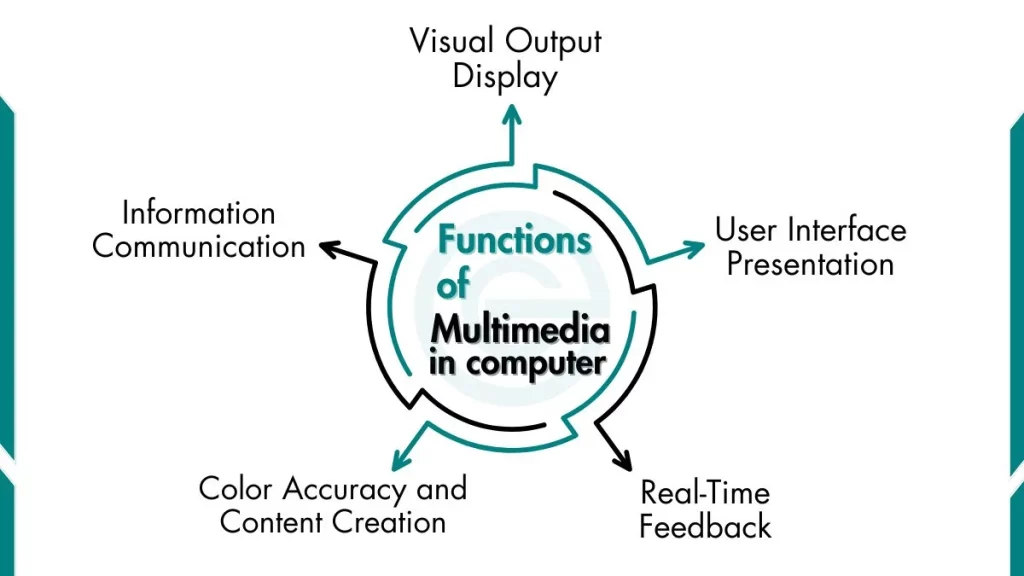
What is Functions of Monitor in Computer?
The following are primary functions of the monitor:
1. Visual Output Display
The primary function of a monitor is to convert digital data into visual information. When you type a letter on your keyboard, the computer processes this action and sends signals to the monitor. The monitor then illuminates specific pixels to display that letter on screen.
This process happens continuously and extremely fast. Your monitor refreshes the entire screen dozens of times per second, creating the illusion of smooth motion and responsiveness.
How data becomes visible images:
- Your application creates digital data (text, images, video)
- The graphics card processes this data into signals
- These signals travel through cables to the monitor
- The monitor’s processor interprets the signals
- Pixels illuminate in specific patterns to create the image you see
2. User Interface Presentation
Your monitor displays the entire operating system interface. This includes Windows, macOS, or Linux desktop environments. Everything you interact with appears on your monitor screen.
The graphical user interface (GUI) relies completely on monitor functionality. Icons, windows, menus, and buttons all exist as visual elements your monitor presents.
Essential interface elements monitor display:
- Desktop background and icons
- Application windows and taskbars
- File Explorer and folder structures
- Web browsers and internet content
- Software tools and menus
3. Real-Time Feedback
Monitors provide an immediate visual response to your actions. When you move your mouse, the cursor moves instantly on screen. When you click a button, you see the result immediately. This real-time feedback makes computers interactive and usable.
Gaming demonstrates this function clearly. A high-quality monitor displays character movements, opponent actions, and game environments instantly. Any delay between your input and visual feedback affects performance.
Examples of real-time feedback:
- The mouse cursor tracks your hand movements
- Characters appearing as you type
- Video playback showing smooth motion
4. Information Communication
Monitors serve as the primary channel for information delivery. They display text for reading, images for viewing, videos for watching, and data visualizations for understanding complex information.
Different content types require different monitor capabilities. Reading text demands clarity and sharpness. Watching videos requires a smooth motion display. Viewing photographs needs accurate color reproduction.
Information types monitors communicate:
- Text documents, ebooks, and web articles
- Photographs, graphics, and illustrations
- Videos, movies, and streaming content
5. Color Accuracy and Content Creation
Monitors reproduce colors with varying degrees of accuracy. This function becomes critical for students in digital arts, photography, video production, and graphic design programs.
Different monitors display colors differently. A photo that looks vibrant on one screen might appear washed out on another. This variation occurs because monitors use different technologies and color spaces.
Color gamuts define the range of colors a monitor can display:
- sRGB: Standard color space, covers about 35% of visible colors
- Adobe RGB: Wider gamut, preferred for professional photography
- DCI-P3: Cinema standard, common in modern displays
- Rec. 2020: Future standard for 8K content
When I edited my first video project on a budget monitor, the colors looked perfect on my screen. However, when I presented the video in class on the projector, the colors appeared completely different – much more washed out and less vibrant. This taught me the importance of color accuracy.
If you want to learn about the basics of a computer monitor, read our detailed guide on what a monitor is.
Frequently Asked Questions
What is the main function of a computer monitor?
The primary function of a computer monitor is to display visual output from your computer. It converts digital signals from the graphics card into visible images, text, videos, and graphics that you can see and interact with.
How does monitor resolution affect image quality?
Higher resolution means more pixels, which creates sharper and more detailed images. A 1920×1080 (Full HD) monitor has about 2 million pixels, while a 3840×2160 (4K) monitor has over 8 million pixels. Text appears crisper, images show more detail, and you can fit more content on screen with higher resolutions.
Can I use a TV as a computer monitor?
Yes, you can use a TV as a computer monitor, but it is not ideal for close-range desk use. TVs typically have lower pixel density than monitors, making text appear less sharp when viewed up close. TVs also have higher input lag and may lack features like high refresh rates or proper scaling.
