
The Internet is a massive global network that connects billions of computers and devices to each other so they can communicate and exchange data.
In 2026, the internet is not just a tool for entertainment. It is the infrastructure for education, employment, healthcare, commerce, and civic life. According to the ITU’s Facts and Figures 2025, 6 billion people that is 74% of the global population, are now using the internet. Understanding what you use every day is not optional. It is a basic literacy skill.
Definition of Internet
Internet is a global system of interconnected computer networks that communicate using a standard set of rules called the Internet Protocol Suite (TCP/IP). It allows billions of devices worldwide to share data, resources, and information at high speed.
The word “internet” comes from the term internetworking. It simply means connecting multiple different networks. Think of it this way: imagine thousands of cities across the world, each with its own local road system. The internet is the national and international highway system that connects all those cities.
If you want to learn core internet terms, check our detailed list on the Internet Terms
How Does the Internet Work?
This is one of the most important questions in computer science. Here is exactly what happens, step by step:
- Step 1 — You type a URL: You type
www.google.cominto your browser. - Step 2 — DNS Lookup: Your device cannot understand text addresses. It contacts a DNS server (the Internet’s phone book), which translates
www.google.cominto an IP address like142.250.190.46. - Step 3 — TCP Handshake: Your device connects to the web server at that IP address using a three-step confirmation process called a TCP handshake, in which both devices confirm they are ready to communicate.
- Step 4 — HTTPS Request: Your browser sends an encrypted HTTPS request to the server, asking it to send the web page.
- Step 5 — Server Responds: The server sends back HTML, CSS, images, and JavaScript files that make up the page.
- Step 6 — Browser Renders: Your web browser assembles these files and displays the web page.
This entire process takes less than one second.
I use this sequence in every networking lesson. I call it the “six-step postal journey.” When I compare Step 2 to looking up a phone number before dialing, students always say “Ohh, now I get it.” That is the moment the concept becomes real.
What an IP Address Is and Why Every Device Needs One
Every device connected to the internet has a unique IP (Internet Protocol) address. It’s a numerical label that identifies it on the network. There are two versions in use:
- IPv4: Uses four sets of numbers, e.g.,
192.168.1.1. Supports about 4.3 billion unique addresses. - IPv6: Uses a longer format, e.g.,
2001:0db8:85a3::8a2e:0370:7334. Supports trillions of addresses — necessary because IPv4 addresses have run out.
Every device also has a public IP address (visible to the internet) and a private IP address (used within your home or school network).
What Is Packet Switching?
The internet does not send data as one large block. It breaks data into small pieces called packets.
Analogy: Imagine you need to send a 500-piece puzzle to a friend in another city. Instead of one large box, you pack it into 25 smaller boxes. Each box travels by a different route, some by air, some by road. Your friend reassembles the puzzle when all boxes arrive.
That is exactly how packet switching works:
- Your data (a video, a web page, an email) is broken into packets
- Each packet contains a header with source and destination IP addresses and a sequence number
- Packets travel independently through routers, possibly taking different paths
- They are reassembled in the correct order at the destination
Packet switching is efficient because it uses bandwidth dynamically. It is also resilient, meaning that if one route fails, packets automatically take another path.
Types of Internet Connections
There are five main types of internet connections. They differ in speed, reliability, cost, and availability.
1. Dial-Up (Historical)
Dial-up was the first type of internet connection available to homes in the 1990s. It used the existing telephone line to connect to the internet. It could not handle phone calls and internet use at the same time. Maximum speed was around 56 Kbps, which is extremely slow by today’s standards.
2. DSL (Digital Subscriber Line)
DSL also uses telephone lines but carries internet and phone signals simultaneously. Download speeds typically range from 1 Mbps to 100 Mbps. DSL is widely available but slower than cable or fiber. It is common in areas where fiber has not yet been deployed.
3. Cable Internet
Cable internet uses the same coaxial cables that deliver cable television. It offers higher speeds than DSL — typically between 50 Mbps and 1 Gbps. One limitation is that bandwidth is shared among users in the same neighborhood, so speeds can drop during peak hours.
4. Fiber Optic Internet
Fiber optic is the fastest and most reliable type of internet connection available today. It transmits data as pulses of light through thin glass or plastic strands:
- Download and upload speeds can reach 1 Gbps or higher
- Low latency and consistent performance
- Not affected by electromagnetic interference
- Ideal for households with multiple devices, remote workers, and gamers
- Still expanding to more areas globally
5. Satellite Internet
Satellite internet is ideal for rural and remote areas where other options are not available:
- Traditional satellite (e.g., HughesNet): higher latency due to distance from geostationary satellites
- Low Earth Orbit (LEO) satellite (e.g., Starlink by SpaceX): lower latency and higher speeds by using satellites much closer to Earth
- Starlink has expanded significantly and serves users in over 100 countries as of 2025
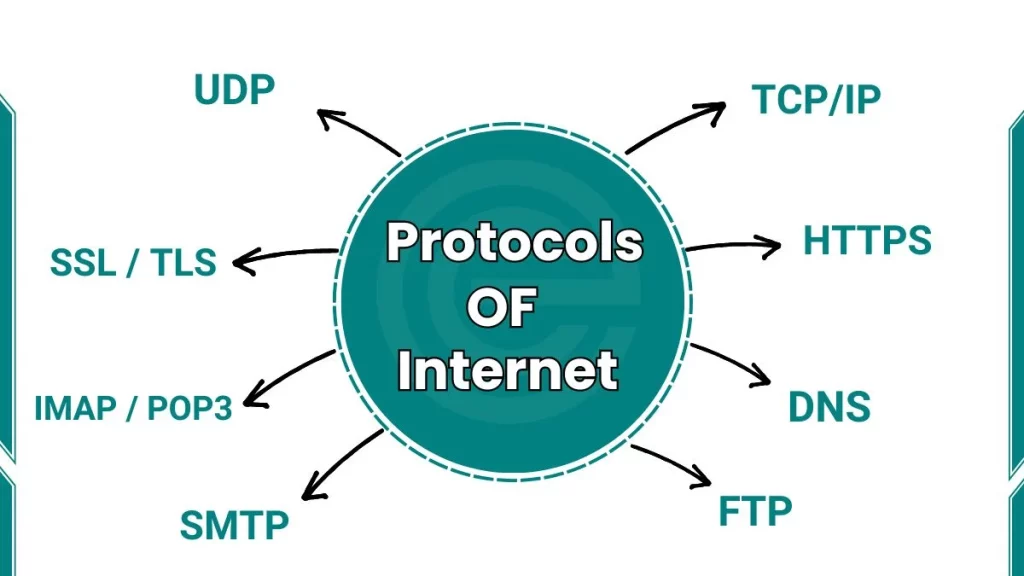
What are the Key Internet Protocols?
Here are important internet protocols:
| Protocol | What It Does |
|---|---|
| TCP/IP | Breaks data into packets, sends and reassembles them |
| HTTP | Loads web pages from a server to your browser |
| HTTPS | Encrypted HTTP — protects your data in transit |
| DNS | Translates domain names into IP addresses |
| FTP | Transfers files between computers |
| SMTP | Sends emails from sender to mail server |
| VoIP | Transmits voice and video calls |
| UDP | Transmits data fast without checking |
| IMAP / POP3 | Retrieves emails from a mail server to your device |
| SSL / TLS | Encrypts data to protect privacy and security |
What is the difference between Internet and World Wide Web?
No. The Internet and the World Wide Web (WWW) are not the same thing. This is one of the most common misconceptions in computer science.
| Internet | World Wide Web | |
|---|---|---|
| What it is | The global physical and logical infrastructure | A service that runs on top of the internet |
| Invented by | Multiple researchers (1960s–1980s) | Tim Berners-Lee (1989) |
| Protocol | TCP/IP | HTTP / HTTPS |
| Access method | Routers, cables, wireless signals | Web browser (Chrome, Firefox, Safari) |
| Example | The entire network infrastructure | A website like Wikipedia |
How Is AI Changing the Internet for Students?
Artificial intelligence is now a core part of how students interact with the internet in 2026:
- ChatGPT (OpenAI) and Claude (Anthropic) AI assistants are accessible through web browsers; used for writing, research, and coding help
- Google Gemini is integrated into Google Search, giving AI-generated answers directly on the results page
- GitHub Copilot is an AI coding assistant that is used by programmers and CS students
- Grammarly AI writing improvement tool used by millions of students
AI tools are useful. But they can also generate inaccurate information. Verifying AI-generated content against reliable sources is a critical skill in 2026. Digital literacy now includes AI literacy.
The Future of the Internet
What Is Web 3.0?
Web 3.0 is the next phase of the internet, built on blockchain technology and decentralized principles:
- Users own and control their own data
- Transactions use smart contracts, self-executing code that removes the need for a middleman
- Decentralized apps (dApps) run without a central server
- Digital ownership of assets through NFTs and cryptocurrencies
Web 3.0 is still developing. Challenges include scalability, energy consumption, and regulation. But the direction is clear: shifting power from large platforms back to individual users.
Frequently Asked Questions (FAQs)
What is dark web?
The dark web is a part of the internet that standard search engines do not index and that requires special software to access. It is part of the broader deep web, which includes all internet content not indexed by Google. The dark web hosts both legitimate uses (anonymous journalism, privacy-focused communication) and illegal activities (stolen data markets, illegal goods).
What does bandwidth mean and why does it affect internet speed?
Bandwidth is the maximum amount of data an internet connection can transfer per second. It is measured in Megabits per second (Mbps) or Gigabits per second (Gbps). Higher bandwidth produces faster downloads, smoother video streaming, and better performance in online gaming.
