
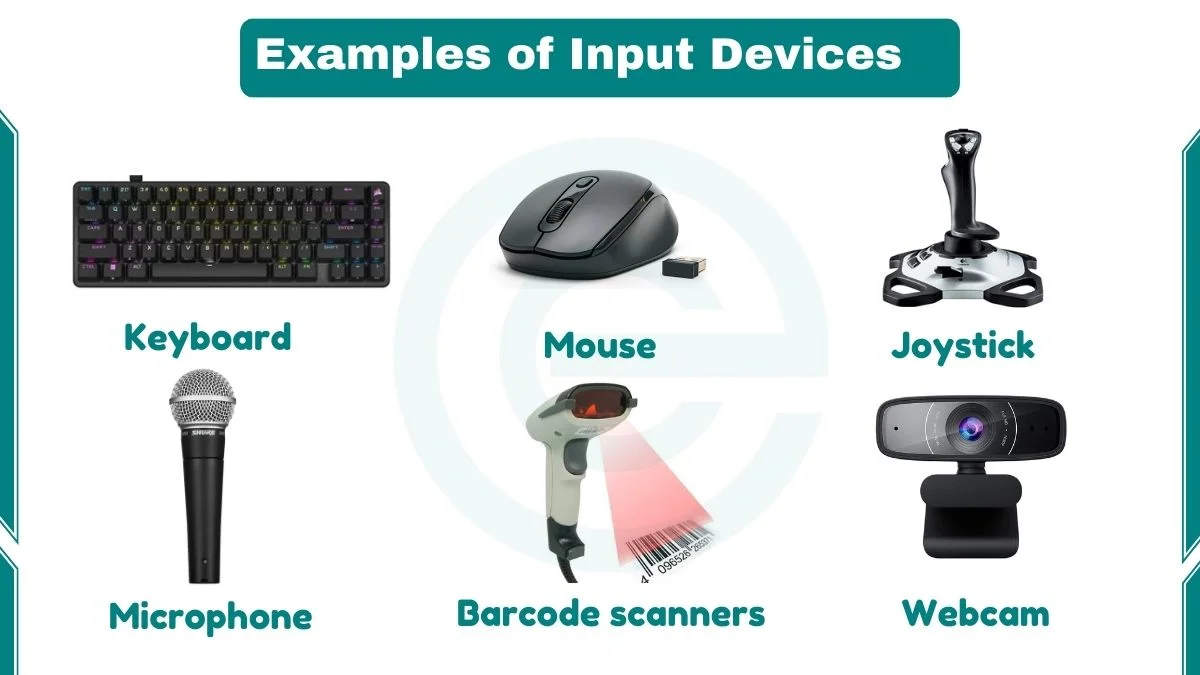
An input device is a hardware component that sends data or instructions to a computer. It helps users enter text, select items, capture images, record sound, and control programs. The computer receives this input and processes it.
Common input devices include a keyboard, mouse, scanner, microphone, webcam, and touchscreen. Each device collects a different type of information. This guide explains more than 20 examples, their functions, and their everyday uses.
In computer lessons, I explain input devices with one simple question: What information does the device send to the computer? This makes it easier to understand the difference between input hardware, output hardware, and software.
What Are 5 Examples of Input Devices?
Five common examples of input devices are:
- Keyboard: Enters letters, numbers, symbols, and commands.
- Mouse: Moves the pointer and selects items on the screen.
- Scanner: Captures printed documents and photos as digital images.
- Microphone: Captures sound and sends audio data to a computer.
- Webcam: Captures live video and still images.
List of 20+ Input Devices of a Computer
This table shows common input devices and their main functions. Some devices capture physical actions. Others read text, images, sound, or biological features.
| No. | Input device | Main function |
|---|---|---|
| 1 | Keyboard | Enters text, numbers, and commands. |
| 2 | Mouse | Controls the pointer and selects items. |
| 3 | Scanner | Captures documents and photos as digital images. |
| 4 | Microphone | Captures sound and voice. |
| 5 | Webcam | Captures live video and images. |
| 6 | Touchscreen | Detects taps, swipes, and other touch actions. |
| 7 | Joystick | Controls movement in games and simulations. |
| 8 | Trackball | Moves the pointer when the user rotates a ball. |
| 9 | Touchpad | Controls the pointer through finger movement. |
| 10 | Graphics tablet | Captures drawing and writing with a stylus. |
| 11 | Light pen | Selects or draws on compatible display screens. |
| 12 | Barcode scanner | Reads product barcodes. |
| 13 | QR code scanner | Reads QR codes through a camera or scanner. |
| 14 | Fingerprint reader | Captures fingerprint patterns for identification. |
| 15 | Iris scanner | Captures patterns in the colored part of the eye. |
| 16 | Digital camera | Captures digital photos and videos. |
| 17 | Game controller | Sends button, stick, and trigger actions. |
| 18 | Numeric keypad | Enters numbers and basic mathematical symbols. |
| 19 | MIDI keyboard | Sends musical notes and control data to software. |
| 20 | Eye-tracking device | Tracks where a user looks. |
| 21 | Gesture sensor | Detects hand or body movements. |
| 22 | Facial recognition camera | Captures facial images for recognition systems. |
| 23 | 3D scanner | Captures the shape of a physical object. |
| 24 | Smart card reader | Reads data stored on a chip card. |
| 25 | Magnetic stripe reader | Reads data stored on a magnetic stripe. |
Types of Input Devices with Examples
We can group input devices by the type of data they collect. These groups include pointing, text-entry, audio, image, automatic data capture, and biometric devices.
1. Pointing Input Devices
Pointing devices help users control a pointer or select objects on a screen. They are common in desktop computers, laptops, games, and design work.
Mouse
A mouse is a handheld pointing device. It detects movement across a desk or mouse pad. The computer uses this movement to move the pointer on the screen. A standard mouse has a left button, a right button, and a scroll wheel. The left button selects items. The right button opens a context menu. The wheel moves through long pages and documents. Optical and laser mice use light sensors to detect movement.
Trackball
A trackball has a ball that the user rotates with a finger or palm. The device stays in one place. The ball movement controls the pointer. Some users prefer trackballs because they need less desk space.
Touchpad
A touchpad is a flat surface that detects finger movement. Most laptops include one below the keyboard. A finger slide moves the pointer. A tap selects an item. Many touchpads also support gestures such as two-finger scrolling and pinch-to-zoom.
Joystick
A joystick has a stick that tilts in different directions. It sends movement signals to a computer or game system. Players use it in flight games, racing games, and simulations. Some industrial machines also use joysticks for control.
Graphics Tablet and Stylus
A graphics tablet captures pen movement on a flat surface. Its stylus can detect position and, on supported models, pressure and tilt. Digital artists use it to draw, edit images, and create illustrations. A stylus also works with many tablets and touchscreen computers.
Light Pen
A light pen is a pen-shaped pointing device. It detects light from a compatible display and lets a user point to items on the screen. Early light pens work with CRT displays. They are now mostly obsolete because touchscreens and graphics tablets offer more practical input methods. Read more about the light pen in a computer and its common uses.
2. Text and Keying Input Devices
Keying devices enter letters, numbers, symbols, and commands. They send information when a user presses a key or button.
Keyboard
A computer keyboard is one of the most common input devices. It contains letter keys, number keys, function keys, and control keys. When a user presses a key, the keyboard sends a signal to the computer. The operating system interprets the signal and performs the related action. People use keyboards to write documents, enter data, search the web, and write code. Learn more about the functions of a keyboard.
Numeric Keypad
A numeric keypad is a group of number keys. It often appears on the right side of a full-size keyboard. Accountants, cashiers, and data-entry workers use it to enter numbers quickly. Some users connect a separate numeric keypad to a laptop.
MIDI Keyboard
A MIDI keyboard sends musical note and control information to a computer. It usually does not create sound by itself. Music software uses the MIDI data to play virtual instruments. Producers and composers use MIDI keyboards to create and arrange music.
3. Touch and Motion Input Devices
These devices detect touch, movement, or gestures. They allow users to control a computer without a traditional mouse or keyboard.
Touchscreen
A touchscreen detects touch on a display. Users tap icons, type on a virtual keyboard, and swipe through pages. Smartphones, tablets, ticket machines, and information kiosks use touchscreens. A touchscreen is both an input and an output device. It displays information and receives touch commands.
Gesture Recognition Sensor
A gesture sensor detects movements such as hand waves or body positions. A camera or depth sensor collects the movement data. Software then interprets the gesture as a command. Some games, smart devices, and interactive systems use gesture input.
Eye-Tracking Device
An eye-tracking device uses cameras or sensors to estimate where a person looks. It can move a pointer or select items when used with compatible software. Eye tracking also supports accessibility, user research, and gaming.
4. Audio and Voice Input Devices
Audio input hardware captures sound. Software can record the sound, analyse it, or convert spoken words into text and commands.
Microphone
A microphone captures sound waves and converts them into an electrical or digital signal. A computer then processes the signal as audio data. People use microphones for video calls, voice messages, music recording, online classes, and podcasts.
Voice Recognition System
Voice recognition is a software technology, not a physical input device on its own. It uses a microphone to capture speech. The software analyses the audio and may convert spoken words into text or commands. Users can dictate documents, search online, and control supported applications with their voice.
5. Image and Video Input Devices
Image and video input devices capture visual information. Computers use this information for video calls, photo editing, scanning, security, and design.
Webcam
A webcam captures live video and still images. It may be built into a laptop or connected through USB. People use webcams for online meetings, distance learning, streaming, and video recording.
Digital Camera
A digital camera captures photos and videos as digital files. Its image sensor converts light into electronic data. Users can transfer these files to a computer for editing, storage, and sharing. Smartphone cameras also perform this input function.
Scanner
A scanner captures text, pictures, and documents from paper. It converts them into digital images. Common types include flatbed, sheet-fed, handheld, and 3D scanners. Offices use document scanners to store paper records. Designers and photographers scan images for editing.
3D Scanner
A 3D scanner captures the shape and surface details of a physical object. It creates digital data that software can use to build a 3D model. Engineers, product designers, and medical teams use 3D scanning for measurement and design work.
6. Automatic Data Capture Devices and Technologies
Automatic data capture reduces the need to type information by hand. A reader or scanner collects data from a code, card, or printed document. Some names in this group describe the reading technology rather than a separate physical device.
Barcode Scanner
A barcode scanner reads the lines or patterns printed on a product label. It sends the decoded number or data to a computer or checkout system. Shops use barcode scanners to identify products, calculate sales, and update stock records.
QR Code Scanner
A QR code scanner reads a square code that stores information. The code may contain a website address, contact details, or other data. A smartphone camera can scan QR codes with a compatible app. Shops, schools, and businesses use them to share information quickly.
OCR (Optical Character Recognition)
OCR is a technology that identifies text in an image or scanned document. A scanner or camera captures the page first. OCR software then converts the visible characters into machine-readable text. People use OCR to search scanned documents and extract text from printed pages.
OMR (Optical Mark Recognition)
OMR detects marks made in fixed areas on a form. Exam systems use it to read filled bubbles on answer sheets. The OMR reader is the input hardware. OMR is the method it uses to detect the marks.
MICR (Magnetic Ink Character Recognition)
MICR reads characters printed with special magnetic ink. Banks use MICR readers to process information on cheques. The reader captures the characters and sends the data to the banking system. MICR is a recognition technology. The MICR reader is the physical input device.
Smart Card and Magnetic Stripe Readers
A smart card reader collects data from a chip card. A magnetic stripe reader collects data from the stripe on a card. Payment terminals and access systems use these readers to identify cards and process supported transactions.
7. Biometric Input Devices
Biometric devices capture physical or behavioural features. A computer uses the captured data to verify or identify a person. These systems need suitable software and security controls.
Fingerprint Reader
A fingerprint reader captures the ridge pattern on a finger. A computer compares the captured pattern with an enrolled template. Smartphones, laptops, attendance systems, and access controls use fingerprint readers.
Iris Scanner
An iris scanner captures the pattern in the colored ring around the pupil. A recognition system compares this pattern with stored biometric data. Some secure access systems use iris recognition.
Retina Scanner
A retina scanner examines the pattern of blood vessels at the back of the eye. It is different from an iris scanner. Retina scanning is less common in everyday devices and appears in some specialised security systems.
Facial Recognition Camera
A facial recognition camera captures an image or video of a face. Software analyses facial features and compares them with an authorised record. The camera is the input hardware. The recognition process happens in software.
8. Emerging Input Technologies
Some newer technologies use signals that traditional keyboards and mice do not capture. Their availability and practical use vary by product and application.
Brain-Computer Interface (BCI)
A brain-computer interface measures brain activity and translates selected signals into commands. Research teams develop BCIs for communication, accessibility, and medical applications. These systems are specialised technologies. They are not standard input devices for everyday computers.
Haptic Controllers and Gloves
Haptic technology provides touch sensations such as vibration or force feedback. A haptic glove or controller may also include sensors that capture hand movement. Those sensors provide input. The vibration or force feedback provides output. This distinction helps explain why not every haptic feature is an input function.
How Do Input Devices Work?
Input devices collect information and send it to a computer. The exact process depends on the device. Most follow these basic steps:
- User action or data: A person presses a key, moves a mouse, speaks, or presents a document.
- Data capture: A sensor, key switch, camera, or reader detects the action or information.
- Signal transfer: The device sends data through a wired or wireless connection.
- Computer processing: The operating system or an application interprets the input and responds.
For example, when you press the letter A on a keyboard, the keyboard sends a key signal. The computer interprets that signal. The active application then displays the letter A.
Input Devices vs Output Devices
An input device sends data to a computer. An output device presents information from a computer to the user. Some hardware, such as a touchscreen, performs both functions.
| Input device | Output device |
|---|---|
| Keyboard | Monitor |
| Mouse | Printer |
| Microphone | Speakers |
| Scanner | Projector |
| Webcam | Headphones |
A computer monitor is an output device because it displays information. A touchscreen is different because it displays information and accepts touch input.
What Is the Most Commonly Used Input Device?
The keyboard is one of the most common input devices for desktop and laptop computers. People use it to type text, enter numbers, and send commands. The mouse is also widely used for pointing and selecting items.
On smartphones and many tablets, the touchscreen is the main input method. It lets users tap, swipe, and type on the display.
Frequently Asked Questions
What are 10 examples of input devices?
Ten examples are keyboard, mouse, scanner, microphone, webcam, touchscreen, joystick, trackball, touchpad, and graphics tablet.
Is a scanner an input device?
Yes. A scanner is an input device. It captures printed documents or photos and sends the digital image to a computer.
Are OCR, OMR, and MICR input devices?
OCR, OMR, and MICR are data-recognition technologies. They work with scanners or readers that capture information. The scanner or reader is the physical input device.

Is a gaming controller the same as a joystick for the computer? I use a controller for most games now.
They are similar but a joystick is usually a single stick (like for flight sims), while a controller has many buttons and pads. Both are great input devices