
A webpage is a single document accessed by a URL or website link, while a website is the full collection of related web pages under a domain name.
Websites contain multiple web pages to present comprehensive information to users. Webpages provide content within documents. Websites organize content across multiple pages.
Web page
A webpage is a single document displayed in a web browser like Chrome, Opera, or Microsoft Edge. For example, amazon.com/electronics is a webpage on Amazon’s website showing electronics products. A webpage has its URL and presents specific content to users. Multiple related web pages make up a website. Webpages display text, images, videos, and other information.
Website
A website is a collection of web pages under a single domain name. For example, “amazon.com” is a website that contains many different web pages like product pages, checkout pages, account pages, etc. Websites are managed by an individual, company, or organization to present information or sell products/services online. Websites can be accessed globally through the internet.
What is the difference between Webpage and Website?
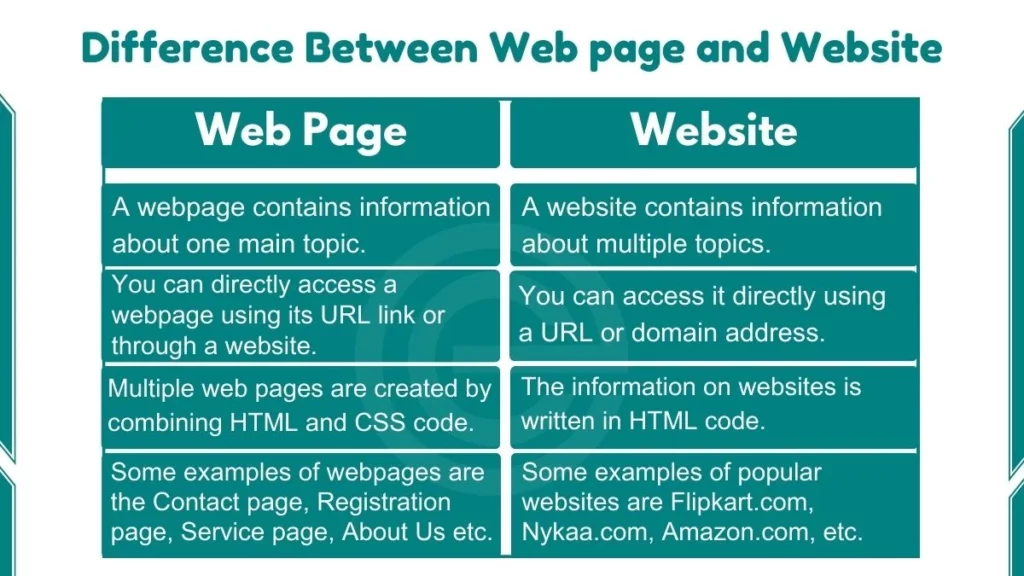
We have provided an easy-to-understand comparison table to better explain and highlight the key differences between web pages and websites.
| Webpage | Website |
|---|---|
| A webpage contains information about one main topic. | A website contains information about multiple topics. |
| You can directly access a webpage using its URL link or through a website. | You can access it directly using a URL or domain address. |
| Multiple webpages are created by combining HTML and CSS code. | Websites can be accessed using their domain name address. |
| Multiple web pages are created by combining HTML and CSS code. | The information on websites is written in HTML code. |
| Usually less complex | More complex development |
| Quicker to create | Takes more time to develop |
| A webpage displays the content or resources that are suggested to be shown on a website. | A website is a collection of many web pages hosted on a server. |
| Some examples of webpages are the Contact page, Registration page, Service page, About Us page, etc. | Some examples of popular websites are Flipkart.com, Nykaa.com, Amazon.com, etc. |
📁 Web Page vs Website: Visual Difference
Click to see how individual files transform into a complete website!
A Web Page is an independent file. Select a file to view it in isolation:
🏠 Home Page Content
This is a single Web Page file. It is currently offline and sitting on a local drive.
Notice the URL bar starts with "file:///". This indicates that you are viewing a single, independent document. It is not connected to any other page yet.