
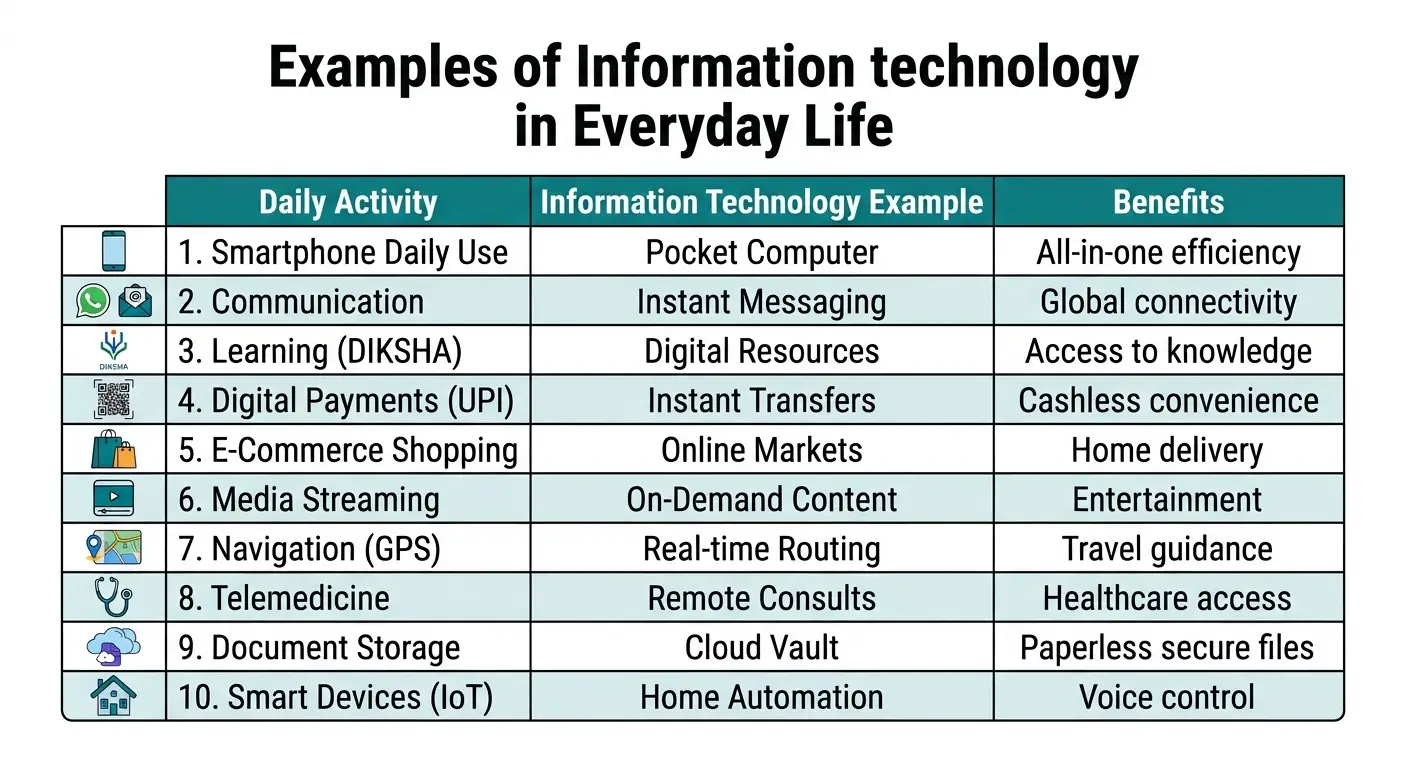
TL;DR (Quick Answer): Examples of Information Technology include smartphones, WhatsApp messaging, UPI digital payments, online learning platforms like DIKSHA, and cloud apps like DigiLocker.
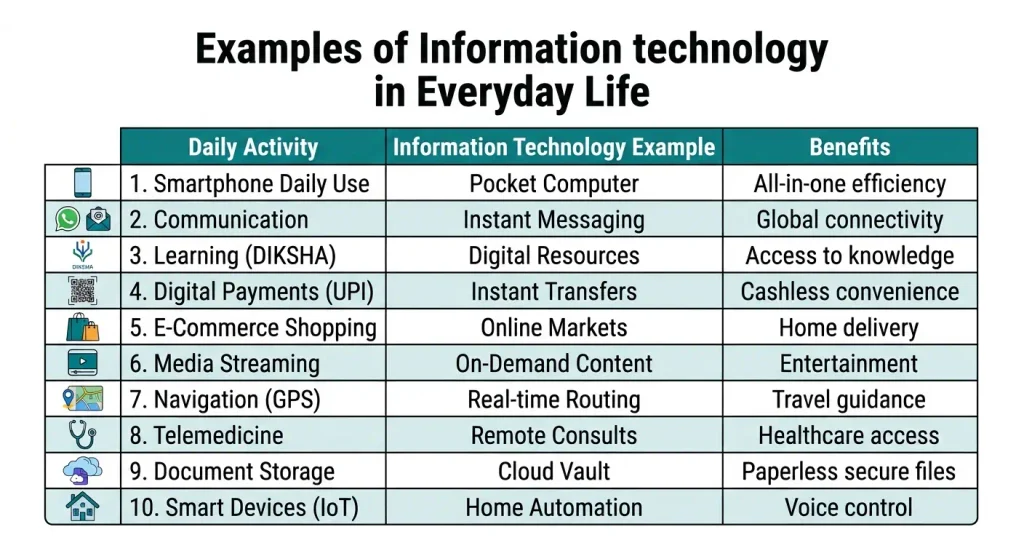
You wake up and switch off your phone alarm. You check WhatsApp. You pay for tea with a UPI QR scan. You have used information technology three times before breakfast. Information technology (IT) is everywhere. Most students use it daily and never notice it.
As a computer science teacher, I ask my students to list every IT tool they use in a day. Most students list 4 or 5 tools at first. After a short discussion, the list grows to more than 15. This article follows that exact discovery process.
What are Examples of Information Technology in Everyday Life?
| Example | Core Technology Used | Primary Everyday Benefit |
| Smartphones | OS, mobile processor, touchscreen apps | Multi-functional pocket computer for daily tasks |
| Communication (WhatsApp/Email) | Internet protocol, end-to-end encryption | Instant global messaging, emails, and video calls |
| Education & Learning (DIKSHA) | Cloud servers, video streaming protocols | Access to digital textbooks and self-paced lessons |
| Digital Payments (UPI) | Banking servers, dynamic QR codes | Instant cashless retail payments and money transfers |
| E-Commerce (Shopping Apps) | Inventory databases, secure payment gateways | Doorstep delivery, price comparison, and easy returns |
| Entertainment (Streaming) | Content Delivery Networks (CDNs), AI algorithms | On-demand video/music streaming and personalized recommendations |
| Maps & Transport (GPS/FASTag) | GPS satellites, RFID radio signals, live data | Real-time route navigation and automated toll tax deductions |
| Healthcare (Telemedicine) | Electronic Health Records (EHR), video portals | Remote doctor consultations without traveling |
| Government Services (DigiLocker) | Cloud database, biometric identity verification | Secure paperless storage of official certificates and IDs |
| Smart Devices & IoT | Voice recognition software, wireless sensors | Hands-free home automation and AI assistant support |
1. Smartphones and Mobile Apps
A smartphone is a small computer. It has a processor, memory, a screen, and an operating system such as Android or iOS. Apps give it extra jobs.
- How it works: You tap an app icon, the phone executes the app’s code package, and it fetches data via mobile networks or Wi-Fi.
- Why it helps: It replaces multiple dedicated devices (cameras, calculators, watches, and notebooks) with a single pocket computer.
- Teacher’s Note: In my classroom, I noticed students frequently lost track of digital assignment files. Teaching them proper folder organization transformed how they manage exam prep on mobile devices.
2. Communication Tools
IT lets you send messages and see faces across long distances. WhatsApp, Gmail, Zoom, and Google Meet are common tools.
- How it works: You type a message and hit send. Your phone transmits the data to a remote cloud server, which instantly routes it to the recipient’s device. End-to-end encryption scrambles the text into secure ciphertext that only the designated sender and receiver can decode.
- Why it helps: Enables remote learning, instant doubt-solving, and seamless connection with family worldwide.
3. Education and Online Learning
Schools and students use IT in many ways. Examples include Google Classroom, YouTube lessons, e-books, and online result portals. India’s national platform, DIKSHA, provides digital school resources and has powered billions of learning sessions nationwide.
- How it works: Educational content is hosted on high-capacity cloud servers, allowing students to stream or download lessons anytime.
- Why it helps: Allows students to replay difficult concepts multiple times at their own pace.
From my classroom: I share a short video for each chapter before the lesson. Students who watch it first ask better questions in class. The class discussion gets faster.
4. Digital Payments and Online Banking (UPI)
UPI (Unified Payments Interface) is one of the strongest examples of IT. The National Payments Corporation of India (NPCI) built it.
- How it works: Scanning a merchant QR code captures payment destination metadata. Entering your secure UPI PIN authorizes your bank server to transfer funds instantly to the recipient’s bank account.
- Why it helps: Eliminates the need to carry physical cash and creates an automatic digital expense ledger.
- Cyber Safety Alert: You only need a UPI PIN to send money, never to receive it. Always guard your PIN.
5. Online Shopping and E-Commerce
Amazon and Flipkart are popular shopping sites. Behind each order, many IT systems work together.
How it works:
- A database stores all products and prices.
- A payment gateway handles your payment safely.
- A tracking system updates your order status.
- A stock system reduces the item count after each sale.
Why it helps: you compare prices and read reviews before you buy.
6. Entertainment and Streaming
YouTube, Netflix, and Spotify use IT to deliver video and music on demand.
How it works:
- The company stores videos and songs on servers in the cloud.
- You press play.
- The server sends small pieces of data to your phone one after another. This is called streaming.
These apps also use a recommendation system. It studies what you watch and suggests similar videos. That is why your home page looks different from your friend’s.
Why it helps: you watch or listen to what you want, when you want.
7. Maps, Navigation, and Transport
GPS (Global Positioning System) technology relies on a network of orbiting satellites communicating with your mobile device.
- How it works: Satellites transmit precise time and location signals to your phone. The mapping app calculates coordinates and layers live traffic data crowdsourced from other users. Indian transport innovations like FASTag use RFID radio frequency signals at toll booths for automated cashless deductions.
- Why it helps: Saves travel time, prevents getting lost, and optimizes daily commuting routes.
From my classroom: One of my students found a faster way to school by comparing two routes on a map app. He gave me the travel time of each route. That small test made the idea of “live data” very clear to the whole class.
8. Healthcare and Telemedicine
Doctors and hospitals use IT to book appointments, save patient records, and run lab tests. Telemedicine lets you talk to a doctor by video or phone. India’s government telemedicine service is called eSanjeevani. It helps people in small towns and villages reach doctors without long travel.
Fitness bands and smartwatches also use sensors and software. They count steps and track heart rate.
Why it helps: patients get faster care, and health records stay in one place.
9. Government Services and Digital Identity
Government digital initiatives under Digital India have streamlined public services. Aadhaar provides unique biometric identity verification, while DigiLocker acts as a secure cloud wallet holding over 950 crore official documents.
- How it helps: Eliminates the burden of carrying paper documents and prevents loss of important academic or legal certificates.
10. Smart Devices, IoT, and AI Assistants
IoT stands for Internet of Things. It means everyday objects that connect to the internet. Smart TVs, CCTV cameras, smart bulbs, and smart speakers are examples. AI assistants, such as Google Assistant and Alexa, add artificial intelligence.
How it works:
- You speak a command.
- The assistant turns your voice into text.
- AI understands the request.
- The assistant answers or controls a device.
AI tools are now common in student life as well. Many students use AI chatbots to explain topics. Use them to learn, not to copy. Always check facts in your textbook.
How Does a Student Use Information Technology in One Day?
| Time | Daily Activity | Information Technology Used |
| 6:30 AM | Waking up | Smartphone alarm app |
| 7:00 AM | Reviewing homework notifications | WhatsApp and mobile data network |
| 8:00 AM | Traveling to school | GPS navigation app and automated toll tags |
| 11:30 AM | Attending a computer lab class | Desktop computer, server network, and smart board |
| 1:30 PM | Buying school canteen snacks | UPI QR code mobile scanner |
| 5:00 PM | Studying a tough chapter | YouTube educational streaming |
| 8:00 PM | Checking school announcement portal | Cloud-based school ERP portal |