
Light pens were used for graphic design and CAD work, medical image annotation, menu selection, data entry in business systems, educational software, technical drawing, gaming, and professional applications requiring precise screen pointing. Understanding light pen uses helps you appreciate how computer technology evolved.
Read our comprehensive guide on what is light pen in computer for foundational concepts.
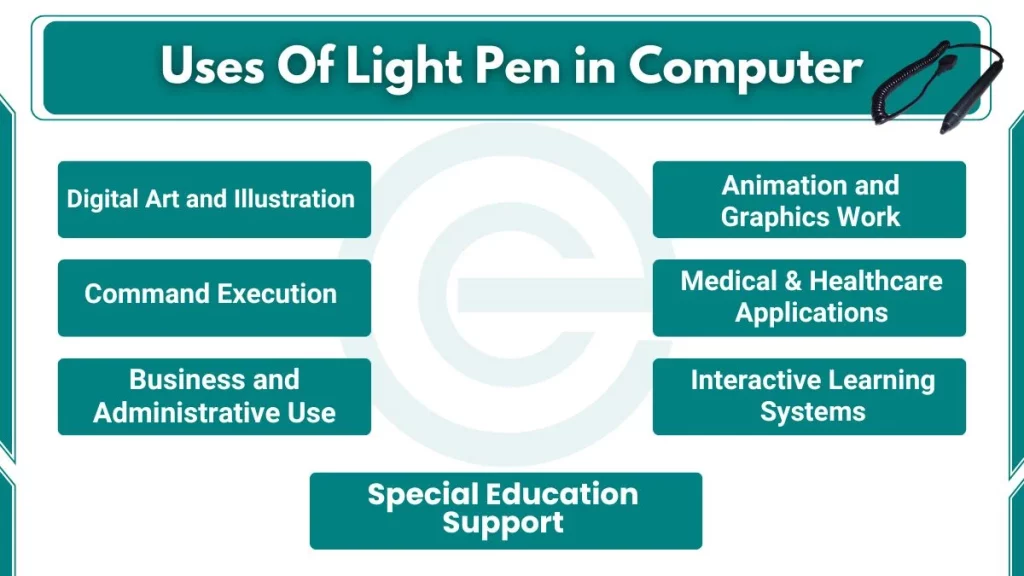
What are the Uses of Light Pen?
Here are the primary uses of light pen in computers:
1. Digital Art and Illustration
Artists used light pens to create digital artwork before modern graphics tablets became affordable. The pen enabled direct sketching on the screen surface, which felt more natural than other input methods available at that time.
Digital illustrators could:
- Sketch character designs directly on display screens
- Create logo designs with smooth, flowing lines
- Edit artwork by pointing at specific pixels
- Fill color regions by touching enclosed areas
- Draw freehand curves without mouse limitations
Early animation studios experimented with light pens for character design work. Animators appreciated the immediate visual feedback they saw as lines appeared exactly where the pen tip pointed. However, arm fatigue became a problem during long drawing sessions, which I will discuss later.
2. Animation and Graphics Work
Animation production teams used light pens for frame-by-frame editing tasks. Animators could select individual frames from a timeline displayed on screen and make precise adjustments.
Light Pen helped with:
- Tracing reference images displayed on screen
- Creating sprite graphics for early video games
- Editing individual animation frames in sequence
- Selecting colors from on-screen palettes
- Positioning graphic elements with precision
One interesting application involved video game development in the 1980s. Game designers used light pens to draw character sprites pixel by pixel. They could see each pixel light up as they worked, making the process very precise.
3. Command Execution
Professional workstations used light pens for executing commands quickly. Instead of typing text commands or navigating multiple menus, users pointed at command buttons displayed on the screen.
This method provided:
- Faster workflow for repetitive tasks
- Reduced typing errors in command entry
- Visual confirmation of selected commands
- Easy access to frequently used functions
- Simplified interfaces for non-technical staff
Retail point-of-sale systems adopted light pens because cashiers could select product codes from on-screen catalogs quickly. During busy periods, pointing at items proved faster than typing product numbers on a keyboard.
4. Medical and Healthcare Applications
Hospitals and clinics implemented light pen systems for medical record management. Doctors and nurses used the pens to annotate patient charts, mark diagnostic images, and enter treatment data.
Healthcare professionals used light pens to:
- Mark abnormalities on X-ray images displayed on screen
- Select diagnosis codes from medical classification lists
- Update patient vital signs on electronic charts
- Indicate treatment areas on anatomical diagrams
- Navigate through multi-page patient records quickly
Radiologists particularly valued light pens for analyzing medical images. A radiologist could circle a suspicious area on an X-ray displayed on a CRT monitor, add notes, and save the annotated image. The pen’s precision helped in identifying small abnormalities.
5. Business and Administrative Use
Office workers used light pens for data entry in inventory systems and order processing terminals. The technology simplified tasks that would otherwise require extensive keyboard input.
Business applications include a light pen for:
- Selecting product codes from inventory databases
- Processing customer orders through menu systems
- Filling electronic forms by pointing at fields
- Updating employee records in personnel databases
- Tracking shipments and deliveries on logistics screens
Retail environments found light pens particularly useful. When I visited a department store, I observed cashiers using terminals with light pen interfaces. They could select items from product catalogs displayed on screen, which was faster than looking up code numbers in printed manuals.
6. Interactive Learning Systems
Schools and universities adopted light pens for computer-based training programs. Students used the pens to answer questions, select options, and interact with educational software.
The PLATO system, which started at the University of Illinois in the 1960s, became one of the most famous educational platforms using light pens. Students could:
- Select multiple-choice answers by touching options on screen
- Draw diagrams directly on displayed geometry problems
- Annotate science simulations with notes and markers
- Navigate through lesson modules by pointing at menu items
- Participate in interactive drills that track their responses
I implemented a similar concept in my classroom using modern technology. Students found direct screen interaction more engaging than keyboard-only interfaces. The immediate feedback when they touched an answer created a more interactive learning experience.
7. Simulation and Practice Exercises
Training programs used light pens for simulation-based learning. Flight simulators in aviation training schools allowed pilots to point at cockpit instruments displayed on screens. This created a more realistic training environment.
Professional training applications included a light pen for:
- Medical students practicing diagnostic procedures on simulated patient images
- Engineering students selecting components in circuit design exercises
- Business trainees working through case study scenarios
- Military personnel practicing tactical decision-making on map displays
- Science students conducting virtual laboratory experiments
The direct manipulation capability helped learners connect actions with results. When a student touched a control on the screen, the simulation responded immediately, reinforcing the learning process.
8. Special Education Support
Light pens provided accessibility benefits for students with certain motor difficulties. Some students who struggled with keyboard typing or mouse coordination found pointing at the screen easier and more natural.
The benefits of light pen for special education included:
- Reduced fine motor control requirements compared to mice
- More intuitive interface for students with learning disabilities
- Visual confirmation of selections through direct pointing
- Less frustration during computer-based activities
- Better engagement with educational software
A colleague who taught special education shared that several students showed improved participation when using light pen interfaces. The direct cause-and-effect relationship between pointing and selection helped these students understand computer interaction better.
9. Engineering Workstations
Engineers used light pens extensively for technical design work. The precision offered by light pens made them ideal for creating circuit diagrams, plotting mathematical graphs, and designing mechanical components.
Engineering applications included light pen for:
- Designing printed circuit boards with precise component placement
- Creating electrical schematics with proper symbol positioning
- Plotting experimental data points on coordinate systems
- Modifying technical drawings without redrawing entire diagrams
- Measuring distances between points on displayed designs
The IBM 2250 Graphics Display Unit, introduced in 1964, featured light pen support specifically for engineering and design workflows. This workstation enabled engineers to manipulate vector graphics directly on screen, which revolutionized technical drawing processes.
10. Military and Defense Systems
The military adopted light pen technology early for strategic and tactical applications. The SAGE (Semi-Automatic Ground Environment) air defense system was developed in the 1950s. It used light pens for operators to identify and track aircraft on radar displays.
Defense system applications included:
- Selecting aircraft tracks on radar screens
- Marking targets for strategic planning
- Updating tactical maps with troop positions
- Analyzing satellite imagery and reconnaissance photos
- Coordinating air traffic control operations
Operators could respond quickly to threats by pointing directly at radar contacts on their screens. This direct interaction method reduced response time compared to keyboard-based command systems.