
The first time I used a barcode reader in a computer lab, I pointed a handheld scanner at a product label and heard a beep. In less than a second, the product name, price, and stock number appeared on the screen. I remember thinking, ‘How did a few black lines do all of that?’
This article explains what a barcode reader is, how it works step by step, the types that exist, and where they are used in the real world. By the end, you will have a solid understanding that goes well beyond a textbook definition.
Definition Of Barcode Reader
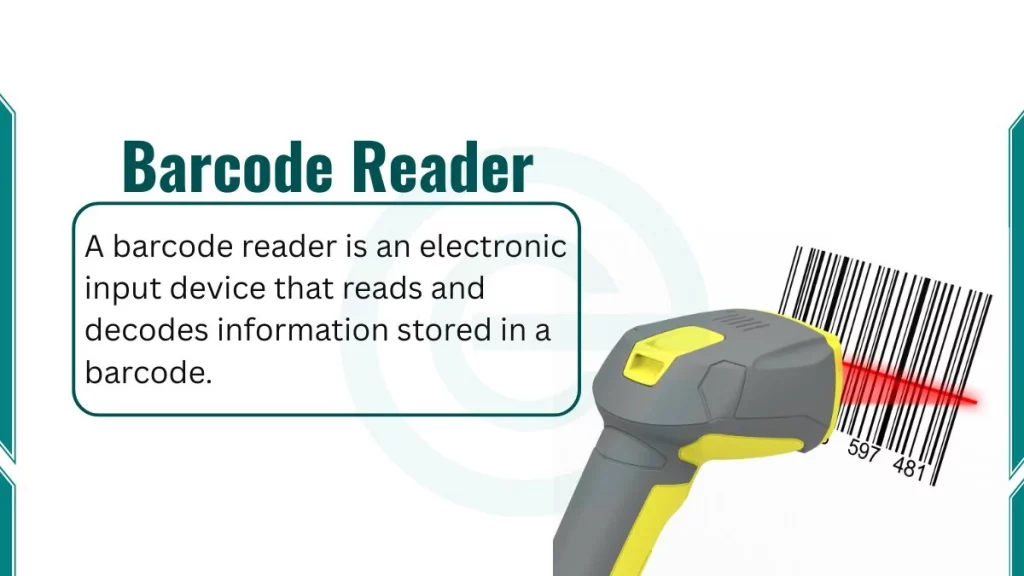
A barcode reader is an electronic input device that reads and decodes information stored in a barcode. It captures the pattern of a barcode using light, converts that pattern into an electrical signal, and sends the decoded data to a connected computer or system. Barcode readers are also called Barcode scanners.
What Is a Barcode?
A barcode is a machine-readable representation of data. It stores information in a visual pattern of parallel bars and spaces. A computer or scanner can read this pattern and convert it into meaningful data, such as a product name, price, or tracking number.
Parts of a Barcode
Every barcode has specific parts that work together:
- Quiet zone: The blank white space on both sides of the barcode. It tells the scanner where the barcode starts and ends.
- Start character: A specific bar pattern that signals the beginning of the code.
- Data characters: The actual encoded information in bar and space patterns.
- Check digit: A single number calculated from the other digits. It helps detect scanning errors.
- Stop character: Signals the end of the barcode.
Types of Barcodes
There are two major categories of barcodes:
1. 1D Barcodes (One-Dimensional)
These are the traditional barcodes with vertical lines. They store data in one direction, horizontally. Common types include:
- UPC (Universal Product Code): Used on almost every retail product in North America.
- EAN (European Article Number): The international version of UPC.
- Code 128: Used in shipping and logistics for its high data density.
- Code 39: Common in manufacturing and military applications.
2. 2D Barcodes (Two-Dimensional)
2D barcodes store data in two directions both horizontally and vertically. They hold significantly more information. 2D barcodes’ common types include:
- QR Code (Quick Response Code): Stores URLs, text, contact info, up to 4,296 characters
- Data Matrix: Used in electronics manufacturing and healthcare for small item labeling
- PDF417: Used on driver’s licenses, airline boarding passes, and ID cards
The difference between a UPC on a cereal box and a QR code on a restaurant menu is not just appearance, it is the amount and type of data each one can store.
What are the Components of a barcode reader?
Understanding the internal components of a barcode reader helps you understand how the device works. Here are four key components inside every barcode reader:
- Light Source: This illuminates the barcode. Depending on the type of scanner, the light source can be a laser, an LED (Light Emitting Diode), or a camera flash. The light source is critical because the scanner reads reflected light, not the barcode directly.
- Lens: The lens focuses the reflected light coming back from the barcode surface. It works exactly like the lens in a camera or your own eye. It directs the light toward the sensor in a controlled way.
- Photosensor (Photodiode): This is the component that actually “sees” the barcode. It detects differences in reflected light intensity. Dark bars absorb light. White spaces reflect light. The photosensor converts these differences into a varying electrical signal.
- Decoder Circuit: This is the brain of the barcode reader. It takes the electrical signal from the photosensor, analyzes the pattern of pulses, matches it to a known barcode symbology (format), and outputs readable data. It is usually sent through a USB, Bluetooth, or serial connection to a computer.
How Does a Barcode Reader Work?
Here are step-by-step process that shows how barcode reader actullay work:
Step 1: Light Emission: The scanner emits light (laser beam, LED array, or camera flash) toward the barcode surface.
Step 2: Light Reflection: The barcode reflects light differently based on its pattern:
- White spaces reflect light toward the scanner.
- Black bars absorb light and reflect very little.
This difference in reflectivity is the fundamental principle on which the entire system depends.
Step 3: Light Detection: The photosensor picks up the reflected light. As the light beam moves across the barcode (either by moving the scanner or using mirrors inside the device), the photosensor generates an electrical signal that rises and falls with the light pattern.
Step 4: Signal Conversion: The varying electrical signal is converted into a digital binary pattern — 0s and 1s. A narrow bar becomes a short pulse. A wide bar becomes a longer pulse. The widths of the pulses carry the encoded information.
Step 5: Decoding: The decoder circuit analyzes the binary pattern. It knows the rules of different barcode symbologies (UPC, Code 128, QR, etc.) and matches the pattern to the correct format. It then outputs the decoded data — for example, a 12-digit UPC number.
Step 6: Data Transmission: The decoded data travels to the connected system. In a grocery store, it goes to the point-of-sale (POS) software, which looks up the product in a database and retrieves the name and price.
What are the Types of Barcode Readers?
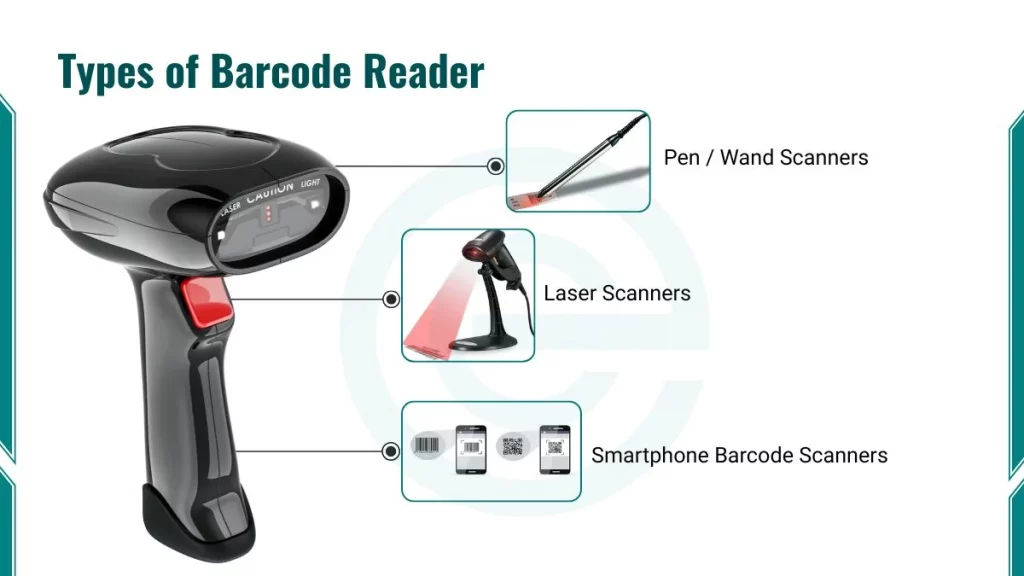
Barcode readers are not all the same. They differ based on scanning technology and physical form. Here are different types of barcode readers:
1. Pen / Wand Scanners
This is the oldest type of barcode scanner. The user drags the pen tip across the barcode manually at a steady speed. It is simple and cheap but requires skill and patience to use correctly. You rarely see these in modern environments.
2. Laser Scanners
Laser scanners use a single laser beam that bounces off a rotating mirror or oscillating prism. This causes the laser to sweep back and forth across the barcode rapidly. They are fast, accurate, and very common in retail checkout counters.
Key facts about laser scanners:
- Read only 1D barcodes
- Work at distances of several centimeters to a few meters
- Highly sensitive to barcode print quality
3. CCD (Charge-Coupled Device) Scanners
CCD scanners do not use a moving laser. Instead, they have a row of hundreds of light sensors arranged in a line. They capture the barcode like a tiny camera. They are more durable than laser scanners because they have no moving parts.
Key facts about CCD scanners:
- Read only 1D barcodes
- Require the barcode to be within a few centimeters
- Very durable and long-lasting
4. Camera-Based Imager Scanners
These scanners take a full digital image of the barcode. Software then decodes the image. This is the same technology your smartphone uses.
Key facts about imager scanners:
- Read both 1D and 2D barcodes (including QR codes)
- Work at various distances and angles
- The most flexible scanner type available today
- Increasingly replacing laser scanners in retail and logistics
5. Smartphone Barcode Scanners
Modern smartphones are fully capable barcode readers. The camera captures the image, and software like Google ML Kit or the ZXing library decodes it. Apps like Google Lens and dedicated scanner apps turn your phone into a portable scanner.
Where Are Barcode Readers Used?
Barcode readers appear in nearly every industry. Here are the most important real-world applications of barcode readers:
1. Retail and Supermarkets
Every product scan at a checkout counter goes through a barcode reader connected to a POS (Point of Sale) system. The system retrieves the product name, price, and tax category from a database in milliseconds. It also updates the store’s inventory automatically.
2. Healthcare
Hospitals use barcode readers in critical ways:
- Scanning patient ID wristbands before medication is given
- Verifying that the correct medicine and dosage match the correct patient
- Tracking lab samples from collection to analysis
- Managing medical equipment inventory
A pharmacist I know once described how a barcode scan caught a prescription error before it reached a patient. The system flagged a mismatch between the patient’s ID and the prescribed drug. That is a direct, real-world example of barcode technology preventing serious harm.
3. School Libraries
Your school library almost certainly uses a barcode-based system. Every book has a barcode on its spine. When you check out a book, the librarian scans the book’s barcode and your student ID card’s barcode. The system records the transaction automatically.
4. Logistics and Supply Chain
Companies like FedEx, UPS, and DHL scan packages at every stage of the delivery process. Each scan creates a timestamped checkpoint. This is how you track a package’s journey in real time on a tracking website.
5. Manufacturing
Barcode readers on assembly lines scan parts at each production stage. This ensures quality control and tracks which components go into which product. The automotive industry relies heavily on Code 39 and Code 128 for this purpose.
Advantages of Barcode Reader
Here are some benefits of a barcode reader:
- Speed: A barcode scanner reads data in milliseconds. Manual data entry for the same information takes several seconds and introduces errors.
- Accuracy: Barcode scanners have an error rate of approximately 1 in 3 million scans. Manual data entry has an error rate of approximately 1 in 300 keystrokes. The difference is significant.
- Cost-Effectiveness: Basic barcode scanners cost between $15 and $100. The infrastructure (printers, labels, software) is mature and inexpensive compared to newer technologies.
- Universal Compatibility: Barcode standards like UPC and EAN are globally recognized. A barcode printed in one country scans correctly in another.
- Low Power Consumption: Most handheld scanners consume very little power. Wireless models run for an entire work shift on a single charge.
Disadvantages of Barcode Reader
Here are some drawbacks:
- Line-of-Sight Requirement: The scanner must directly see the barcode. If the label faces away, is covered, or is inside a box, the scanner cannot read it.
- Physical Damage Sensitivity: A torn, wet, or smudged barcode may not scan correctly. Barcodes printed with low-quality ink fade over time.
- Limited Data Capacity: A standard 1D UPC barcode holds only 12 digits. This is sufficient for product identification but not for storing detailed product information.
- No Read-Through Capability: Unlike RFID, a barcode scanner cannot read through packaging, cloth, or other materials. Each item must be individually oriented and scanned.
Why QR Codes Grew So Rapidly After 2020
During the COVID-19 pandemic, businesses needed contactless solutions. Restaurant menus, event check-ins, and payment systems shifted to QR codes because every smartphone could scan them without a dedicated device. In 2026, QR codes are now integrated into payment systems like Google Pay, Apple Pay, and Paytm, and are used in digital identity verification systems globally.
