
Are web browsers making access to information easier or more complex? It is difficult to decide sometimes. People use web browsers for learning, communication, entertainment, and online services. At the same time, misuse of browsers can create security and privacy issues. Therefore, it is important to study the advantages and disadvantages of web browsers to understand their real impact on users.
What are Advantages and Disadvantages of Web Browser?
A web browser is a software application that allows users to access and view information on the World Wide Web. It acts as an interface between users and web resources. Web browsers play a key role in modern education and daily life. Understanding their advantages and disadvantages helps students and general users use them effectively and safely.
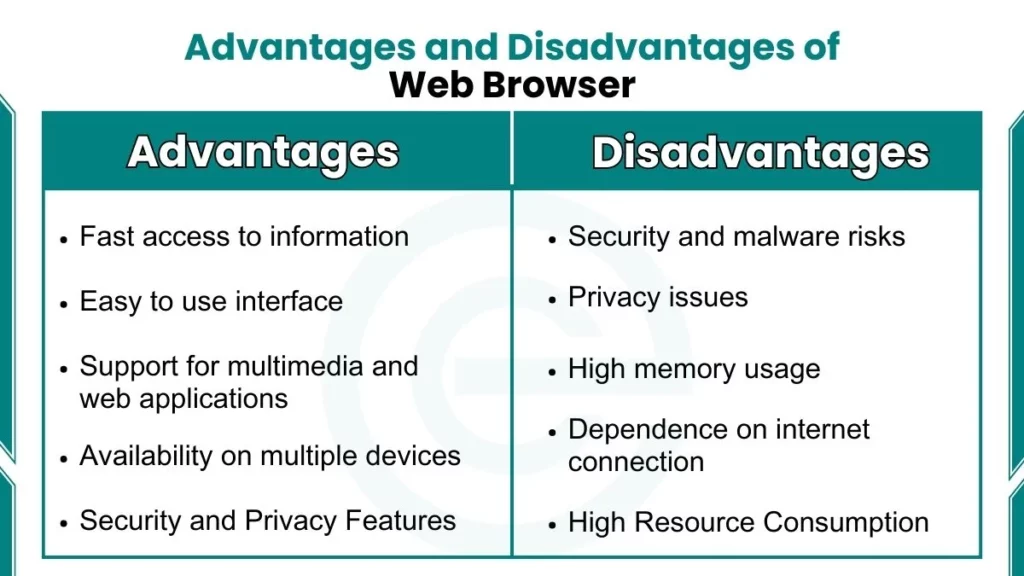
Advantages of Web Browser
Here are benefits of web browsers:
1. Easy Access to Information
One major advantage of a web browser is easy access to information. Users can open websites and search for data within seconds. Browsers support search engines that help users find academic content, news, and tutorials. This feature is very useful for students and researchers.
2. User-Friendly Interface
Web browsers provide a simple and graphical user interface. Users can navigate websites using buttons, menus, and tabs. Most browsers are user-friendly and do not require advanced technical knowledge. This makes them suitable for school students and beginners. Its features include:
- Tabs for multiple pages
- Back and forward buttons
- Address bar for URLs
- Bookmarks for saving sites
3. Support for Multiple Web Technologies
Modern web browsers support various web technologies, including HTML, CSS, and JavaScript. They display text, images, audio, and video content smoothly. Browsers also support interactive web pages. This improves the overall web experience for users.
4. Customization and Extensions
Browsers allow users to customize their browsing experience. Users can change themes and settings according to their needs. Browsers also support extensions and add-ons. These tools improve productivity and add extra features such as ad blocking and note-taking. Customization options include:
- Font size control
- Themes and layouts
- Language settings
- Homepage selection
5. Security and Privacy Features
Web browsers include basic security and privacy features. They support secure connections using HTTPS. Browsers warn users about unsafe or suspicious websites. Private browsing modes help reduce local data storage. These features help users browse more safely. Common Security features include:
- Safe browsing mode
- HTTPS support
- Pop-up blockers
- Warning messages
6. Support for Online Applications
Web browsers support many online applications. Users can access learning platforms, email services, and cloud-based tools. Many software applications now work directly through browsers. This reduces the need for installing separate programs. Examples include:
- Email services
- Cloud storage
- Online editors
- Learning platforms
For comprehensive information about browser applications, read our article on uses of web browsers.
Disadvantages of Web Browser
Here are some drawbacks of web browser:
1. Security Threats and Malware Risks
A major disadvantage of web browsers is exposure to security threats. Malicious websites can spread viruses and malware. Phishing attacks can steal user information. Unsafe downloads can damage the system if proper precautions are not taken. Common threats include:
- Viruses
- Phishing attacks
- Malicious downloads
- Unsafe links
2. Privacy Concerns
Web browsers may collect user data during browsing. Cookies store browsing activity and preferences. If privacy settings are not managed properly, personal data may be misused. This creates privacy concerns for users. Privacy concerns include:
- Account exposure
- Tracking cookies
- Data collection
- Location tracking
3. High Resource Consumption
Web browsers consume a large amount of system resources. Opening multiple tabs increases RAM and CPU usage. This can slow down the system. Low-end devices often face performance issues due to heavy browser usage.
4. Dependency on Internet Connection
Most browser functions depend on an active internet connection. Without connectivity, users cannot access online content. Offline features are limited. This dependency reduces usability in areas with poor internet access. Limitations include:
- No website access
- Limited offline pages
- Restricted features
- Reduced usability
5. Compatibility Issues
Some websites do not work properly on all browsers. Differences in browser engines cause display and functionality problems. Users may need to switch browsers to access certain websites. This creates inconvenience. Problems include:
- Broken layouts
- Missing features
- Unsupported scripts
- Browser dependency
FAQs
Are web browsers safe to use?
Web browsers are safe when security features are enabled. Safe browsing habits reduce risks significantly.
Why do web browsers use a lot of memory?
Web browsers run multiple tabs and scripts at once. This increases RAM and CPU usage.
Why are web browsers important in daily life?
Web browsers support communication, learning, and online services. They act as the main tool for internet access.
How do cookies affect web browser privacy?
Cookies store user activity and preferences. They may track behavior if privacy settings are weak.
Do web browsers store user data?
Web browsers store history, cache, and cookies. Users can manage or delete this data.