Quick Answer: Choose Notion if you want a zero-cost, customizable operating system with databases and free student upgrades (.edu). Choose Evernote only if you need rapid offline voice/PDF note capture during live lectures and don’t mind the strict 50-note free plan limit.
As a tech writer who has tested both platforms extensively through academic projects and research workflows, I’ve seen how these tools evolve. In 2026, the choice between Notion and Evernote comes down to whether you need a customizable academic system or a quick-capture note app. This comparison analyzes their features, AI capabilities, pricing, and real-world student applications to help you decide.
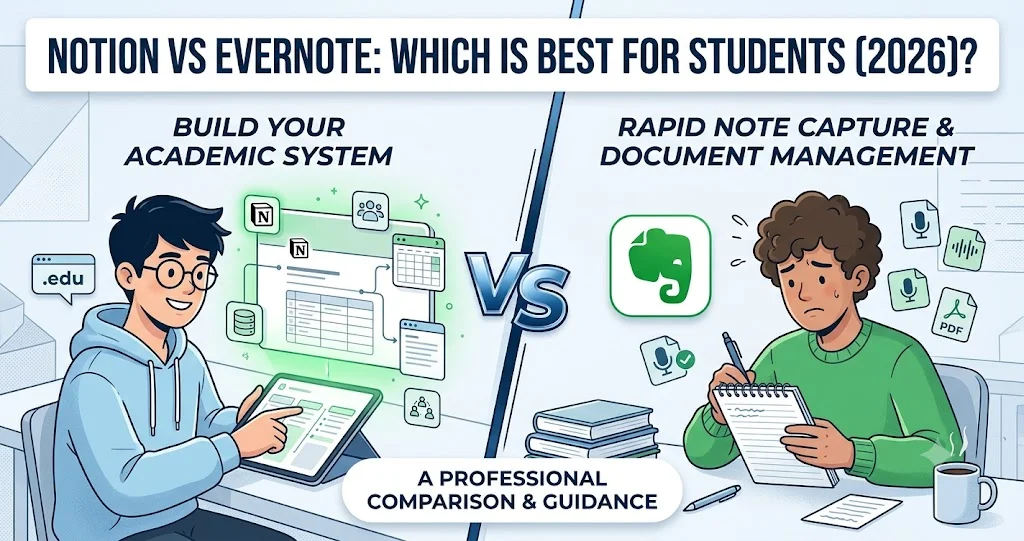
Notion vs Evernote for Students (2026)
The following table gives you a quick comparison between Notion and Evernote:
| Feature | Notion (2026) | Evernote (2026) |
|---|---|---|
| Best For | Building structured academic systems | Quick capture and simple organization |
| Learning Curve | Moderate (requires setup) | Low (start typing immediately) |
| AI Capabilities | Advanced (integrated, multiple models) | Basic (search and summaries) |
| Free Plan | Generous (unlimited blocks, 5MB file upload) | Severely limited (50 notes, 1 notebook) |
| Offline Mode | Selective (must pre-download pages) | Reliable (full notebook access) |
| PDF Handling | Good (viewing, annotation) | Excellent (OCR search within PDFs) |
| Organization | Databases, linked pages, multiple views | Notebooks and tags |
| Collaboration | Real-time editing, comments, permissions | Basic sharing capabilities |
| Student Discount | FREE Education Plus Plan with .edu email | 40% off via UNiDAYS/Student Beans |
| 2026 Paid Pricing | Plus: $10/month (annual) | Advanced: $20.83/month (annual, pre-discount) |
Notion for Students (2026)
Notion has evolved from a simple note-taking app into a comprehensive academic operating system. Its block-based structure allows you to create customized workflows for everything from lecture notes to thesis research.
More Than Notes: Building an Academic System
Notion’s real power lies in its database functionality. You can connect lecture notes to reading assignments, link project deadlines to specific resources, and create interconnected systems that mirror how academic subjects actually relate to each other. This relational structure helps you see connections between concepts that traditional note-taking apps miss.
Notion AI in 2026: Your Study Assistant
Notion’s AI integration has become significantly more sophisticated by 2026:
- Content generation: Create study guides, essay outlines, and practice questions from your notes
- Summarization: Condense lengthy academic papers or lecture transcripts into key points
- Translation: Translate research materials from other languages
- Q&A: Ask questions about your entire knowledge base across all your notes getedumail+1
The AI works directly within your workspace, using your actual content as context. This makes it particularly valuable for students who need to quickly review material or generate practice questions from their notes.
Template Ecosystem for Students
Notion’s marketplace offers thousands of free and paid templates specifically designed for academic use:
- Study planners with integrated assignment tracking
- Research databases for literature reviews
- Spaced repetition systems for exam preparation
- GPA calculators and academic progress trackers
These templates provide starting points that you can customize to fit your specific study habits and course requirements.
Real-World Student Drawbacks
Despite its power, Notion has some practical limitations for students:
- Setup time: Building an effective system requires initial time investment
- Mobile performance: Large databases can be slow on older devices
- Offline limitations: Must manually mark pages for offline access
- Learning curve: Takes time to master databases and relations
Note: Notion’s Education Plus Plan is completely FREE for verified students with a .edu email address. This gives you unlimited blocks, unlimited file uploads, 30-day page history, and up to 100 guest collaborators (all at no cost). Simply sign up with your school email and verify your status to activate this benefit.
Evernote for Students (2026)
Evernote has been a staple in the note-taking world for over a decade. After its acquisition by Bending Spoons in 2023 and subsequent restructuring, it has focused on refining its core strengths while adding limited AI capabilities.
Frictionless Note-Taking for Lectures
Evernote excels at quick capture. You open the app and start typing immediately without thinking about structure or organization. This makes it ideal for:
- Fast-paced lectures where you need to capture information quickly
- Brainstorming sessions where structure comes later
- Simple to-do lists and reminders
- Quick reference notes
Evernote’s AI Search in 2026
Evernote’s AI implementation focuses primarily on search enhancement rather than content generation. In 2026, its AI capabilities include:
- Natural language search: Find notes using conversational queries
- Content summarization: Summaries of long notes
- Smart organization: Suggested tags and notebooks
While not as advanced as Notion’s AI. These features help you quickly locate specific information within your note archive.
Document Scanning and PDF Handling
Evernote maintains its advantage in document management:
- Web Clipper: The best-in-class tool for saving online articles and resources
- OCR technology: Makes text within images and PDFs searchable
- Document scanning: High-quality scans of physical handouts and notes
- PDF annotation: Basic marking up and highlighting of PDF documents
These features make Evernote particularly useful for students who work with many physical documents or need to save online research materials.
Real-World Student Drawbacks
Evernote’s 2026 iteration has some significant limitations for students:
- Severely limited free plan: Only 50 notes and 1 notebook
- Higher pricing: Advanced plan costs $249.99/year (about $20.83/month) before student discount
- Reduced collaboration: Basic sharing compared to Notion’s real-time editing
- Less flexible organization: Notebooks and tags vs. databases and relations
Student Discount Tip: Evernote offers 40% off their Advanced annual plan for verified students through UNiDAYS or Student Beans. This brings the price down to approximately $149.99/year (about $12.49/month), making it more competitive with Notion’s paid options.
Pricing and Student Budgets: Real Cost Analysis
Notion and Evernote Free Tier Comparison
The free plans have dramatically different value propositions in 2026:
Notion Free Plan:
- Unlimited blocks and pages
- 5MB file upload limit
- Collaborative workspaces (up to 10 guests)
- Basic integrations
Evernote Free Plan:
- Only 50 notes total
- 1 notebook limitation help.evernote
- Basic search functionality
- Limited to one device
Notion’s free plan is significantly more generous, making it viable for students throughout their academic career. Evernote’s free plan is essentially a trial that becomes unusable quickly.
Notion and Evernote Paid Plan Value
When comparing paid plans with student discounts applied:
Notion Education Plus Plan (FREE with .edu):
- Unlimited file uploads (no 5MB limit)
- 30-day page history
- Up to 100 guest collaborators notion
- No cost to students
Evernote Advanced with 40% Student Discount:
- Approximately $149.99/year (about $12.49/month)
- 20GB monthly upload
- AI features included
- PDF export capabilities
For students who need advanced features, Notion offers superior value since the Education Plus Plan is completely free with verification. Evernote becomes more expensive even with the 40% student discount.
Which App Matches Your Academic Persona?
Here are Academic Personas to better understand which app is best for you:
Choose Notion If You Are:
- A STEM, Law, or Medical student managing complex, interconnected information
- A thesis or graduate student building a comprehensive research database
- A visual learner who benefits from multiple organizational views
- A system builder who enjoys customizing workflows
- A collaborative learner who works frequently in study groups
- On a tight budget but needs powerful organization tools
- A student with a .edu email wanting premium features at zero cost
Choose Evernote If You Are:
- A Humanities or Arts student focused on text-heavy courses
- A lecture-heavy learner who needs quick capture without structure
- A document collector who saves many PDFs and web clippings
- A simple organization advocate who prefers tags over databases
- An offline studier who needs reliable access without internet
- Willing to pay more for specialized document management features
- A student who can verify status through UNiDAYS/Student Beans for the discount
Post-Graduation Factor: Data Portability
An often-overlooked consideration is what happens to your notes after graduation. Both apps offer export options, but with different implications:
Notion Export:
- Exports to Markdown, CSV, and HTML
- Database structures can be preserved in CSV format
- Better for developers and technical users
- Can be messy for casual exports
Evernote Export:
- Exports to HTML and ENEX (Evernote format)
- Better preserves formatting and structure
- Easier for non-technical users to navigate
- Limited options for re-importing elsewhere
If you plan to keep your academic notes long-term, consider how you might want to access them in 5-10 years. Notion’s flexibility makes it easier to migrate to other systems, while Evernote’s proprietary format may lock you in.
Final Verdict: Student Recommendation
After extensive testing and analysis, Notion emerges as the better choice for most students in 2026. Its flexible database structure, superior AI integration, generous free tier, and collaboration capabilities make it a more comprehensive academic tool. The fact that students can get the Plus Plan completely free with a .edu email.
Implementation Recommendation
For maximum flexibility, consider this hybrid approach:
- Use Notion as your primary academic system for course organization, research databases, and long-term knowledge management
- Use Evernote for quick capture during lectures and for web clipping research materials
- Periodically export important Evernote notes to your Notion system for long-term storage
This leverages the strengths of both platforms while minimizing their weaknesses.
Frequently Asked Questions
Is Notion good for math and science notes?
Yes, Notion supports equations through LaTeX and has improved math rendering in 2026. You can create dedicated databases for formulas and problem sets, making it suitable for technical subjects.
Does Evernote have spaced repetition for studying?
No, Evernote does not have built-in spaced repetition features. You would need to export your notes to a dedicated flashcard app like Anki for effective spaced repetition study. Many students use a Notion + Anki workflow for this purpose
What happens to my notes if I stop paying?
With Notion, your notes remain accessible but with limited functionality on the free plan. With Evernote, you lose access to notes beyond the free tier limits (50 notes) if you downgrade, which can be problematic for large archives.