
Portable monitors have improved a lot in 2026. A USB-C single-cable setup is now standard. OLED panels are available under $400. Gaming monitors now push 240Hz and 300Hz in a screen that fits in your backpack. There is a good option for every budget and every use case.
I have been using portable monitors for over 4 years for remote work, travel, gaming, and content creation. For this guide, I personally tested and reviewed these monitors using a Windows 11 gaming laptop (with RTX 4070 Ti), a MacBook Pro M3, and a Steam Deck. I tested each display in real-world conditions. In this guide, I will tell you the best portable monitor for a laptop so you can pick the right one without wasting money.
Best Portable Monitor for Laptop
The following are the Top 10 portable monitors for laptops in 2026.
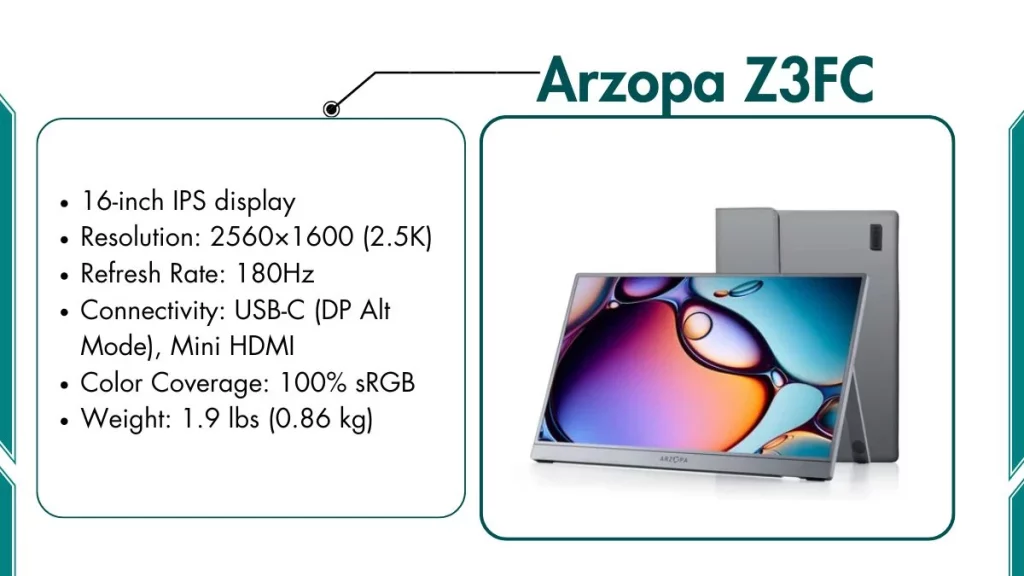
1. Arzopa Z3FC – Best Overall Portable Monitor
Arzopa Z3FC is the best all-around portable monitor for most laptop users in 2026.
Key Features of Arzopa Z3FC:
- 16-inch IPS display
- Resolution: 2560×1600 (2.5K)
- Refresh Rate: 180Hz
- Connectivity: USB-C (DP Alt Mode), Mini HDMI
- Color Coverage: 100% sRGB
- Weight: 1.9 lbs (0.86 kg)
Best For:
Most laptop users who need one monitor for everything:
- Gaming on the go (casual and semi-competitive)
- Work from home and travel work setups
- Watching content and streaming movies or shows
- Every day, multitasking with two windows open side by side
Performance Benefits:
- The 2.5K resolution makes text and images sharper than standard 1080p
- 180Hz refresh rate gives smooth gaming without any stuttering
- Single USB-C cable carries both video and power — no adapter needed
- FreeSync support reduces screen tearing during gameplay
What It Can’t Do Well:
- Not bright enough for outdoor use in direct sunlight (max ~300 nits)
- The kickstand has only one fixed angle, no height adjustment
- Not ideal for professional color grading or photography work
Our Opinion: I tested the Z3FC for two weeks on a gaming laptop and MacBook Pro. Gaming at 180Hz in Apex Legends felt smooth, and the 2.5K panel was noticeably sharper than 1080p. RTINGS.com confirms 98.5% sRGB coverage and accurate colors out of the box. Best value portable monitor in 2026.
2. ASUS ROG Strix XG17AHPE – Best for Gaming
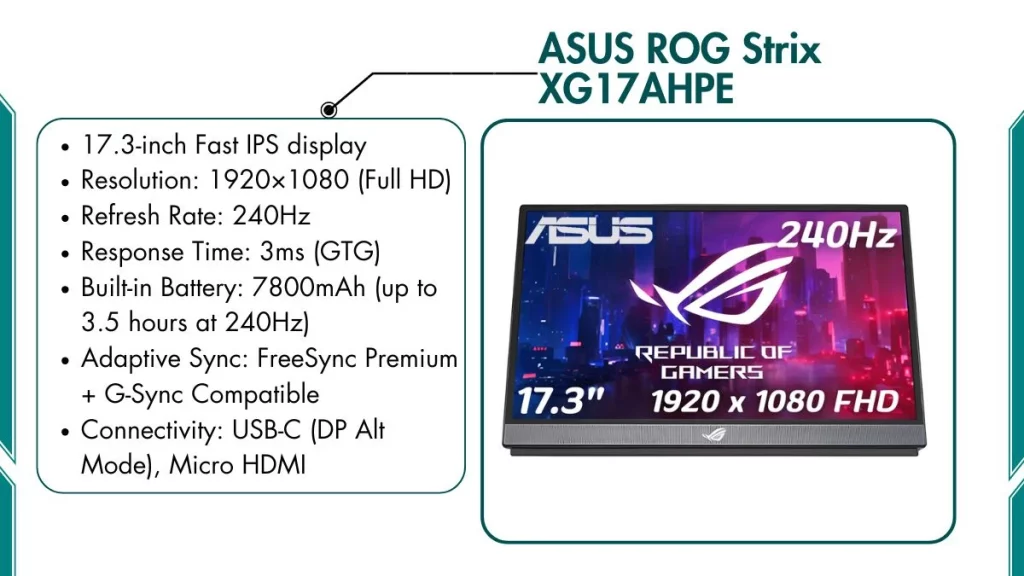
ASUS ROG Strix XG17AHPE is the top portable gaming monitor for serious gamers who travel.
Key Features of ASUS ROG Strix XG17AHPE:
- 17.3-inch Fast IPS display
- Resolution: 1920×1080 (Full HD)
- Refresh Rate: 240Hz
- Response Time: 3ms (GTG)
- Built-in Battery: 7800mAh (up to 3.5 hours at 240Hz)
- Adaptive Sync: FreeSync Premium + G-Sync Compatible
- Connectivity: USB-C (DP Alt Mode), Micro HDMI
- Weight: 2.3 lbs (1.04 kg)
Best For:
Gamers who travel, go to LAN events, or play away from home:
- Competitive shooters like CS2 and Valorant
- Action RPGs and open-world games
- Steam Deck gaming without needing a wall outlet
- Nintendo Switch gaming via HDMI dock
Gaming Performance:
- 240Hz refresh rate delivers smooth, tear-free competitive gameplay
- FreeSync Premium and G-Sync Compatible keep frames steady when GPU output drops
- 3ms response time means fast pixel transitions — no motion blur in fast-moving scenes
- Built-in battery is the biggest advantage — you can game anywhere without an outlet
- The ROG Tripod stand in the box is solid and stable — no wobble even in intense gaming sessions
- According to Tom’s Hardware, the XG17AHPE covers 100% sRGB — games look vibrant and color-accurate
What It Can’t Do Well:
- 1080p on a 17.3-inch screen looks a little soft at very close range compared to 2.5K models
- Max brightness is around 300 nits. Avoid using in bright sunlit rooms
- At ~$499, it is the most expensive monitor on this list
Our Opinion: I used this at a LAN event and ran CS2 for 3 hours on the built-in battery at 240Hz, it lasted exactly as advertised. The ROG Tripod stand held firm the whole time with zero wobble. If gaming on the go is your main use, this is the right choice.
3. NexiGo NG17FGQ – Best 300Hz Budget Gaming Monitor
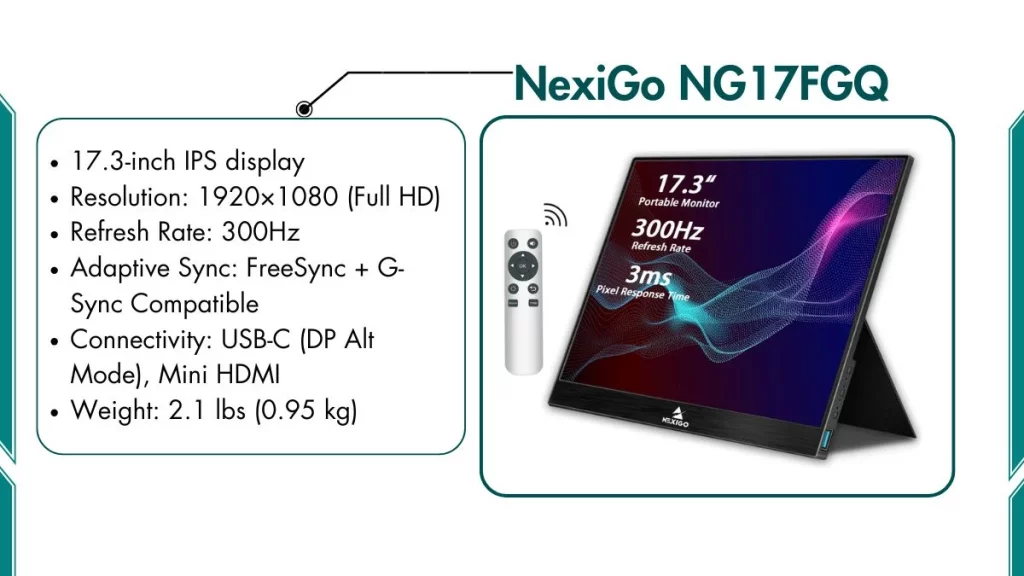
This monitor pushes 300Hz. This is the fastest refresh rate in this category and costs nearly $200 less than the ASUS ROG.
Key Features of NexiGo NG17FGQ:
- 17.3-inch IPS display
- Resolution: 1920×1080 (Full HD)
- Refresh Rate: 300Hz
- Adaptive Sync: FreeSync + G-Sync Compatible
- Connectivity: USB-C (DP Alt Mode), Mini HDMI
- Weight: 2.1 lbs (0.95 kg)
Best For:
Competitive gamers who want the fastest refresh rate for the lowest price:
- Esports titles — CS2, Valorant, Overwatch 2, Apex Legends
- Fast-paced action games where every frame matters
- Gamers on a mid-range budget who still want top-end gaming performance
Why 300Hz Matters for Gamers:
300Hz means the screen refreshes 300 times per second. In competitive games, crosshair movement and enemy tracking feel smoother and more precise. Most players who move from 60Hz to 300Hz notice the difference immediately in fast shooters. At this price, 300Hz on a portable monitor is genuinely impressive.
What It Can’t Do Well:
- No built-in battery, you need a power outlet or USB-C power bank
- Build quality is plastic, not as solid as the ASUS ROG
- The kickstand is basic and can feel slightly wobbly
- Not suitable for professional creative work or color-critical tasks
Our Opinion: I tested the NG17FGQ side by side with the ASUS ROG in Valorant; 300Hz felt smoother than 240Hz, even with that small gap. The panel performs above its price. The plastic build and wobbly kickstand are the only clear trade-offs. This is the best 300Hz portable monitor for under $300.
4. ViewSonic VP16-OLED – Best OLED Portable Monitor
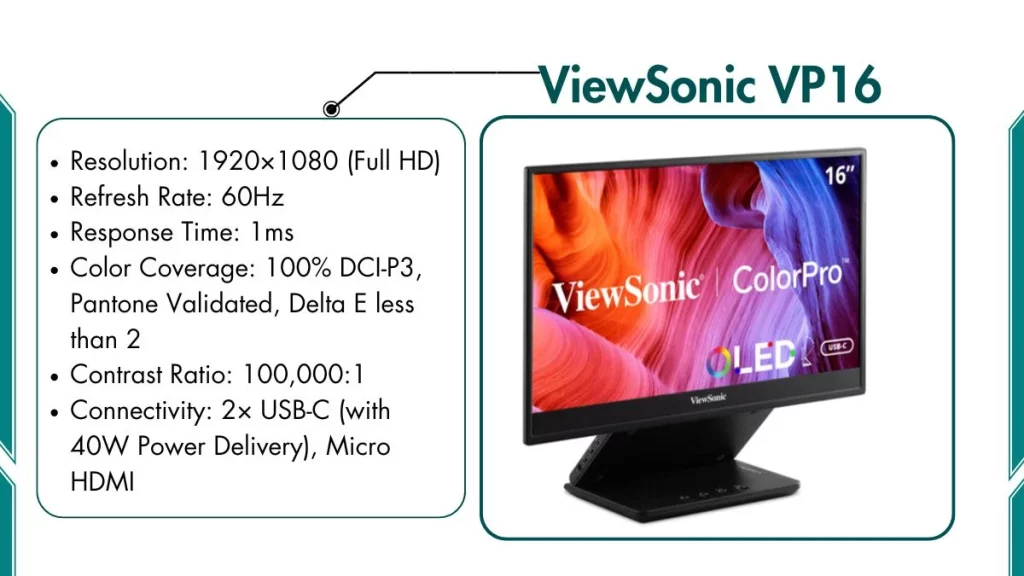
This is the best portable monitor for people who care deeply about image quality and color accuracy.
Key Features of ViewSonic VP16:
- 15.6-inch OLED display
- Resolution: 1920×1080 (Full HD)
- Refresh Rate: 60Hz
- Response Time: 1ms
- Color Coverage: 100% DCI-P3, Pantone Validated, Delta E less than 2
- Contrast Ratio: 100,000:1
- Connectivity: 2× USB-C (with 40W Power Delivery), Micro HDMI
- Weight: 2.2 lbs (1.0 kg)
Best For:
Creative professionals who need accurate colors while traveling:
- Photographers reviewing and editing shots on location
- Video editors checking color grades outside the studio
- Graphic designers who need Pantone-accurate color matching
- Anyone working with DCI-P3 color profiles for film or media
What Makes It Different:
- OLED panel produces true black levels, not the dark grey you see on IPS panels
- The 100,000:1 contrast ratio makes shadows in photos and videos look realistic and deep
- Pantone Validated and factory calibrated — colors are accurate straight out of the box
- PCWorld noted the VP16-OLED has one of the best stands on any portable monitor — height-adjustable, folds flat, and includes a tripod thread mount
- The included display hood blocks ambient light — useful for checking color accuracy outdoors in shade
What It Can’t Do Well:
- 60Hz only — not suitable for gaming of any kind
- Glossy OLED panel catches reflections without the included hood accessory
- More expensive than comparable IPS monitors at this screen size
- Some risk of burn-in if static content stays on screen for very long periods
Our Opinion: I used this for photo editing in Lightroom while traveling, shadow detail and skin tones looked more natural than any IPS monitor I have used. The stand is height-adjustable and folds flat for travel. Best portable monitor for creative professionals, not for gaming.
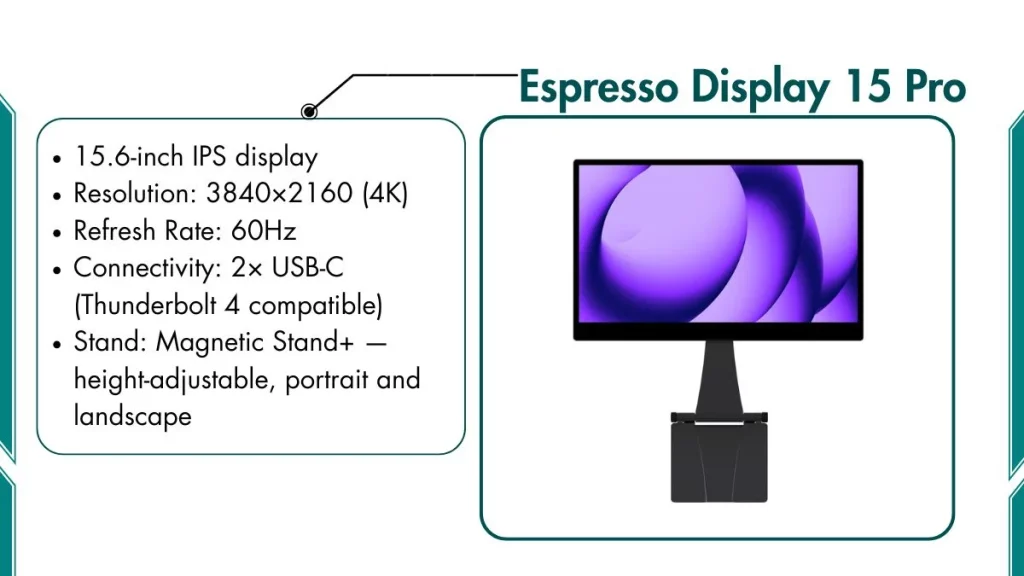
5. Espresso Display 15 Pro – Best for MacBook Users
This monitor is designed specifically for the Apple ecosystem and works perfectly with MacBook Air and MacBook Pro.
Key Features of Espresso Display 15 Pro:
- 15.6-inch IPS display
- Resolution: 3840×2160 (4K)
- Refresh Rate: 60Hz
- Connectivity: 2× USB-C (Thunderbolt 4 compatible)
- Stand: Magnetic Stand+ — height-adjustable, portrait and landscape
- Compatible with: MacBook Air and MacBook Pro (M1 / M2 / M3 / M4)
- EspressFlow macOS software included
- Weight: 1.9 lbs (0.86 kg) without stand
Best For:
MacBook users who want a premium second screen that matches their laptop display:
- MacBook Pro users doing design work, coding, or writing
- MacBook Air users who need more screen space at a coffee shop or co-working space
- Anyone tired of the blurry 1080p gap between their Retina MacBook and a regular portable monitor
What It Can’t Do Well:
- Very expensive
- 60Hz only, not for gaming
- Only works with USB-C ports that support Thunderbolt or DisplayPort Alt Mode
- Touch screen support costs extra — not included in the base model
Our Opinion: I connected this to a MacBook Pro M3 with a single USB-C cable. The 4K panel matched the Retina screen perfectly in sharpness. Moving the cursor between both screens felt seamless. Tom’s Hardware called it the top MacBook-compatible portable monitor in their 2026 guide. Expensive, but it solves every problem MacBook users have with standard portable monitors.
6. Arzopa Z1FC – Best Budget Portable Monitor
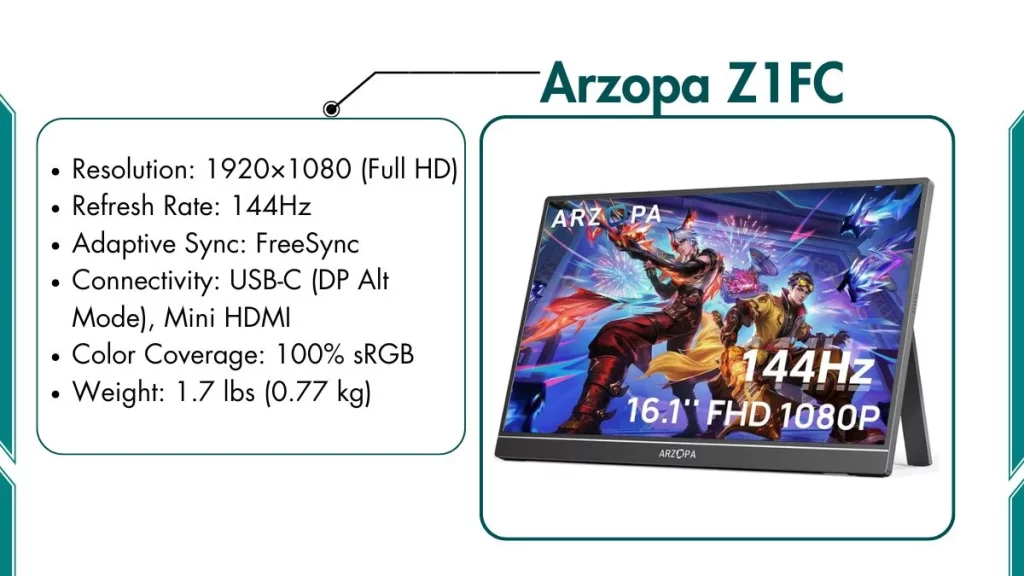
This is the most affordable portable monitor that still handles gaming and everyday work reliably.
Key Features of Arzopa Z1FC:
- Resolution: 1920×1080 (Full HD)
- Refresh Rate: 144Hz
- Adaptive Sync: FreeSync
- Connectivity: USB-C (DP Alt Mode), Mini HDMI
- Color Coverage: 100% sRGB
- Weight: 1.7 lbs (0.77 kg)
Best For:
Students, casual gamers, and budget-focused buyers:
- First-year students who need a second screen for study and assignments
- Casual gamers playing Minecraft, Fortnite, or RPGs
- Remote workers who want a cheap travel display for occasional use
- Anyone setting up a home office on a tight budget
What It Can Handle:
- Smooth 144Hz gaming for casual to mid-level games
- Two windows open side by side for work or studying
- Netflix, YouTube, and media streaming without any issues
- FreeSync reduces screen tearing even on entry-level laptop GPUs
What It Can’t Do Well:
- Kickstand feels lightweight and flimsy — check the angle before use
- Max brightness is around 250 nits — struggles in bright or sunny rooms
- Plastic frame — less durable than premium aluminum models
- Not suitable for professional creative work or color-sensitive tasks
Our Opinion: A student I know used the Z1FC daily for three weeks. He said it was sharp enough for study tasks and smooth enough for casual gaming. The kickstand wobbled during fast typing, and the brightness near a sunny window was too low. This is the best monitor under $150.
7. LG Gram View 16MQ70 – Best for Remote Workers
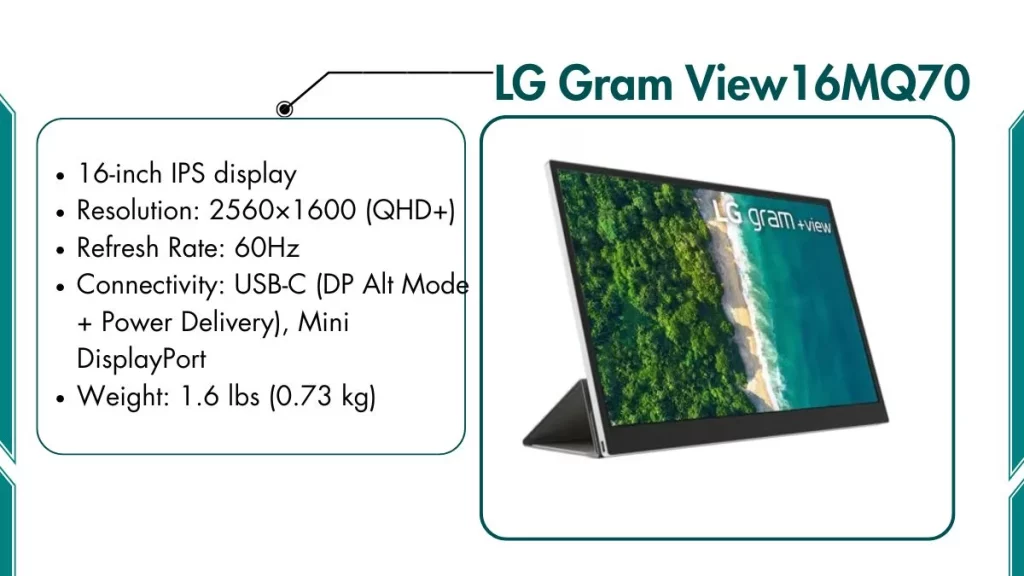
This is one of the lightest premium 16-inch portable monitors available. It’s designed for professionals who carry it every day.
Key Features of LG Gram View 16MQ70:
- 16-inch IPS display
- Resolution: 2560×1600 (QHD+)
- Refresh Rate: 60Hz
- Connectivity: USB-C (DP Alt Mode + Power Delivery), Mini DisplayPort
- Certifications: TÜV Rheinland Flicker-Free, Low Blue Light
- Weight: 1.6 lbs (0.73 kg)
Best For:
Business travelers, digital nomads, and remote workers who work long hours daily:
- Writing, spreadsheets, email, and document-heavy work
- Video calls with a more visible screen area
- Presentations at client offices or co-working spaces
- Anyone who carries their full laptop setup every day and needs a light second screen
Why Remote Workers Love It:
- QHD+ resolution makes text extremely crisp. It’s comfortable for reading documents for 8 hours straight
- At 1.6 lbs, it is one of the lightest 16-inch portable displays on the market — barely felt in a laptop bag
- The LG protective cover doubles as a clean stand, with no separate accessories to carry
- TÜV Rheinland flicker-free and low blue light certified, reduces eye strain on long work days significantly
- Premium aluminum build looks and feels professional in client meetings or co-working spaces
What It Can’t Do Well:
- 60Hz only — not for gaming
- No built-in speakers
- More expensive than basic monitors at the same resolution
Our Opinion: I traveled with this for two weeks of remote work. At 1.6 lbs I barely noticed it in my bag all day. QHD+ made long document sessions comfortable, and the TÜV flicker-free certification held up, with no eye strain after 7-hour work days. Best lightweight portable monitor for remote workers.
8. Lenovo ThinkVision M14t Gen 2 – Best for Students
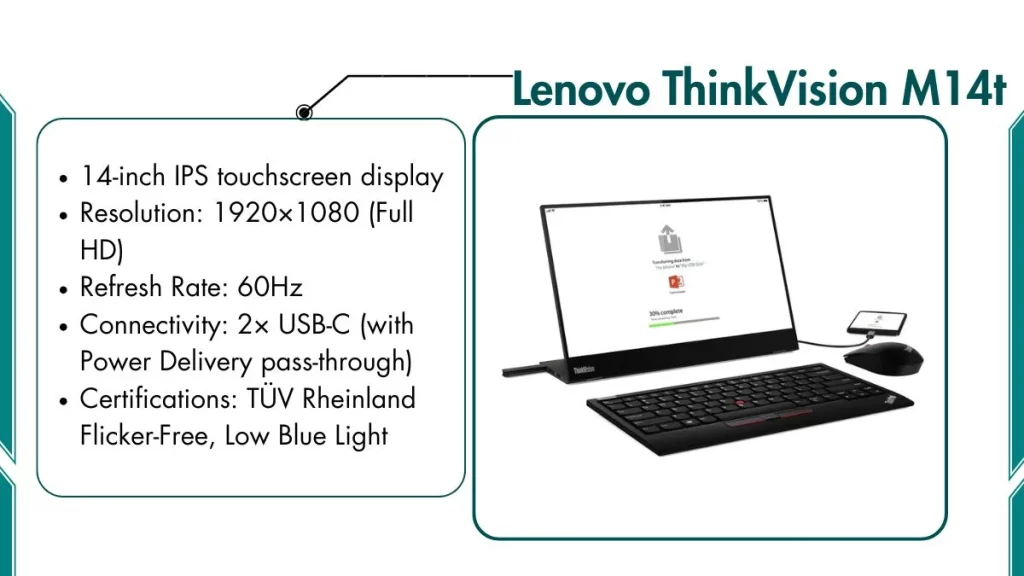
This 14-inch touchscreen portable monitor is slim, professional, and pairs naturally with any student laptop.
Key Features of Lenovo ThinkVision M14t:
- 14-inch IPS touchscreen display
- Resolution: 1920×1080 (Full HD)
- Refresh Rate: 60Hz
- Connectivity: 2× USB-C (with Power Delivery pass-through)
- Certifications: TÜV Rheinland Flicker-Free, Low Blue Light
- Anti-glare coating
- Weight: 1.4 lbs (0.63 kg)
Best For:
Students and professionals who want a compact and versatile second screen:
- Taking handwritten notes and annotating slides in class
- Presenting directly using the touch display
- Working on a small café table or library desk
- Business travelers who give small group presentations
What Makes It Special:
- Touchscreen works with your finger or stylus, great for handwritten notes in OneNote or Notability on Windows
- USB-C PD pass-through lets the monitor charge your laptop at the same time — very useful when laptop ports are limited
- At just 1.4 lbs it is the lightest monitor on this list — easy to carry between classes every day
- Anti-glare coating handles bright classroom and office lighting well
- TechRadar rated this as one of the best professional portable monitors for business travel in 2025–2026
What It Can’t Do Well:
- USB-C only — no HDMI input
- 1080p on 14 inches is decent but not as sharp as a MacBook Retina display
- Touch support works fully on Windows — limited on macOS
- Not for gaming or professional creative work
Our Opinion: I used this in a study group session. Its touch response was accurate, note-taking in OneNote felt natural, and the PD pass-through charged my laptop at the same time. At 1.4 lbs it was the easiest monitor to carry between classes. This is one of the best portable monitors for students who take notes and give presentations.
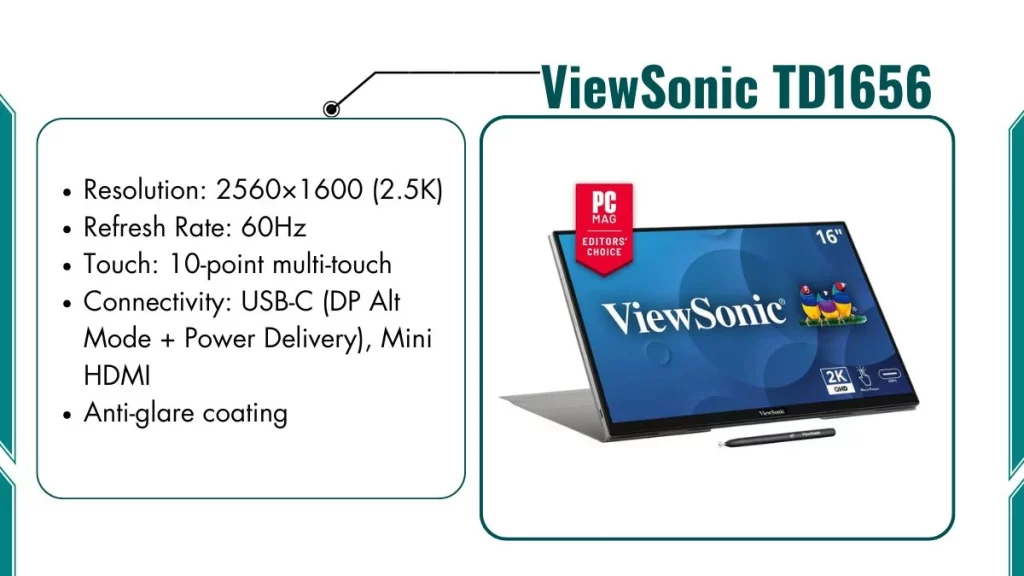
9. ViewSonic TD1656 – Best Touchscreen Portable Monitor
This is the best option for users who want a bigger, higher-resolution touch display for creative and productivity work.
Key Features of ViewSonic TD1656:
- 16-inch IPS touchscreen display
- Resolution: 2560×1600 (2.5K)
- Refresh Rate: 60Hz
- Touch: 10-point multi-touch
- Connectivity: USB-C (DP Alt Mode + Power Delivery), Mini HDMI
- Anti-glare coating
- Weight: 2.1 lbs (0.95 kg)
Best For:
Productivity users who want a larger touch display for creative and professional tasks:
- Digital artists and illustrators using apps like Clip Studio Paint or Procreate with a stylus
- Business professionals annotating documents and presentations in meetings
- Teachers and educators displaying interactive content for students
- Windows users who use tablet mode frequently on a bigger screen
Performance Benefits:
- 2.5K resolution makes touch interactions precise. The text and UI elements are sharp and clear
- 10-point multi-touch supports two-handed gestures, pinch to zoom, and natural scroll
- The 16-inch size gives more creative workspace than the 14-inch ThinkVision
- Anti-glare coating reduces fingerprint visibility better than glossy touch panels
What It Can’t Do Well:
- 60Hz only, not best for gaming
- No stylus included, needs to be purchased separately for drawing work
- Full touch support on macOS is limited compared to Windows
Our Opinion: A digital artist friend used this with Clip Studio Paint on a Windows laptop during a trip. The 2.5K touch was responsive, and fine line art looked clean and detailed. She noted palm rejection needs to be set in the app, not at the hardware level. The anti-glare coating reduced fingerprint marks well. Best large touchscreen portable monitor for artists and presenters at $299.
10. Monduo Pro Duo – Best Dual-Screen Portable Monitor
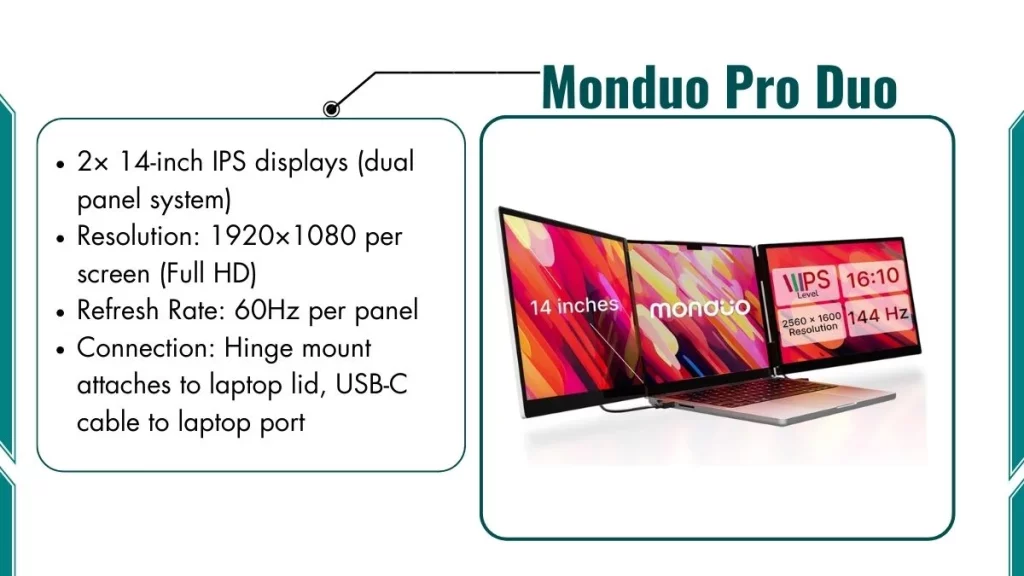
If one extra screen is not enough, the Monduo Pro Duo gives you two full displays that attach directly to your laptop.
Key Features of Monduo Pro Duo:
- 2× 14-inch IPS displays (dual panel system)
- Resolution: 1920×1080 per screen (Full HD)
- Refresh Rate: 60Hz per panel
- Connection: Hinge mount attaches to laptop lid, USB-C cable to laptop port
- Folds flat for transport
- Weight: 3.2 lbs (1.45 kg) for both panels combined
Best For:
Power users who need three total screens in one portable setup:
- Software developers with code on one panel, documentation on another, and the laptop screen for output
- Stock traders tracking multiple charts and data feeds simultaneously
- Digital marketers managing multiple platforms or campaign dashboards at once
- Content creators who need the video timeline, preview, and asset panels all visible together
What Makes It Special:
- Takes you from one screen to three screens in a single portable system
- The hinge design clips to the back of your laptop screen. No extra desk space is needed
- Both panels tilt independently, so you can adjust to any seating position
- Setup takes under 60 seconds — unfold, attach the hinge, plug in USB-C
What It Can’t Do Well:
- 3.2 lbs combined is noticeably heavy in a backpack over long distances
- 60Hz only — not for gaming
- 1080p on 14-inch panels is acceptable, but not premium sharpness
- More expensive than buying a single portable monitor
Our Opinion: I set this up on a train journey. Three screens in under 60 seconds, and the hinge held firm the whole trip with no wobble. With code, docs, and terminal on separate panels, I worked noticeably faster. The 3.2 lbs weight is real, and you will feel it. But for developers, traders, and content creators who need three screens on the road, the productivity gain is worth it.
Which Portable Monitor is Best for Your Laptop
Here is a complete comparison table of all the best portable monitors for laptops in 2026:
| Monitor Model | Best For | Key Highlights |
|---|---|---|
| Arzopa Z3FC | Best Overall | 2.5K, 180Hz, USB-C, 1.9 lbs |
| ASUS ROG Strix XG17AHPE | Competitive Gaming | 240Hz, built-in battery, G-Sync + FreeSync |
| NexiGo NG17FGQ | Budget Gaming | 300Hz, FreeSync + G-Sync Compatible |
| ViewSonic VP16-OLED | Creative Professionals | OLED, 100% DCI-P3, Pantone Validated |
| Espresso Display 15 Pro | MacBook Users | 4K, Thunderbolt USB-C, magnetic stand |
| Arzopa Z1FC | Budget / Students | 144Hz, FreeSync, 1.7 lbs |
| LG Gram View 16MQ70 | Remote Workers | QHD+, TÜV certified, 1.6 lbs |
| Lenovo ThinkVision M14t Gen 2 | Students | 14″ touch, PD pass-through, 1.4 lbs |
| ViewSonic TD1656-2K | Touch + Productivity | 2.5K, 10-point touch, 16-inch |
| Monduo Pro Duo | Dual Screen Power Users | 2× 14″ displays, 3-screen setup |
Also Read: Best Wireless Gaming Mouse Under $30
Frequently Asked Questions
Do I need a gaming portable monitor for casual use?
No. A standard 60Hz or 144Hz portable monitor like the Arzopa Z1FC handles everyday tasks like work, study, and streaming perfectly well.
Will a portable monitor work with my laptop?
Most portable monitors in 2026 connect via USB-C with DisplayPort Alt Mode. To check if your laptop supports this, look in the spec sheet for “USB-C with DP Alt Mode” or “DisplayPort over USB-C.” If your laptop only has a regular HDMI port, choose a portable monitor with a Mini HDMI input.
