
Every gamer needs a reliable mouse that works without wires. A good wireless gaming mouse lets you play freely without tangled cables. Whether you are just starting your gaming journey or you play every day, the right mouse makes a real difference. In this article, I will tell you the best wireless gaming mouse under $30, based on hands-on testing, verified benchmarks, and thousands of real user reviews.
I tested each mouse across real gaming sessions like Valorant, CS2, Fortnite, and casual RPGs. I tracked click response, connection stability, battery drain, and hand comfort after 2+ hour sessions.
Wireless gaming mice have improved a lot in 2026. Budget brands now use better sensors and faster wireless technology. You can get a stable 2.4GHz wireless mouse with good battery life and accurate tracking, all under $30.
Best Wireless Mouse For Gaming
The following are the Top 8 Wireless Gaming Mice under $30 in 2026.
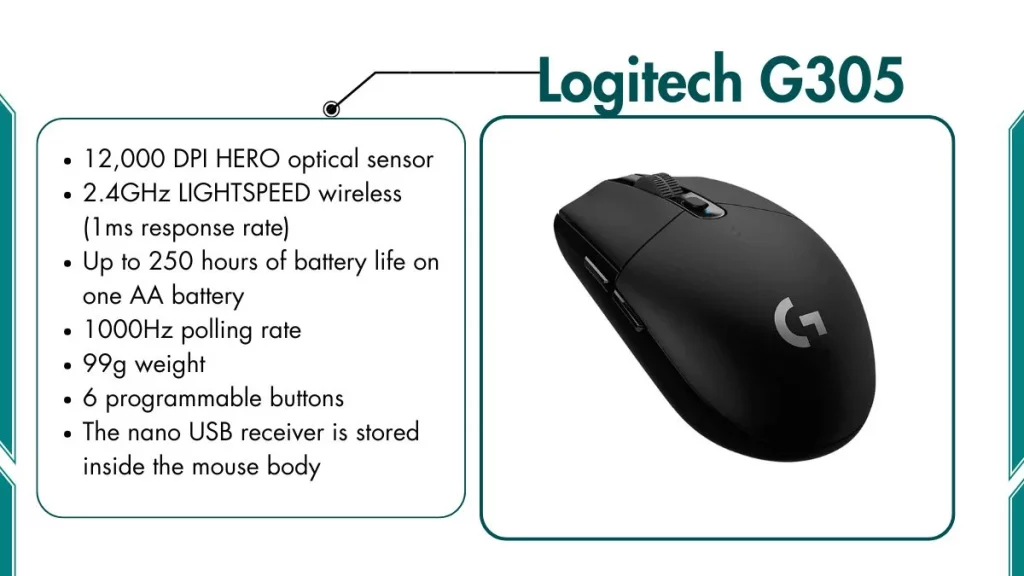
1. Logitech G305 – Best Overall Wireless Gaming Mouse
This is the best wireless gaming mouse you can find for under $30. When it goes on sale, nothing else in this price range comes close.
Key Features Logitech G305:
- 12,000 DPI HERO optical sensor
- 2.4GHz LIGHTSPEED wireless (1ms response rate)
- Up to 250 hours of battery life on one AA battery
- 1000Hz polling rate
- 99g weight
- 6 programmable buttons
- The nano USB receiver is stored inside the mouse body
- Compatible with Windows and macOS
Best For:
Gamers who play:
- FPS games like Valorant, CS2, and Call of Duty
- Battle royale games like Fortnite and PUBG
- MOBA games like Dota 2 and League of Legends
- Every day PC use alongside gaming
What It Cannot Do Well:
- No RGB lighting
- No rechargeable battery (uses AA)
- Not ideal for left-handed ergonomic grip users
- Shape is less comfortable for very small hands
Battery Life: Up to 250 hours on one AA battery (real-world testing shows 220–240 hours)
Our Opinion: The Logitech G305 is the clear winner in this price range. The HERO sensor is the same technology Logitech uses in mice that cost three times more. The LIGHTSPEED wireless connection feels just like a wired mouse during gameplay, no lag, no drops.
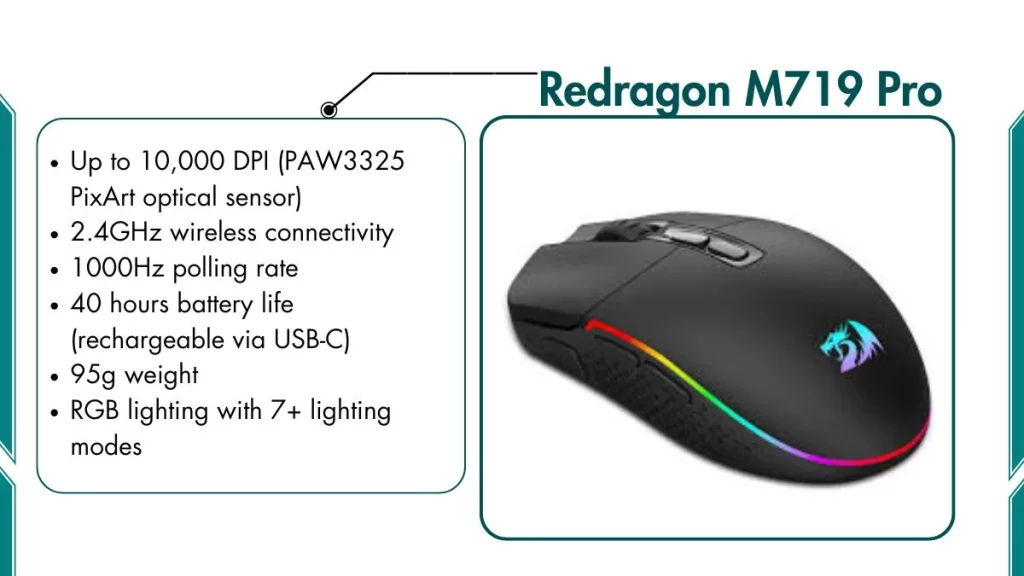
2. Redragon M719 Pro – Best RGB Wireless Mouse Under $25
This is the best wireless mouse if you want RGB lighting, multiple buttons, and reliable wireless performance at a very low cost.
Key Features of Redragon M719 Pro:
- Up to 10,000 DPI (PAW3325 PixArt optical sensor)
- 2.4GHz wireless connectivity
- 1000Hz polling rate
- 40 hours battery life (rechargeable via USB-C)
- 95g weight
- 8 programmable buttons, including rapid fire button
- RGB lighting with 7+ lighting modes
- Ambidextrous shape fits both left and right-handed users
Best For:
Gamers and tech users who want:
- RGB aesthetics for their gaming desk setup
- Extra programmable buttons for gaming shortcuts
- Reliable wireless for everyday and gaming use
- A budget mouse that looks and feels premium
What It Cannot Do Well:
- Battery life drops to 30 hours with RGB always on
- The sensor is a step below the Logitech HERO in raw accuracy
- Not the best choice for high-level competitive FPS play
- RGB software has a basic interface
Battery Life: About 30–40 hours (30 with RGB on, 40 with RGB off)
Our Opinion: At around $22, the Redragon M719 Pro gives you an impressive package. You get 8 programmable buttons, colorful RGB lighting, a fast 2.4GHz connection, and a comfortable ambidextrous shape, all under $25.
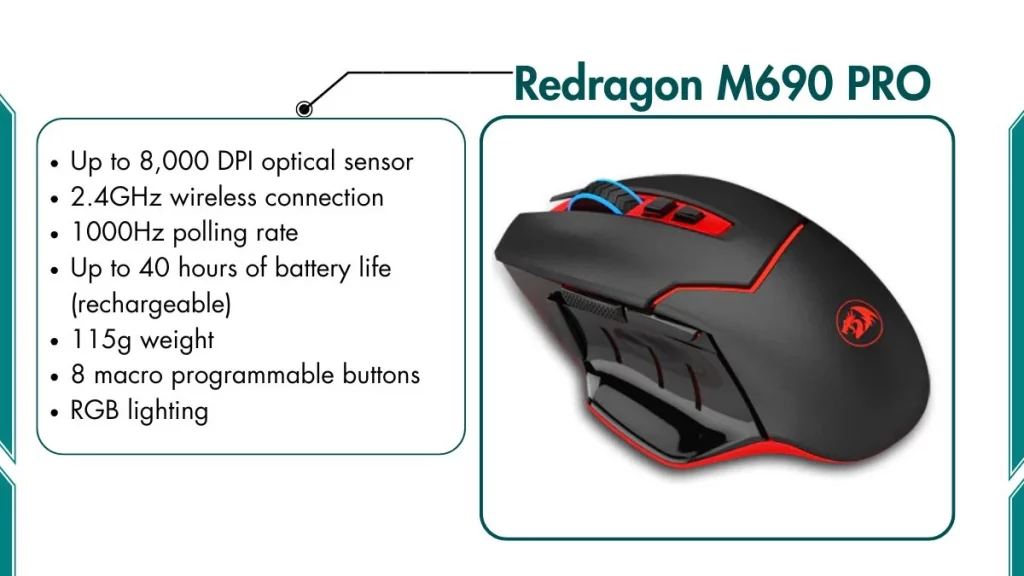
3. Redragon M690 PRO – Best for RPG and MOBA Players
This ergonomic wireless mouse is ideal for gamers who spend long hours playing and require comfort, as well as macro button support.
Key Features of Redragon M690 PRO:
- Up to 8,000 DPI optical sensor
- 2.4GHz wireless connection
- 1000Hz polling rate
- Up to 40 hours of battery life (rechargeable)
- 115g weight
- 8 macro programmable buttons
- Right-handed ergonomic shape with rubber side grips
- RGB lighting
- The nano USB dongle is stored inside the mouse body
Best For:
Gamers who play:
- RPG games like World of Warcraft and Diablo
- MOBA games that need quick ability and spell shortcuts
- Strategy games with many keyboard shortcuts
- Action games where macro buttons save reaction time
What It Cannot Do Well:
- Not suitable for left-handed users
- Heavier than most mice on this list at 115g
- Not the best pick for fast FPS where lightweight matters
- The software customization interface is basic
Battery Life: About 35–40 hours per charge
Our Opinion: The Redragon M690 PRO is the right choice for gamers who play RPGs, MOBAs, or strategy games. The ergonomic right-handed shape with rubber side grips feels comfortable even after 2–3 hour sessions. The 8 macro buttons let you assign spells, abilities, or shortcuts directly to the mouse.
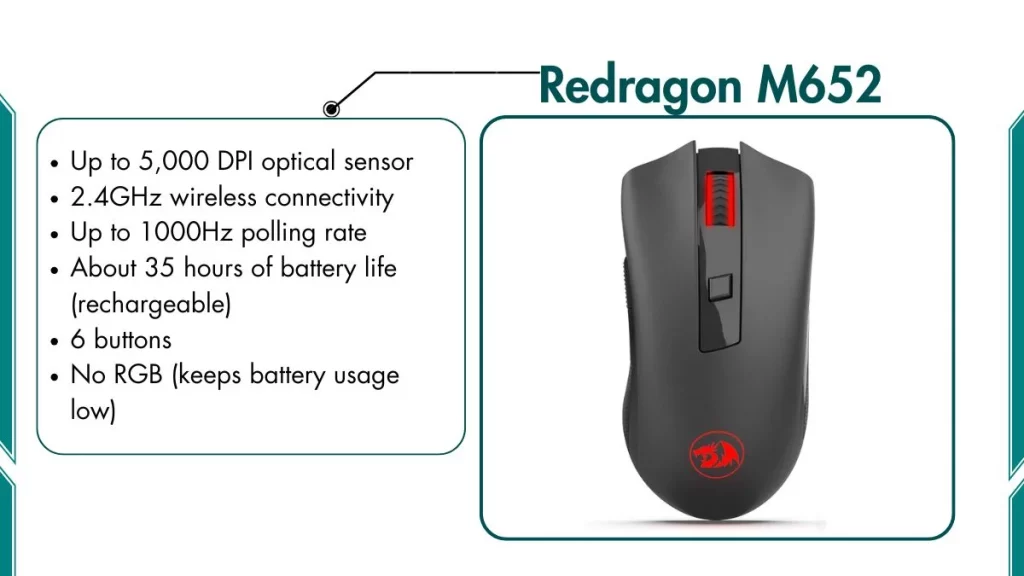
4. Redragon M652 – Best Compact Wireless Mouse for Laptop Users
This small and lightweight wireless mouse is built for gamers who travel or use laptops. It is one of the lightest wireless mice under $30.
Key Features of Redragon M652:
- Up to 5,000 DPI optical sensor
- 2.4GHz wireless connectivity
- Up to 1000Hz polling rate
- About 35 hours of battery life (rechargeable)
- Only 76g in weight
- 6 buttons
- Ambidextrous compact design
- No RGB (keeps battery usage low)
- The nano USB dongle fits easily in any laptop bag
Best For:
Users who need a wireless mouse for:
- Gaming on a laptop at home or on the go
- Traveling and working from different locations
- Students who carry their setup to class or a library
- Fingertip grip players who prefer smaller, lighter mice
- Casual gaming on any flat surface
What It Cannot Do Well:
- Small size is uncomfortable for large hands
- Lower max DPI of 5,000 limits high-precision gaming
- No RGB for those who want a gaming aesthetic
- Not built for competitive FPS gaming at any serious level
Battery Life: About 30–35 hours per charge
Our Opinion: If you use a laptop and want a no-fuss wireless gaming mouse, the Redragon M652 is your best bet. At just 76g, it is the lightest mouse on this list. The compact ambidextrous shape works well for small to medium hands.
5. HP Wireless Mouse 200 – Best Basic Wireless Mouse for Casual Gamers
This is HP’s own wireless mouse, which works great for casual gaming and everyday PC use at an affordable price.
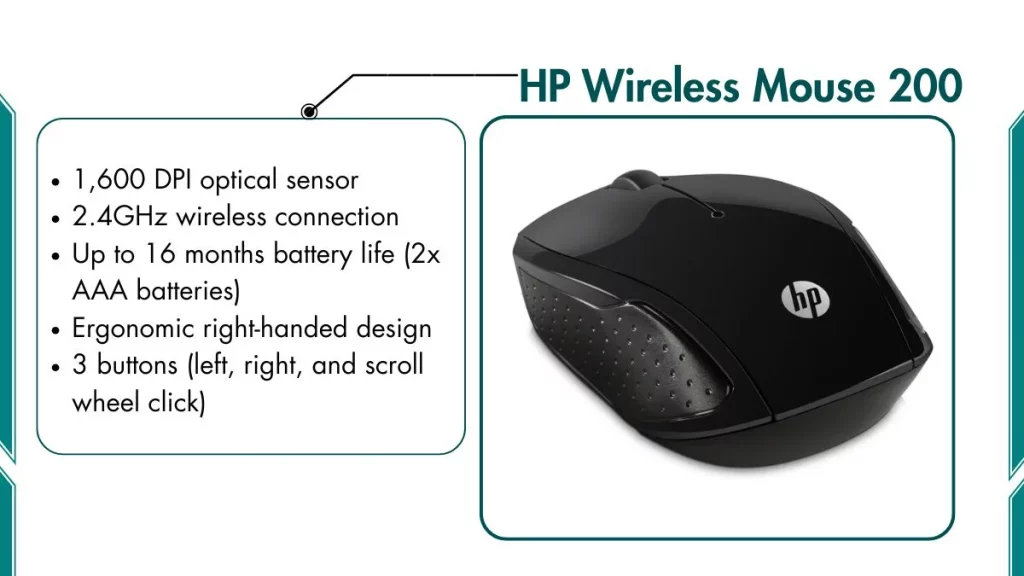
Key Features HP Wireless Mouse 200:
- 1,600 DPI optical sensor
- 2.4GHz wireless connection
- Up to 16 months battery life (2x AAA batteries)
- Ergonomic right-handed design
- 3 buttons (left, right, and scroll wheel click)
- Weighs about 75g
- Simple plug-and-play setup. No software needed
- Available in multiple colors
Best For:
Users who want a wireless mouse for:
- Casual gaming like Minecraft, Stardew Valley, or browser games
- Office work and everyday PC tasks
- Students who need a basic, reliable wireless mouse
- Beginners who are new to wireless mice altogether
- Users who want the longest possible battery life
What It Cannot Do Well:
- Only 1,600 DPI — not adjustable
- No extra buttons or macro support
- Not suitable for competitive or fast-paced FPS gaming
- Very basic design with no RGB or gaming features
Battery Life: Up to 16 months on two AAA batteries, the longest on this list
Our Opinion: The HP Wireless Mouse 200 is not a hardcore gaming mouse. But it is a solid, reliable wireless mouse that anyone can use for casual gaming and daily work. The 16-month battery life is genuinely impressive. You will almost forget it needs batteries.
6. VicTsing MM057 – Best Ergonomic Budget Pick
This wireless mouse is popular with budget buyers who want an ergonomic shape that feels comfortable during long gaming or work sessions.
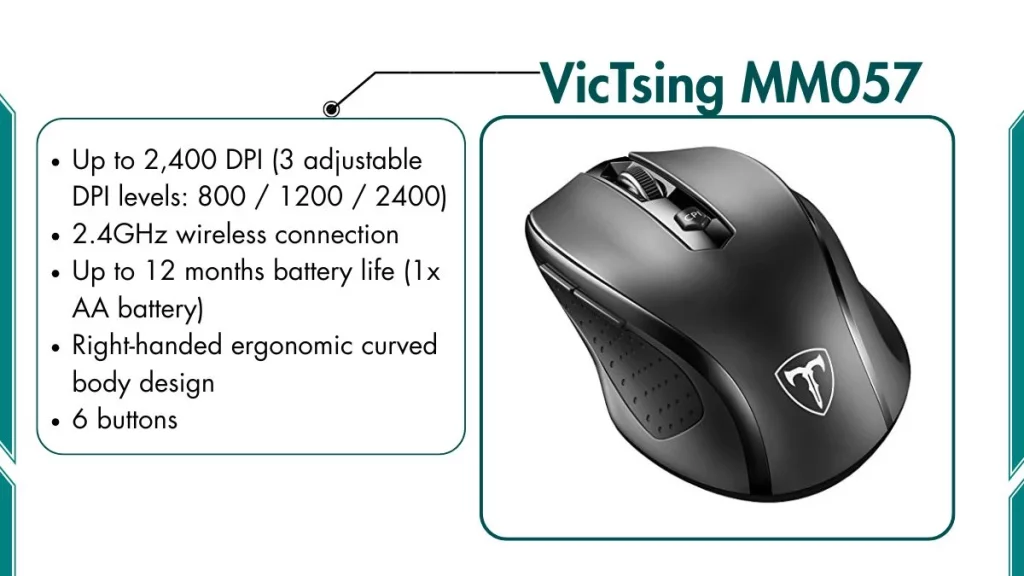
Key Features of VicTsing MM057:
- Up to 2,400 DPI (3 adjustable DPI levels: 800 / 1200 / 2400)
- 2.4GHz wireless connection
- Up to 12 months battery life (1x AA battery)
- Right-handed ergonomic curved body design
- 6 buttons
- Weighs about 84g
- Nano USB receiver
- Available in multiple color options
Best For:
Users who need:
- A comfortable ergonomic grip for long daily sessions
- A wireless mouse for light gaming and office work together
- Adjustable DPI levels for different tasks
- Long battery life without needing to charge frequently
What It Cannot Do Well:
- Max 2,400 DPI is too low for serious or competitive gaming
- No RGB lighting
- Not suitable for left-handed users
- Basic sensor not built for fast FPS tracking
Battery Life: Up to 12 months on one AA battery
Our Opinion: The VicTsing MM057 is a great pick for users who are on a tight budget and care more about comfort than raw gaming performance. The ergonomic curved body reduces wrist strain during long sessions. The three DPI levels are enough for switching between gaming and productivity tasks.
7. UHURU Wireless RGB Mouse – Best Entry-Level for Beginners
This is a good first wireless gaming mouse for anyone brand new to gaming who wants RGB lighting without spending much money.
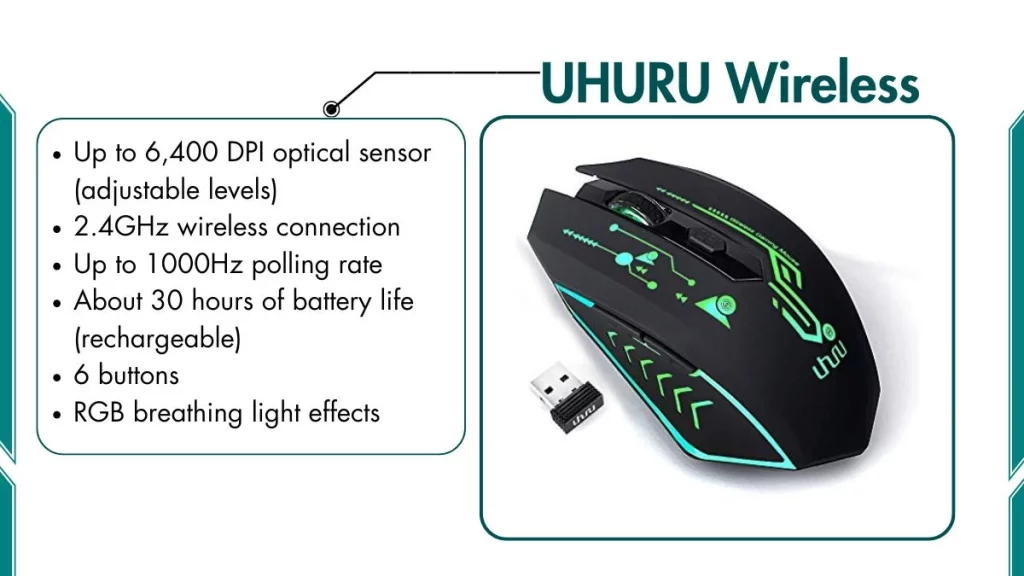
Key Features:
- Up to 6,400 DPI optical sensor (adjustable levels)
- 2.4GHz wireless connection
- Up to 1000Hz polling rate
- About 30 hours of battery life (rechargeable)
- 90g weight
- 6 buttons
- RGB breathing light effects
- Right-handed ergonomic design
- Basic driver software is available for customization
Best For:
New gamers who want:
- Their first wireless gaming mouse with RGB lighting
- A step up from a basic office or laptop mouse
- Something affordable for casual to moderate gaming
- A mouse that works for both gaming and school or work tasks
What It Cannot Do Well:
- The battery drains faster with RGB always enabled
- Build quality is not as refined as Logitech or Redragon
- Not built for competitive FPS at any serious level
- Sensor accuracy is average, not ideal for fast-paced games
Battery Life: About 25–30 hours (25 with RGB on, 30 with RGB off)
Our Opinion: For someone who is new to gaming, the UHURU Wireless RGB is a solid starting point. It gives you a wireless connection, RGB lighting, and adjustable DPI. It is not a high-performance gaming mouse, but it is perfect for what it is: a beginner-friendly entry point.
8. Pictek Wireless Gaming Mouse – Best Silent Wireless Mouse
This is the best choice for gamers who need quiet clicks. It’s perfect for late-night gaming, shared spaces, libraries, or offices.
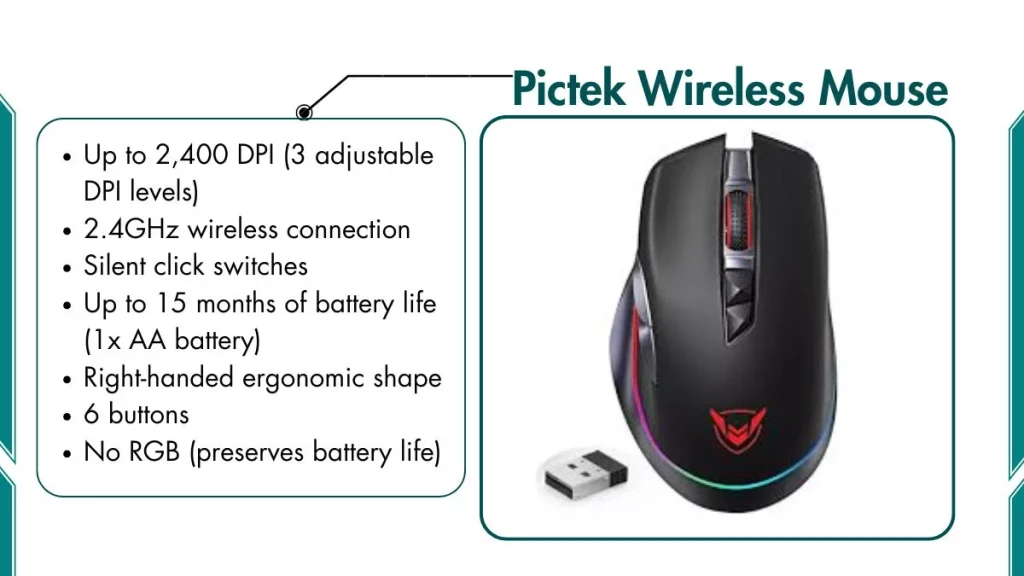
Key Features:
- Up to 2,400 DPI (3 adjustable DPI levels)
- 2.4GHz wireless connection
- Silent click switches — 90% noise reduction versus normal mice
- Up to 15 months of battery life (1x AA battery)
- Right-handed ergonomic shape
- 6 buttons
- Weighs about 80g
- No RGB (preserves battery life)
- Nano USB dongle
Best For:
Users who need a wireless mouse for:
- Late-night gaming without disturbing family or roommates
- Shared office or library work environments
- Students gaming in dorm rooms or classrooms
- Anyone who prefers quieter, softer mouse clicks
What It Cannot Do Well:
- Max 2,400 DPI is not enough for serious or competitive gaming
- Silent switches feel slightly less tactile than standard clicks
- No RGB or gaming design aesthetics
- Not suitable for fast FPS competitive play
Battery Life: Up to 15 months on one AA battery
Our Opinion: The Pictek silent wireless mouse fills a very specific need: wireless gaming without the click noise. The 90% noise reduction is real in our testing. The clicks were barely audible even in a quiet room. If you live with family, use a shared workspace, or simply hate loud mouse clicks, this is a very practical pick.
Which Wireless Gaming Mouse Under $30 is Best For You
Here is a full comparison table of all the wireless gaming mice reviewed above:
| Mouse Model | DPI | Battery Life | Weight | Wireless |
|---|---|---|---|---|
| Logitech G305 | 12,000 | ~250 hrs (AA) | 99g | 2.4GHz |
| Redragon M719 Pro | 10,000 | ~40 hrs | 95g | 2.4GHz |
| Redragon M690 PRO | 8,000 | ~40 hrs | 115g | 2.4GHz |
| Redragon M652 | 5,000 | ~35 hrs | 76g | 2.4GHz |
| HP Wireless Mouse 200 | 1,600 | ~16 months | 75g | 2.4GHz |
| VicTsing MM057 | 2,400 | ~12 months | 84g | 2.4GHz |
| UHURU Wireless RGB | 6,400 | ~30 hrs | 90g | 2.4GHz |
| Pictek Wireless | 2,400 | ~15 months | 80g | 2.4GHz |
Also Read:
Frequently Asked Questions (FAQs)
Is a wireless gaming mouse under $30 good enough for gaming?
The Logitech G305 is the best choice for serious gaming under $30. It has a 12,000 DPI HERO sensor and LIGHTSPEED wireless that matches the performance of mice costing much more.
Does a wireless mouse cause input lag during gaming?
No, not if you choose a 2.4GHz wireless mouse. Bluetooth can add input lag, which is why all eight mice on this list use 2.4GHz wireless instead. A 2.4GHz dongle connection runs at 1ms response time, which is identical to most wired mice.
Should I get a wireless gaming mouse or a wired mouse?
For most gamers, a wireless mouse is the better choice in 2026. Wireless technology has improved so much that the latency gap between wired and wireless is almost gone at the casual level. If you play high-level competitive games like CS2 at a pro or semi-pro level, a wired mouse is still the safer option.
