
You spend three hours writing a perfect essay by hand. Then, in the final paragraph, you make a mistake. Now you must rewrite the entire page. This scenario frustrates many students, but word processing eliminates this problem.
I teach computer science at a high school, and I watch students transform their writing abilities every year. The difference between students who master word processing and those who don’t is significant. Students who understand these tools submit better assignments, save time, and prepare themselves for college and careers.
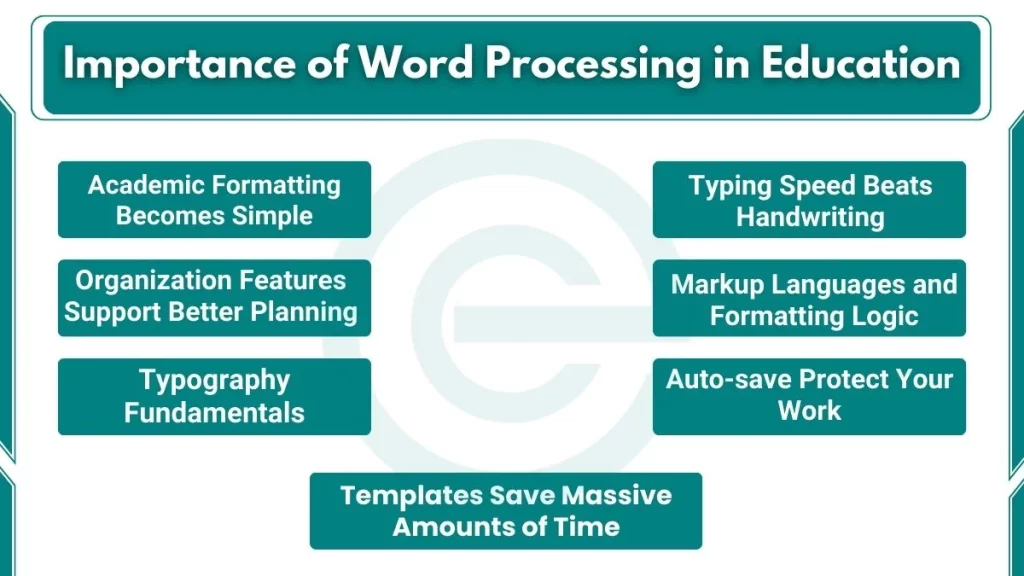
10 Importance of Word Processing in Education
Here are some reasons why word processing is important in education:
1. Editing Revolution
Traditional handwriting makes revision difficult. Students avoid making changes because rewriting takes too much time. Word processors solve this problem in several ways:
- Spell check catches typos instantly
- Grammar tools identify sentence structure problems
- Cut, copy, and paste features allow easy reorganization
- Track changes show exactly what you modified
- Multiple drafts exist without wasting paper
I require my students to submit three drafts for major essays. Students using word processors produce more thorough revisions than those who handwrite. The digital format makes experimentation risk-free. Don’t like a sentence? Delete it. Want to try a different paragraph order? Move it around. These simple actions significantly improve writing quality.
2. Academic Formatting Becomes Simple
High school teachers expect proper formatting. College professors demand it. Word processors include built-in tools for academic standards:
- MLA format for English and humanities classes
- APA style for psychology and social sciences
- Chicago format for history papers
- Automatic page numbering and headers
- Bibliography generators that create citations correctly
Last semester, a student submitted a research paper with 15 sources. Using Microsoft Word’s citation manager, she formatted all references correctly in under 10 minutes. Doing this manually would take hours and create errors.
3. Organization Features Support Better Planning
Strong writing starts with good organization. Word processors offer tools that help you plan before you write:
- Outline view shows your document structure
- Heading styles create an automatic hierarchy
- Table of contents is generated from your headings
- Comments allow notes to yourself
- Bookmarks mark important sections for quick access
These features teach organizational thinking. When you see your essay structure in outline view, weak arguments become obvious. You fix problems before writing full paragraphs.
4. Typing Speed Beats Handwriting
Research shows the average high school student types 40 words per minute. The same student writes only 13 words per minute by hand. This means typing is three times faster than handwriting.
For a 1,000-word essay:
- Handwriting takes approximately 77 minutes
- Typing takes approximately 25 minutes
- You save 52 minutes on writing alone
This time savings applies before revision and formatting. Students who type finish assignments faster and have more time for revision, research, or other homework.
5. Templates Save Massive Amounts of Time
Word processors let you create templates for repeated assignments:
- Lab report formats for science classes
- Book report structures for English
- Resume templates for college applications
- Cover letter formats for job applications
- Project title pages that match teacher requirements
I created a lab report template for my computer science students. They download it, fill in their data, and submit professional-looking reports. Before templates, students spent 30 minutes formatting each report. Now they spend two minutes.
6. Auto-save and Cloud Storage Protect Your Work
Every teacher hears the excuse: “My computer crashed, and I lost everything.” Word processors eliminate this problem through automatic saving.
Modern word processors auto-save every few seconds. Cloud storage platforms like Google Drive and OneDrive sync your documents across devices. You can:
- Access your work from school computers, home computers, and phones
- Recover previous versions if you delete something important
- Never lose work to hardware failures
- Start writing on one device and finish on another
Last year, a student’s laptop broke two days before a major paper deadline. Because she used Google Docs, she accessed her completed draft from a library computer and submitted it on time. Without cloud storage, she would have lost weeks of work.
7. Real-time Editing Transforms Group Projects
Group projects often frustrate students. Scheduling meetings is difficult. Combining everyone’s work creates formatting nightmares. Word processors solve these problems.
Google Docs allows simultaneous editing. Multiple students work on the same document at the same time. You see classmates’ cursors and changes appear instantly. This feature offers several benefits:
- No version control problems
- No emailing files back and forth
- Equal access for all group members
- Clear record of who contributed what
- Real-time discussion through comments
My students complete group coding projects using shared Google Docs for documentation. They coordinate from different locations, different time zones during breaks, and different class periods. The collaboration features make distance irrelevant.
8. Teacher Feedback Becomes More Effective
Students also use these features for peer review. They comment on classmates’ drafts, suggest improvements, and ask questions. The digital format makes peer feedback more specific and helpful. Digital documents improve how teachers provide feedback:
- Comments appear next to relevant text
- Suggestions show recommended changes
- Color-coding highlights different types of errors
- Links provide additional resources
- Video or audio comments explain complex revisions
I comment directly on student drafts using Track Changes in Microsoft Word. Students see exactly what to fix and why. This targeted feedback improves learning better than general comments at the end of a paper.
9. Markup Languages and Formatting Logic
Word processors use markup languages similar to HTML and XML. When you make text bold, the program adds invisible codes around that text. Understanding this concept prepares you for:
- Web development with HTML and CSS
- Data formatting with XML
- Programming with structured syntax
- Database design with organized information
I teach students to use styles instead of manual formatting. Styles define how headings, body text, and captions appear throughout a document. This teaches the programming principle of “define once, use many times.”
10. Typography Fundamentals
Professional documents require typography knowledge. Word processors teach these principles:
- Font families (serif vs. sans-serif)
- Font sizes and their hierarchical meaning
- Line spacing for readability
- Paragraph spacing for visual organization
- Alignment options and their purposes
These skills transfer to graphic design, web design, and presentation creation. Students who understand typography create more professional-looking work across all subjects.
Also read our detailed guide on what a word processor to the basics of a word processor for better understanding.