Difference Between RAM and ROM

image showing Difference Between RAM and ROM
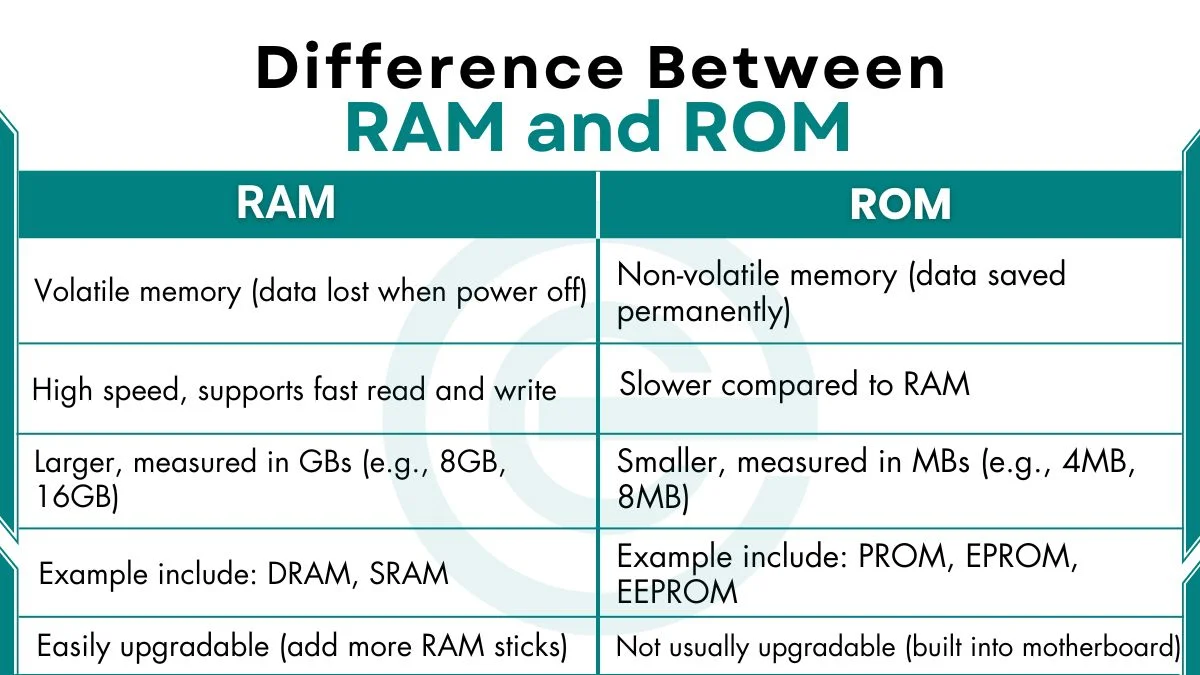
RAM (Random Access Memory) and ROM (Read-Only Memory) are two types of memory in a computer. They both hold data and instructions. The main difference between RAM and ROM is that RAM is volatile and flexible, while ROM is non-volatile and stable. RAM supports what the computer is doing. ROM ensures the computer can start … Read more
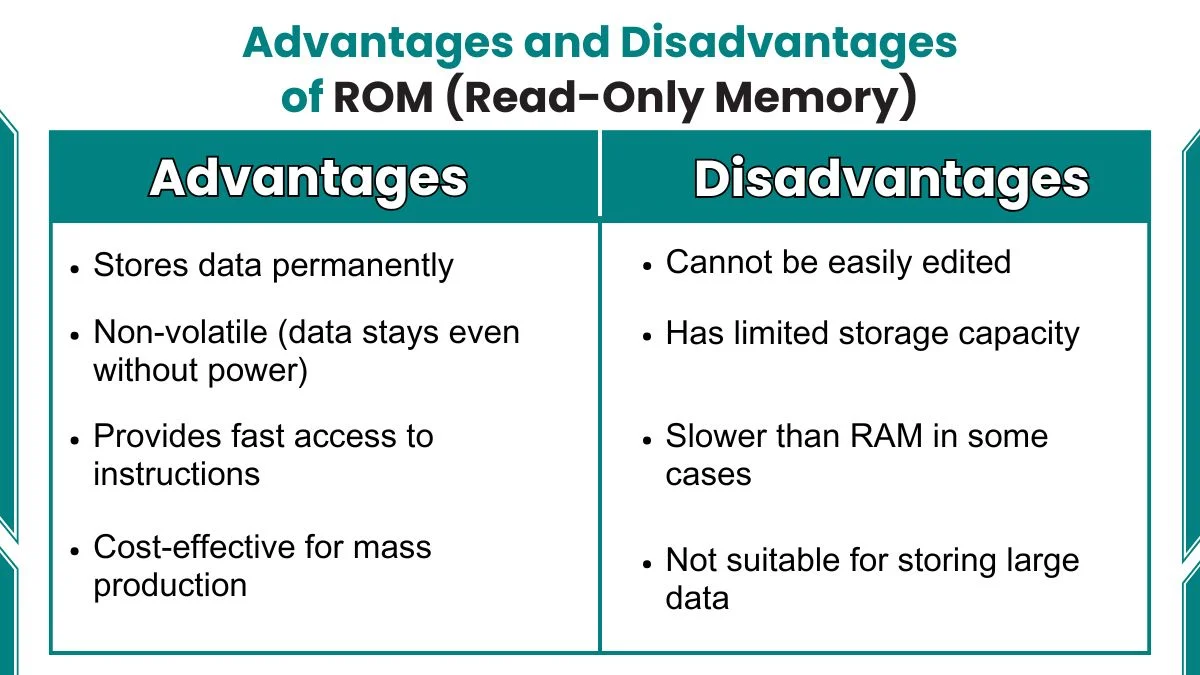
Advantages and Disadvantages of ROM (Read-Only Memory)

image showing Advantages and Disadvantages of ROM

Advantages of ROM include permanent storage, non-volatile nature, reliability, and low power use, which make it important for computers and devices. At the same time, ROM also has disadvantages such as limited storage, slow speed, and difficulty in editing. In this article below, we will look at advantages and disadvantages of ROM in detail. At … Read more

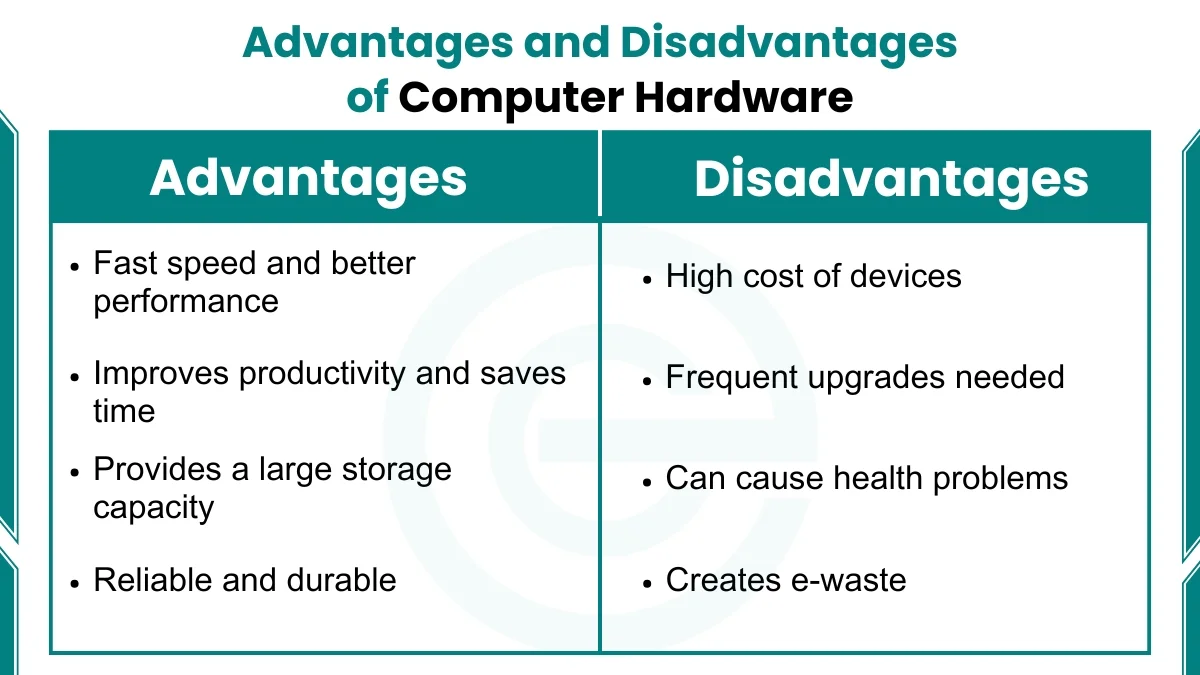
Advantages and Disadvantages of Computer Hardware

image showing Advantages and Disadvantages of Computer Hardware

Computer hardware has many advantages such as fast speed, better storage, and easy communication. This makes learning and daily tasks simple. It also supports creativity and research. However, it has disadvantages too, such as high cost, frequent upgrades, health issues, and electronic waste. Advantages of Computer Hardware The following are advantages of computer hardware: 1. … Read more

What is Computer Hardware -Definition, Types, Components

image showing

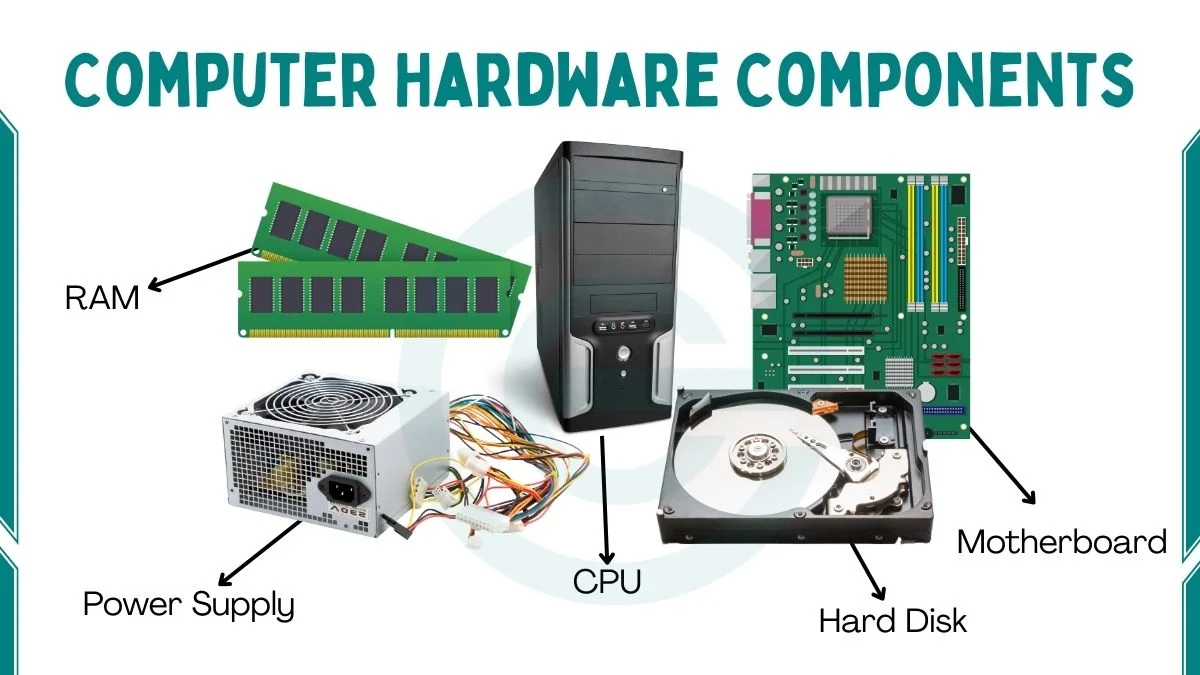
When you see a computer, you notice many physical parts like the monitor, keyboard, and CPU. These parts are called computer hardware. Hardware is the part of a computer that you can touch and see. It works together with software to complete tasks. Computer Hardware Definition Computer hardware is the physical components of a computer … Read more

Advantages and Disadvantages of RAM

image showing Advantages and Disadvantages of RAM

The main advantages and disadvantages of RAM are that it makes multitasking fast, improves system Stability and Improves Gaming Performance. The main drawback is that it stores data temporarily. It has a higher cost compared to storage drives. Before we discuss the good and bad sides of RAM in more detail, let’s quickly understand what … Read more

What is RAM in Computer -Definition, Types, Working

image showing ram in computer

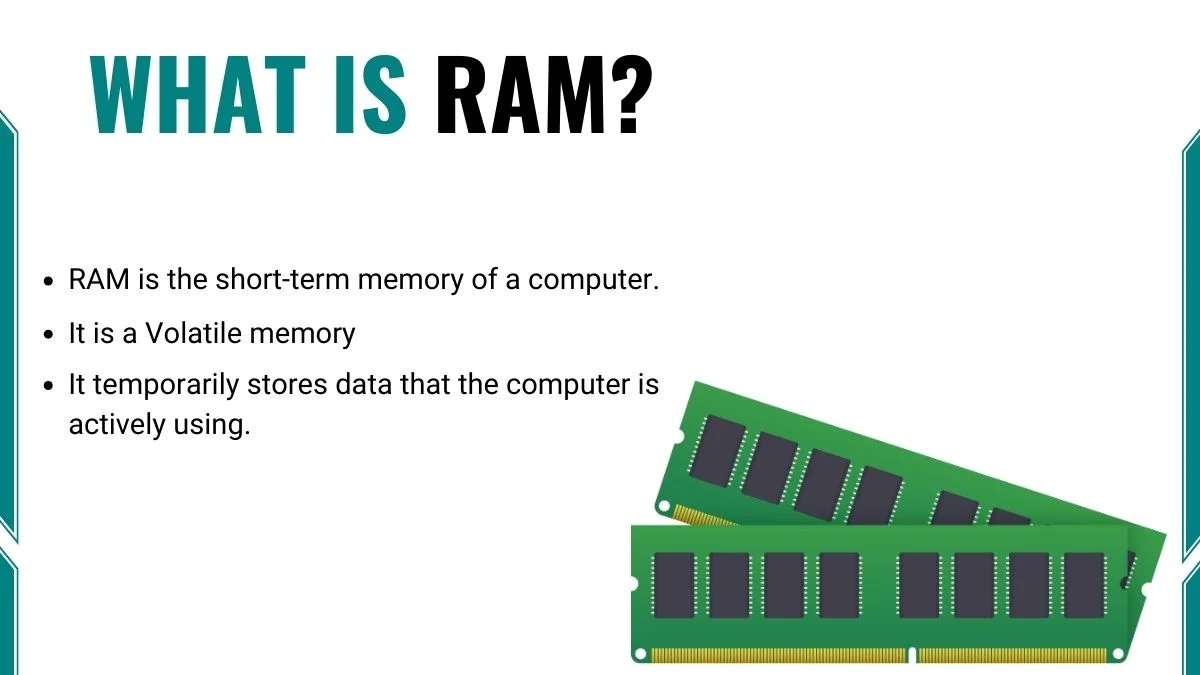
RAM stands for Random Access Memory. This name tells us two important things. First, the memory can be accessed randomly. Second, it is memory, which means it stores information temporarily while the computer is working. Definition of RAM RAM is the short-term memory of a computer. It is a Volatile memory. It temporarily stores data … Read more

10 Examples of RAM (Random Access Memory)

image showing Examples of RAM

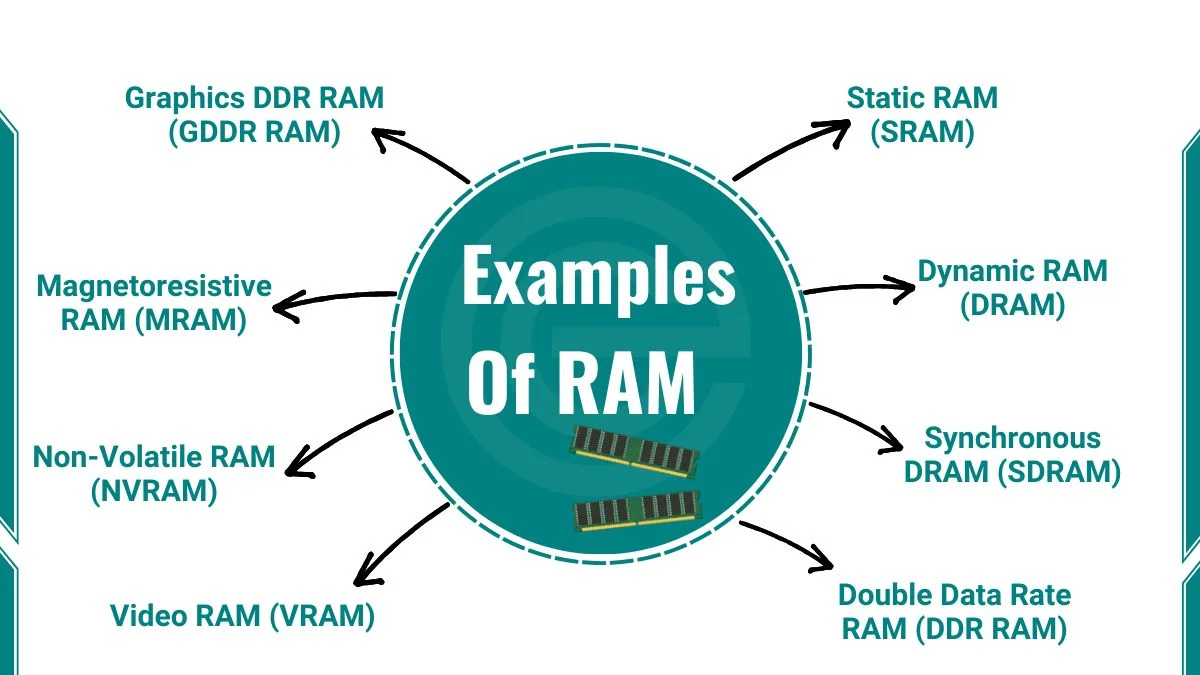
Examples of RAM include SRAM, DRAM, SDRAM, DDR RAM, VRAM, NVRAM and many more. Below, we look at all these examples in detail. RAM is essential to every computer and smart device. It helps your device run smoothly by storing data temporarily while you work.  Examples of RAM Here are the different types of RAM: … Read more

What is Floppy Disk -History, Types, Components

image showing floppy disk

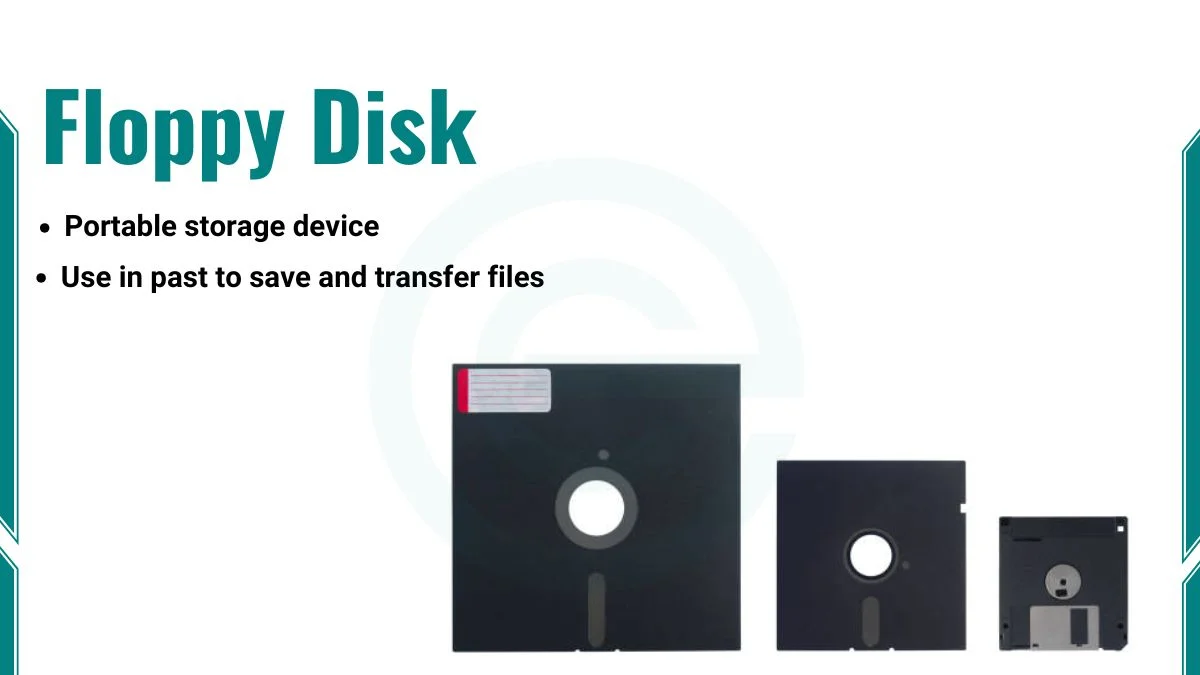
A floppy disk is a portable storage device that stores data magnetically. It is thin, flexible, and covered with a plastic shell. People used floppy disks in the past to save and transfer files between computers. They were one of the first removable storage devices. However, with the advancement of technology, floppy disks have been … Read more

What is Softcopy Output Device -Examples, Advantages

Softcopy output devices are electronic tools that display or present output in a digital form. Unlike hardcopy devices that produce physical outputs like printed documents, softcopy devices present data that can only be seen or heard using electronic devices. They are visible or audible only through electronic mediums such as monitors, projectors, or speakers. Characteristics … Read more

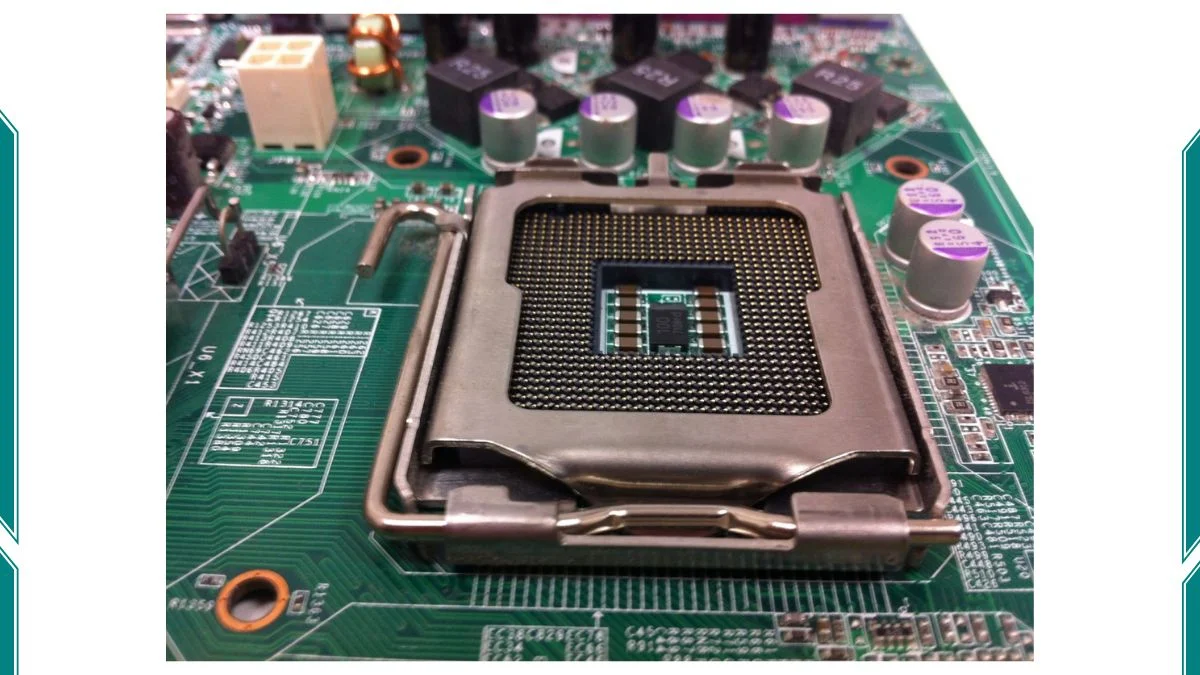
What is a Motherboard Socket -Types, Functions

image showing Motherboard socket

A motherboard socket is a crucial part of a computer’s motherboard. It is the place where the CPU (Central Processing Unit) connects to the motherboard. This connection allows the CPU to communicate with other components of the computer. The CPU cannot work, and the computer will not function without a proper socket. Function of a … Read more